
 GeanyLinux
vs
Microsoft PowerShell ISEWindows
Geany como alternativa Linux a Microsoft PowerShell ISE
Actualizado el
Nuestra opinión
Geany is a reasonable lightweight alternative for basic PowerShell scripting on Linux, but it lacks deep integration. It handles syntax highlighting and simple execution well, making it suitable for users who only need to edit and run scripts occasionally. However, it is not a direct drop-in replacement for complex debugging or advanced IntelliSense. If you rely heavily on the PowerShell ecosystem's built-in tools, you will find Geany limiting. It works best for developers who primarily use PowerShell for simple automation tasks and are comfortable using a separate terminal for execution and debugging.
- Licencia
- GPL-2.0+
- Precio
- Gratis
- Última versión
- 2.1.0 (6 de julio de 2025)
- Valoración
- —
Lo que funciona igual
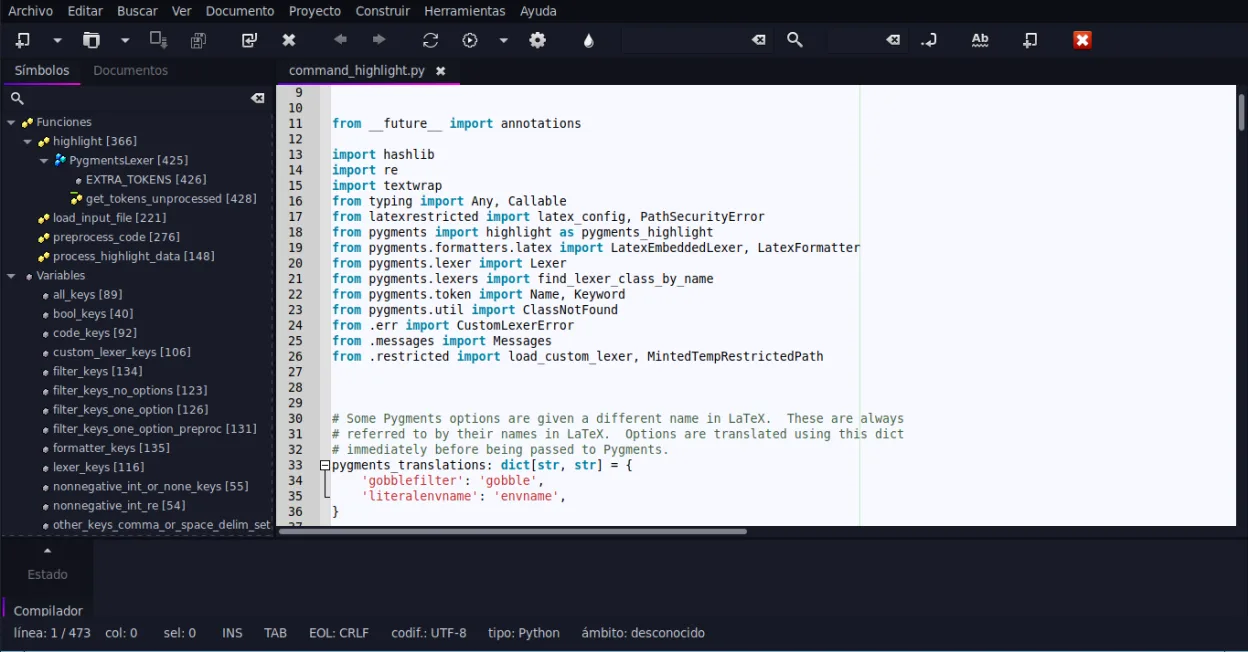
- Provides syntax highlighting for PowerShell scripts
- Includes code completion and auto-completion for common constructs
- Features code folding and symbol lists for navigation
- Supports embedded terminal emulation for running commands
Lo que cambia
- Lacks a dedicated, integrated PowerShell debugger with step-through capabilities
- IntelliSense is basic and does not understand PowerShell object models or cmdlet parameters deeply
- No native cross-platform PowerShell engine integration; relies on external pwsh installation
- Missing specific PowerShell script library management features like module browsing
Abrir tus archivos de Microsoft PowerShell ISE
Geany opens standard text files, so it can read and edit .ps1 and .psm1 scripts created in PowerShell ISE without issues. There is no special binary format to worry about. You can save files back in the same format, ensuring full compatibility. If your scripts use Windows-specific paths or environment variables, they may not run correctly on Linux, but the file content itself remains compatible.
Pasar de Microsoft PowerShell ISE a Geany, paso a paso
- Install PowerShell Core (pwsh) on your Linux system
- Install Geany from your package manager or Flathub
- Configure Geany to recognize .ps1 files as PowerShell syntax
- Set up the embedded terminal in Geany to launch pwsh
- Test basic script execution and syntax highlighting
- Install any necessary plugins for enhanced code completion
Funciones clave de Geany
- Resaltado de sintaxis para más de 30 lenguajes
- Autocompletado de código y de construcciones comunes
- Emulador de terminal integrado
- Administrador de complementos con complementos preinstalados
- Plegado de código y listas de símbolos
- Soporte para autocompletado de etiquetas XML/HTML
Cómo instalar Geany en Linux
flatpak install flathub org.geany.Geanysudo apt install geanysudo apt install geanysudo dnf install geanysudo pacman -S geanysudo zypper install geanyPreguntas frecuentes
Does Geany have a built-in PowerShell debugger?
No, Geany does not have a dedicated PowerShell debugger. You will need to use external debugging tools or run scripts with the -Debug flag in the terminal.
Can I use PowerShell modules in Geany?
Yes, if you have PowerShell Core installed on your system, you can use modules. Geany itself does not manage modules, but it can edit module files and run scripts that import them.
Is Geany heavy on system resources?
No, Geany is designed to be lightweight and fast. It uses significantly less memory and CPU than heavier IDEs, making it suitable for older hardware.
Otras 2 alternativas a Microsoft PowerShell ISE
 Visual Studio CodeUn editor de código ligero y extensible que admite depuración, Git y muchos lenguajes.GratisFlatpakVisual Studio Code vs Microsoft PowerShell ISE
 Visual Studio CodeVisual Studio Code es un editor de código multiplataforma con depuración integrada y soporte Git.GratisFlatpakVisual Studio Code vs Microsoft PowerShell ISE