
 GearyLinux
vs
Mozilla ThunderbirdWindows
Geary como alternativa Linux a Mozilla Thunderbird
Actualizado el
Nuestra opinión
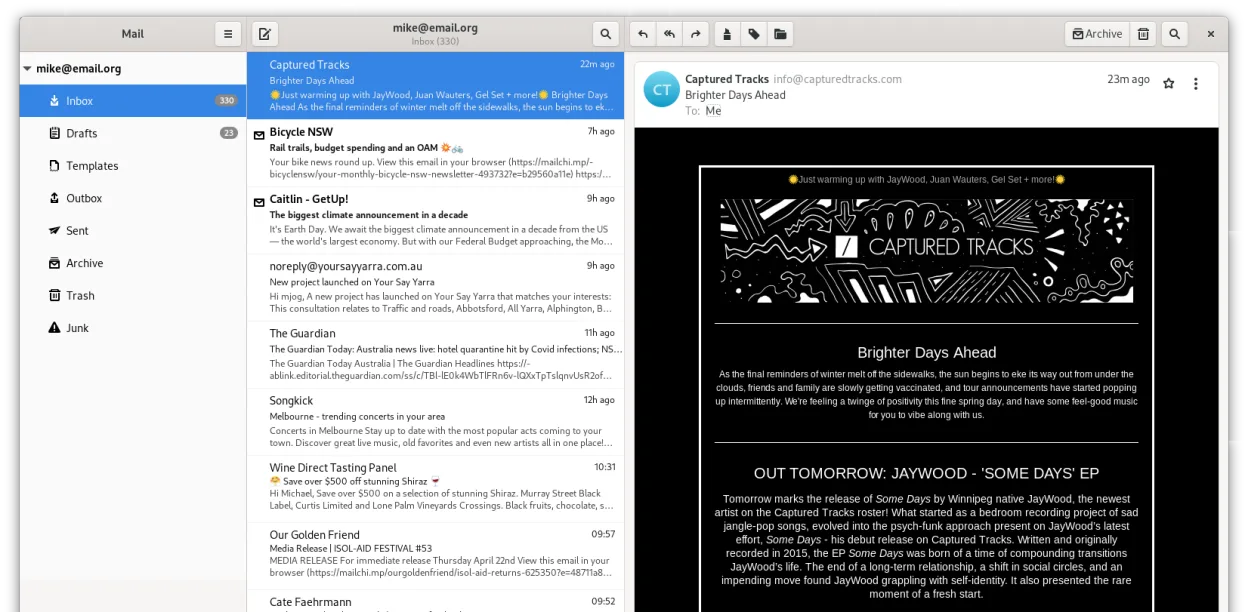
Geary is a solid, lightweight replacement for Thunderbird if you prioritize a clean, conversation-based interface and GNOME integration over extensive customization. It handles multiple IMAP accounts, search, and basic email tasks well. However, it is not a drop-in swap for power users. You lose built-in calendar, address book, RSS reading, and a vast add-on ecosystem. If your workflow relies on these features or complex filtering rules, stick with Thunderbird. Geary is best for users who want a simple, fast email client without extra bloat.
- Licencia
- LGPL-2.1+
- Precio
- Gratis
- Última versión
- 46.0 (20 de mayo de 2024)
- Valoración
- —
Lo que funciona igual
- Supports multiple email accounts simultaneously
- Handles IMAP and POP3 protocols
- Provides full-text search across messages
- Offers HTML and plain-text composition
- Open-source and free to use
Lo que cambia
- Lacks integrated calendar and contacts management
- No support for RSS feed reading
- Minimal add-on or extension ecosystem compared to Thunderbird
- Focuses on conversation view rather than individual message threads
- Less granular control over local folder storage and filtering rules
Abrir tus archivos de Mozilla Thunderbird
Geary does not directly import or open Thunderbird's mbox files or profile structure. You cannot simply point Geary at your existing Thunderbird data folder. Migration requires exporting emails from Thunderbird (e.g., as .eml files or via IMAP sync) and then importing them into Geary, or manually re-syncing accounts if you have access to the server. There is no native file format compatibility for local archives.
Pasar de Mozilla Thunderbird a Geary, paso a paso
- Export your email accounts from Thunderbird if you need local archives, or ensure your IMAP server has all data.
- Install Geary via your package manager or Flathub.
- Add your email accounts to Geary using the quick setup wizard.
- Wait for Geary to sync and index your messages from the server.
- Configure any necessary notification or keyboard shortcuts in Geary settings.
- Verify that all folders and recent emails are accessible before uninstalling Thunderbird.
Funciones clave de Geary
- La vista de conversación agrupa mensajes relacionados
- Configuración rápida de cuentas para proveedores IMAP
- Búsqueda de texto completo y por palabras clave
- Editor HTML y de texto plano
- Notificaciones de escritorio para nuevo correo
- Integración y temas de GNOME
- Navegación amigable con el teclado
- Soporte para múltiples cuentas
Cómo instalar Geary en Linux
flatpak install flathub org.gnome.Gearysudo apt install gearysudo apt install gearysudo dnf install gearysudo pacman -S gearysudo zypper install gearyPreguntas frecuentes
Does Geary support POP3?
Yes, Geary supports both IMAP and POP3 protocols, allowing you to manage accounts that download mail locally or keep it on the server.
Can I use Geary with Gmail and Outlook.com?
Yes, Geary has quick setup options specifically for major providers like Gmail, Yahoo! Mail, and Outlook.com, simplifying the configuration process.
Is there a built-in calendar in Geary?
No, Geary is strictly an email client. It does not include calendar or contact management features, so you will need separate applications for those tasks.
Otras 5 alternativas a Mozilla Thunderbird
 EvolutionEvolution es un gestor de información personal completo que combina correo electrónico, calendario, contactos…Código abiertoGratisFlatpakEvolution vs Mozilla Thunderbird
 KMailKMail es el cliente de correo completo de KDE, parte de la suite Kontact, que admite IMAP, POP3 y buzones…Código abiertoGratisKMail vs Mozilla Thunderbird
 MailspringUn cliente de correo de escritorio rápido y con muchas funciones para Linux, con un motor de sincronización…Código abiertoGratisFlatpakMailspring vs Mozilla Thunderbird
 Claws MailClaws Mail es un cliente de correo electrónico ligero y rápido basado en GTK para Linux.Código abiertoGratisFlatpakClaws Mail vs Mozilla Thunderbird
 Proton MailProton Mail es un cliente de correo electrónico gratuito y cifrado de extremo a extremo para Linux…Código abiertoGratisFlatpakProton Mail vs Mozilla Thunderbird