
 GeoGebraLinux
vs
GeoGebraLinux
vs
 Wolfram MathematicaWindows
GeoGebra como alternativa Linux a Wolfram Mathematica
Actualizado el
Nuestra opinión
GeoGebra is not a full replacement for Wolfram Mathematica. It covers basic symbolic algebra, graphing, and some 3‑D geometry, making it useful for high‑school and introductory university math. Advanced symbolic manipulation, large‑scale numerical solving, optimization, statistical analysis, and the powerful Mathematica language are missing. Users who need deep research‑level computation or custom programming will find GeoGebra insufficient.
- Licencia
- LicenseRef-proprietary
- Precio
- Gratis
- Última versión
- 6-0-804-0 (4 de octubre de 2023)
- Valoración
- —
Lo que funciona igual
- Both provide symbolic algebra and equation solving
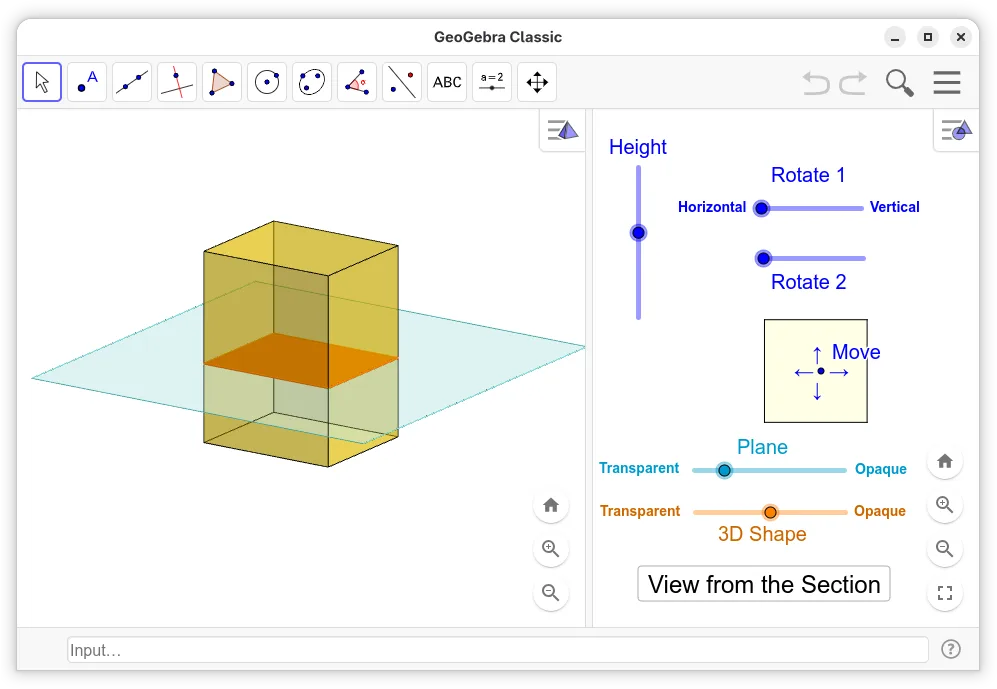
- Both support interactive 2‑D and 3‑D graphing
- Both allow notebook‑style documents with embedded calculations
Lo que cambia
- GeoGebra lacks advanced numerical solvers and optimization routines
- No support for large‑scale data analysis or statistical functions
- Missing high‑level programming language and extensive library
- No direct interface to external C/Python code
- Export of Mathematica notebooks (.nb) is unsupported
Abrir tus archivos de Wolfram Mathematica
GeoGebra cannot open Mathematica notebook (.nb) or package files. Exporting from Mathematica to a common format (e.g., PDF or PNG) can be imported into GeoGebra, but complex notebooks with dynamic content will not transfer. No native import of Mathematica scripts or Wolfram Language code.
Pasar de Wolfram Mathematica a GeoGebra, paso a paso
- Export Mathematica notebooks to PDF or PNG for static viewing
- If you need symbolic expressions, copy the code and paste it into GeoGebra’s CAS input
- Use GeoGebra’s scripting to recreate simple workflows
- For data tables, export Mathematica data to CSV and import into GeoGebra’s spreadsheet
Funciones clave de GeoGebra
- Graficación interactiva 2D y 3D de funciones
- Herramientas de construcción geométrica dinámica
- Resolución y manipulación de ecuaciones algebraicas
- Vista de hoja de cálculo para entrada y análisis de datos
- Capacidades de scripting usando GeoGebraScript
- Exportar a PDF, PNG y HTML
- Soporte para comandos CAS (Computer Algebra System)
- Compatibilidad con GeoGebra Tube para compartir
Cómo instalar GeoGebra en Linux
flatpak install flathub org.geogebra.GeoGebrasudo apt install geogebrasudo apt install geogebrasudo pacman -S geogebraPreguntas frecuentes
Can I use GeoGebra for advanced calculus?
It can handle basic calculus operations, but it does not provide the extensive symbolic and numerical capabilities of Mathematica.
Is GeoGebra free on Linux?
Yes, GeoGebra is available as a free, proprietary package on major Linux distributions via Flathub, Debian, and Ubuntu repositories.
Will GeoGebra run on older hardware?
GeoGebra is lightweight compared to Mathematica and runs well on most modern Linux systems, including older machines.