
 GPartedLinux
vs
GPartedLinux
vs
 PowerQuest PartitionMagicWindows
GParted como alternativa Linux a PowerQuest PartitionMagic
Actualizado el
Nuestra opinión
GParted is a solid replacement for PowerQuest PartitionMagic for anyone who needs to create, delete, resize, move or copy partitions on Linux. It covers the core tasks, works on a wide range of file systems and can be run from a live‑USB when you need to modify the system disk. Users who are comfortable with a graphical GTK interface and occasional command‑line use will find it fully adequate; power users who relied on proprietary backup formats may need an extra step to export data.
- Licencia
- GPL-3.0
- Precio
- Gratis
- Última versión
- 1.8.1
- Valoración
- —
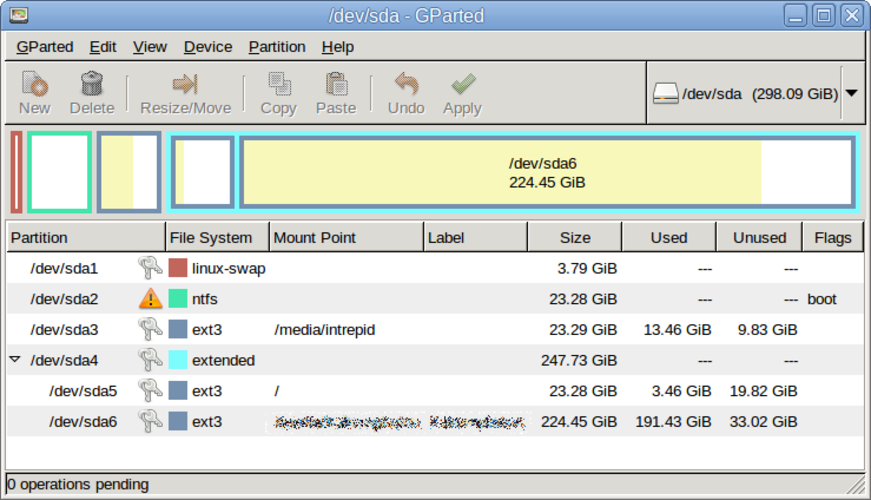
Lo que funciona igual
- Graphical interface for partition management
- Create, delete, resize, move and copy partitions
- Supports NTFS, FAT, ext* and other common file systems
- Preserves data during operations
Lo que cambia
- GParted is free and open‑source; PartitionMagic was commercial
- No native support for PartitionMagic's proprietary backup files
- Undo/redo is limited to the current session; no persistent history
- GParted relies on GNU Parted underneath, so some advanced features may differ
Abrir tus archivos de PowerQuest PartitionMagic
GParted does not understand PowerQuest PartitionMagic's proprietary backup or project files. You can still recover data by mounting the affected partitions after using GParted, but there is no direct import/export of PartitionMagic's saved images.
Pasar de PowerQuest PartitionMagic a GParted, paso a paso
- Install GParted from your distribution's repository (e.g., apt install gparted).
- Boot from a GParted live‑USB if you need to modify the system disk.
- Open GParted, select the target disk, and perform the required create/resize/move actions.
- Apply the pending operations and let GParted finish before rebooting.
- If you have PartitionMagic backup files, mount the affected partitions and copy the data manually.
Funciones clave de GParted
- Interfaz gráfica de GTK para GNU Parted
- Soporta redimensionar, mover, copiar y eliminar particiones
- Independiente del sistema de archivos: ext4, NTFS, FAT32, XFS, Btrfs, etc.
- Soporte para USB booteable para edición previa al arranque
- Deshacer/rehacer para operaciones de particiones
- Verificación de sumas de control para la integridad de los datos
- Modo por lotes mediante línea de comandos para scripting
Cómo instalar GParted en Linux
sudo apt install gpartedsudo apt install gpartedsudo dnf install gpartedsudo pacman -S gpartedsudo zypper install gpartedPreguntas frecuentes
Can GParted resize NTFS partitions without data loss?
Yes, GParted can shrink or expand NTFS partitions, but it is advisable to run a Windows chkdsk first to ensure the file system is clean.
Do I need to uninstall PartitionMagic before using GParted?
No. PartitionMagic is a Windows program; removing it does not affect GParted on Linux.
Is there a way to undo a partition move after I have applied it?
GParted only supports undo within the current session before you click Apply. Once changes are written, you must restore from a backup or recreate the partition.