
 HarunaLinux
vs
MPC-HCWindows
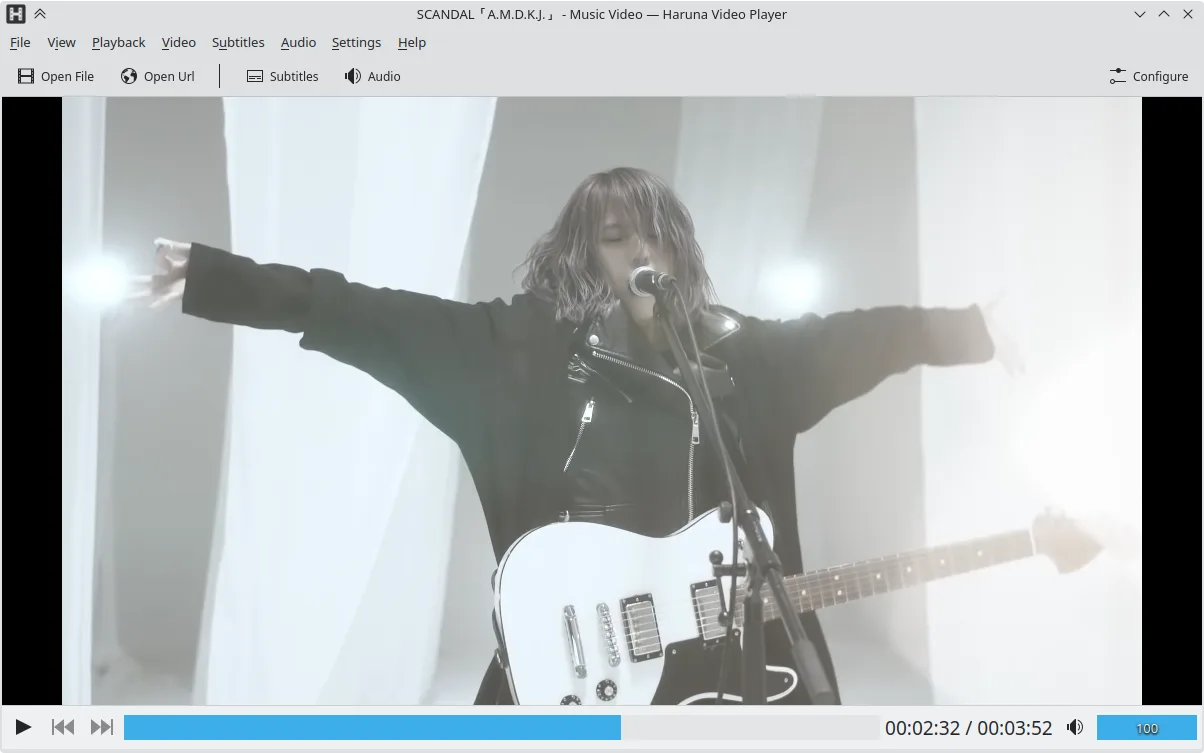
Haruna como alternativa Linux a MPC-HC
Actualizado el
Nuestra opinión
Haruna can replace MPC‑HC for users who need a lightweight, customizable Linux media player that also handles online streams. It covers most local video and audio formats, supports subtitles and external audio, and offers a rich set of keyboard and mouse shortcuts. Users who rely heavily on YouTube playlists or want quick chapter navigation will find Haruna useful. Those who need advanced codec support or a very small footprint may prefer a more minimal player.
- Licencia
- GPL-3.0-or-later
- Precio
- Gratis
- Última versión
- 1.9.0 (30 de octubre de 2026)
- Valoración
- —
Lo que funciona igual
- Both are open‑source media players with low resource usage
- Both support a wide range of common video and audio formats
- Both allow subtitle tracks and external audio streams
- Both offer customizable keyboard shortcuts
- Both can be installed from standard Linux repositories or Flatpak
Lo que cambia
- Haruna includes built‑in YouTube playback via youtube‑dl; MPC‑HC does not
- Haruna provides auto‑skip of chapters containing specific words; MPC‑HC lacks this feature
- Haruna has mouse‑over playlist toggle and overlay; MPC‑HC has a static playlist panel
- Haruna supports quick jump to next chapter with middle‑click; MPC‑HC does not
- MPC‑HC is Windows‑only, Haruna is native Linux; MPC‑HC cannot be installed on Linux without a compatibility layer
Abrir tus archivos de MPC-HC
MPC‑HC does not use a proprietary project file format; it simply plays files directly. Haruna opens the same media files without conversion, so any video or audio file playable by MPC‑HC will open in Haruna. Exporting settings or playlists from MPC‑HC to Haruna is not supported, but you can manually recreate playlists in Haruna’s interface.
Pasar de MPC-HC a Haruna, paso a paso
- 1. Install Haruna via your distro’s package manager or Flathub.
- 2. Open your media files in Haruna; verify subtitles and external audio work.
- 3. Recreate any MPC‑HC playlists in Haruna’s playlist editor.
- 4. Adjust keyboard shortcuts in Haruna’s settings to match your MPC‑HC preferences.
- 5. Disable any unwanted YouTube‑dl features if you only need local playback.
Funciones clave de Haruna
- Reproduce videos locales y en línea, incluyendo YouTube mediante youtube-dl
- Soporta listas de reproducción de YouTube y salta automáticamente capítulos con palabras específicas
- Alternar lista de reproducción al pasar el ratón y superposición en el video
- Atajos y botones del ratón configurables
- Salto rápido al siguiente capítulo con clic central en la barra de progreso
- Código abierto, licencia GPL-3.0-o-posterior
- Disponible como Flatpak, Arch, Debian, Fedora, openSUSE, Ubuntu
Cómo instalar Haruna en Linux
flatpak install flathub org.kde.harunasudo apt install harunasudo apt install harunasudo dnf install harunasudo pacman -S harunasudo zypper install harunaPreguntas frecuentes
Does Haruna support the same codecs as MPC‑HC?
Yes, Haruna relies on the same underlying libraries (FFmpeg, GStreamer) that MPC‑HC uses, so it can play the same formats, including MP4, MKV, AVI, and many audio codecs.
Can I use Haruna to play YouTube videos?
Yes, Haruna integrates youtube‑dl to stream YouTube videos and playlists directly, a feature not present in MPC‑HC.
What if I want a more minimal player than Haruna?
If you need an even lighter footprint, consider a terminal‑based player like mpv or a minimal GUI like VLC with minimal plugins; Haruna is heavier than MPC‑HC but still lightweight compared to full‑featured players.
Otras 4 alternativas a MPC-HC
 VLC media playerVLC es un reproductor multimedia gratuito y de código abierto que funciona en Linux y maneja prácticamente…Código abiertoGratisFlatpakVLC media player vs MPC-HC
 mpvmpv es un reproductor multimedia gratuito, de código abierto y multiplataforma que reproduce casi cualquier…Código abiertoGratisFlatpakmpv vs MPC-HC
 CelluloidCelluloid es un reproductor multimedia ligero para Linux que utiliza el motor mpv y GTK para ofrecer una…Código abiertoGratisFlatpakCelluloid vs MPC-HC
 SMPlayerSMPlayer es un reproductor multimedia gratuito y de código abierto con códecs integrados que maneja casi…Código abiertoGratisFlatpakSMPlayer vs MPC-HC