
 KDevelopLinux
vs
Visual StudioWindows
KDevelopLinux
vs
Visual StudioWindows
KDevelop como alternativa Linux a Visual Studio
Actualizado el
Nuestra opinión
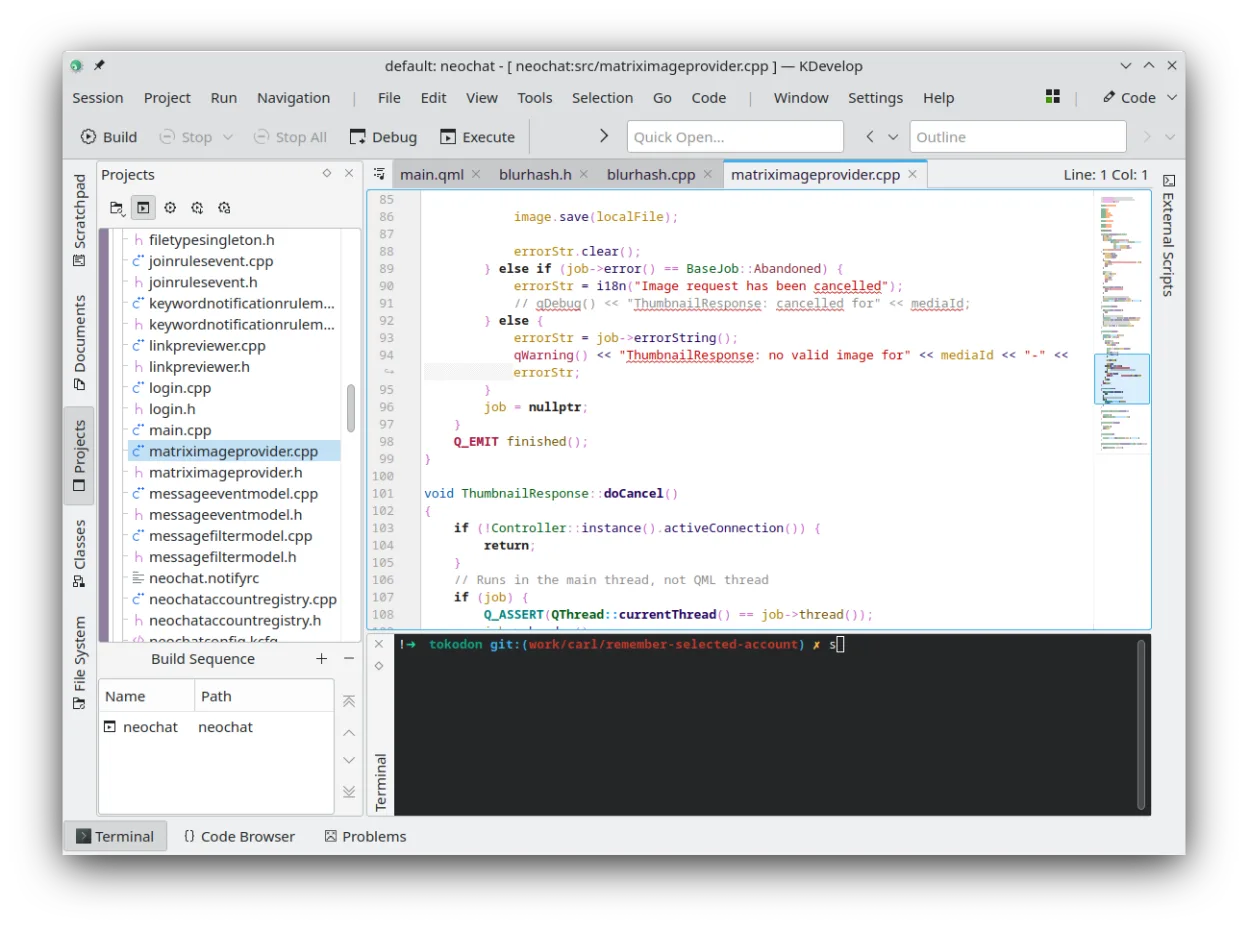
KDevelop is a strong alternative for C++ developers moving from Visual Studio, offering a native Linux environment with robust debugging and refactoring tools. However, it is not a direct replacement for .NET or C# work, as it lacks native support for those ecosystems. If your primary focus is C/C++ development, KDevelop provides a familiar IDE experience with Git integration and build system support. But if you rely heavily on .NET frameworks, Azure integration, or specific Visual Studio extensions, you will find significant gaps. It is best suited for C++ professionals who value a lightweight, plugin-based architecture over the heavy all-in-one suite of Visual Studio.
- Licencia
- GPL-2.0-or-later
- Precio
- Gratis
- Última versión
- 6.5.260403 (2 de julio de 2026)
- Valoración
- —
Lo que funciona igual
- Integrated debugger with breakpoints and variable inspection
- Built-in Git and SVN version control integration
- Plugin architecture for extending language support
- Project management for multiple build systems like CMake and Make
- Customizable interface with multiple view layouts
Lo que cambia
- No native support for .NET, C#, or the Mono ecosystem
- Lacks the massive Visual Studio Marketplace extension ecosystem
- No built-in support for Azure or other cloud-specific deployment tools
- C++ parser is strong, but lacks the deep semantic analysis of Visual Studio's IntelliSense for all languages
- UI is based on Qt/KDE, which feels different from the .NET WPF-based Visual Studio interface
Abrir tus archivos de Visual Studio
KDevelop cannot natively open Visual Studio solution (.sln) or project (.csproj) files. For C++ projects, you must manually create a KDevelop project and point it to your existing CMakeLists.txt or Makefile. Source code files (.cpp, .h, .py, etc.) are standard text files and will open without issue, but the project structure and build configuration must be recreated or adapted to match KDevelop's expectations.
Pasar de Visual Studio a KDevelop, paso a paso
- Install KDevelop via your distribution's package manager or Flathub
- Create a new project in KDevelop and select the appropriate build system (e.g., CMake)
- Point the project to your existing source code directory
- Configure the compiler and debugger paths in KDevelop settings
- Import your Git repository using KDevelop's built-in VCS integration
- Test the build and debug workflow to ensure toolchain compatibility
Funciones clave de KDevelop
- Depurador integrado para C/C++ y otros lenguajes
- Sistema de plugins para añadir soporte de lenguajes
- Integración incorporada de control de versiones (Git, SVN)
- Gestión de proyectos para múltiples sistemas de compilación
- Resaltado de sintaxis y autocompletado de código
- Herramientas de refactorización para C/C++
Cómo instalar KDevelop en Linux
flatpak install flathub org.kde.kdevelopsudo apt install kdevelopsudo apt install kdevelopsudo dnf install kdevelopsudo pacman -S kdevelopsudo zypper install kdevelopPreguntas frecuentes
Can I use KDevelop for C# development?
No, KDevelop does not have native support for C# or .NET. You would need to use a different IDE like MonoDevelop or Rider for C# work on Linux.
Does KDevelop support CMake projects?
Yes, KDevelop has strong support for CMake, allowing you to edit CMakeLists.txt files, view targets, and manage build configurations directly within the IDE.
Is KDevelop suitable for beginners?
It can be, but it is more targeted at professional C/C++ developers. The learning curve is moderate, and the interface is less opinionated than some other IDEs, which may require more initial setup.
Otras 5 alternativas a Visual Studio
 Visual Studio CodeUn editor de código ligero y extensible que admite depuración, Git y muchos lenguajes.GratisFlatpakVisual Studio Code vs Visual StudioMonoDevelopMonoDevelop es un IDE de código abierto para desarrollo en .NET y C# en Linux.Código abiertoGratisMonoDevelop vs Visual Studio
 EclipseEclipse es un entorno de desarrollo integrado (IDE) gratuito y centrado en Java que se ejecuta de forma…Código abiertoGratisFlatpakEclipse vs Visual Studio
 NetBeansNetBeans es un IDE de código abierto de Apache que soporta Java, JavaScript, PHP, C/C++ y más.Código abiertoGratisFlatpakNetBeans vs Visual Studio
 GeanyGeany es una IDE ligera y rápida que admite muchos lenguajes y complementos de serie.Código abiertoGratisFlatpakGeany vs Visual Studio