
 MyPaintLinux
vs
Autodesk SketchBookWindows
MyPaintLinux
vs
Autodesk SketchBookWindows
MyPaint como alternativa Linux a Autodesk SketchBook
Actualizado el
Nuestra opinión
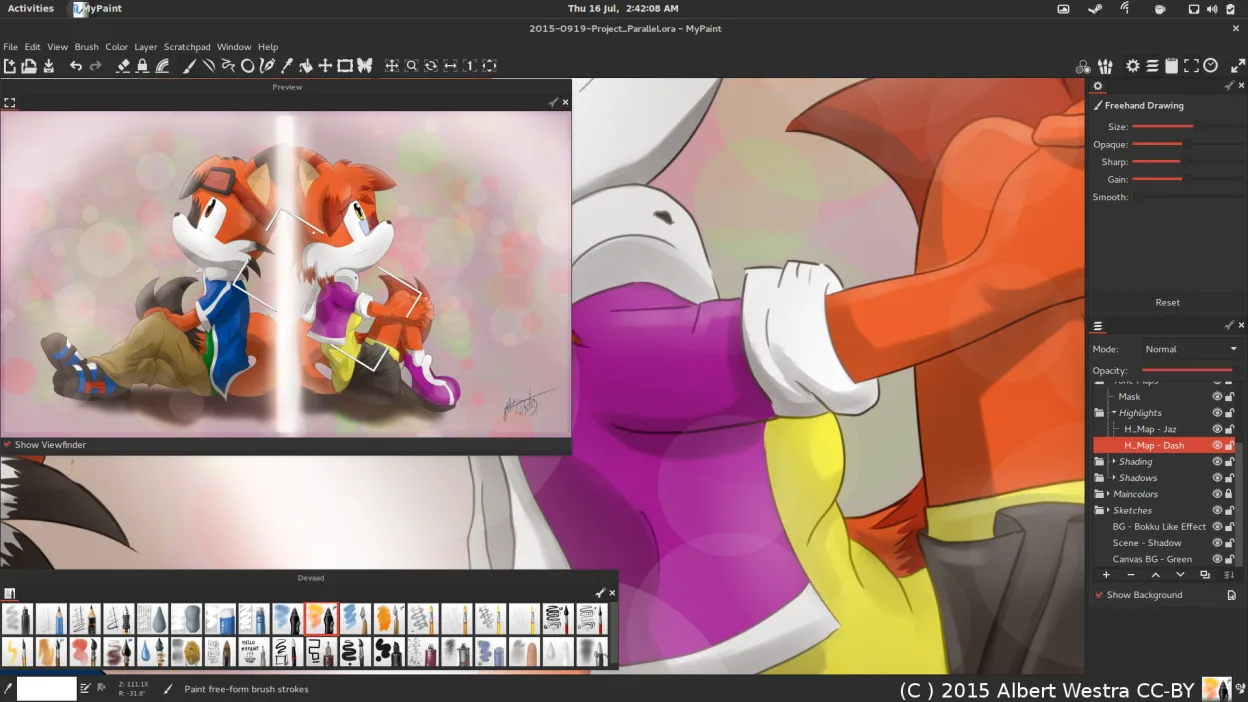
MyPaint is a strong replacement for Autodesk SketchBook if your workflow centers on expressive sketching and concept art. It offers a distraction-free interface and a powerful, tablet-optimized brush engine that rivals SketchBook’s tools. However, it is not a drop-in swap if you rely on basic animation features, which MyPaint lacks entirely. For pure 2D illustration and quick ideation, it is excellent. If you need keyframe animation or complex compositing, you will need to look elsewhere or combine MyPaint with a dedicated animation tool.
- Licencia
- GPL-2.0+
- Precio
- Gratis
- Última versión
- 2.0.1 (29 de mayo de 2020)
- Valoración
- —
Lo que funciona igual
- Raster-based drawing canvas with focus on expressive brush dynamics
- Lightweight, distraction-free interface designed for quick idea capture
- Support for pressure sensitivity and tilt on graphics tablets
- Layer support for basic compositing and blending
- Free and open-source alternative to paid desktop software
Lo que cambia
- MyPaint lacks any animation capabilities, a core feature of SketchBook
- MyPaint’s layer system is more basic, lacking advanced compositing tools
- Autodesk SketchBook is now paid on desktop, while MyPaint is free
- MyPaint is heavily optimized for tablet use, potentially less intuitive for mouse-only users
Abrir tus archivos de Autodesk SketchBook
MyPaint does not natively open Autodesk SketchBook’s proprietary .SKB files. You will need to export your SketchBook work as PNG, JPEG, or PSD (if SketchBook supports it) and then import those into MyPaint. MyPaint exports to PNG, JPEG, and OpenRaster. There is no direct file format compatibility, so a conversion step is required.
Pasar de Autodesk SketchBook a MyPaint, paso a paso
- Export all existing SketchBook projects as PNG or JPEG files
- Install MyPaint via your package manager or Flathub
- Import your exported images into MyPaint to continue working
- Configure your graphics tablet settings in MyPaint preferences for pressure and tilt
- Browse the pre-installed brush packs to find styles that match your SketchBook workflow
Funciones clave de MyPaint
- Motor de pinceles con cientos de parámetros configurables
- Soporta sensibilidad a la presión e inclinación en tabletas gráficas
- Interfaz simple y sin distracciones, solo lienzo
- Soporte de capas con modos de mezcla básicos
- Exporta a PNG, JPEG, OpenRaster y otros formatos comunes
- Extensible mediante plugins de Python
- Paquetes de pinceles preinstalados de artistas profesionales
- Historial de deshacer/rehacer con pasos ilimitados
Cómo instalar MyPaint en Linux
flatpak install flathub org.mypaint.MyPaintsudo apt install mypaintsudo apt install mypaintsudo dnf install mypaintsudo pacman -S mypaintsudo zypper install mypaintPreguntas frecuentes
Can I animate in MyPaint like in SketchBook?
No. MyPaint is a static raster painting program. It does not support keyframe animation, onion skinning, or timeline features. You would need a separate application for animation.
Does MyPaint work well with a mouse?
It works, but it is designed primarily for graphics tablets. The brush dynamics and pressure sensitivity features are less effective without a tablet, though basic drawing is possible.
Is MyPaint actively maintained?
The status is listed as active, but the latest release mentioned is from 2020. Check the official repository or Flathub for the most current build status before relying on it for critical work.
Otras 5 alternativas a Autodesk SketchBook
 KritaKrita es un programa de pintura digital e ilustración de código abierto con todas las funciones.Código abiertoGratisFlatpakKrita vs Autodesk SketchBook
 GIMPGIMP es un editor de gráficos rasterizados gratuito y de código abierto para edición fotográfica, pintura…Código abiertoGratisFlatpakGIMP vs Autodesk SketchBook
 PintaPinta es un editor de bitmaps gratuito y de código abierto que imita a Paint.NET con una interfaz sencilla y…Código abiertoGratisFlatpakPinta vs Autodesk SketchBook
 Xournal++Una aplicación de notas multiplataforma y de código abierto para escritura a mano, anotación de PDF y pizarra…Código abiertoGratisFlatpakXournal++ vs Autodesk SketchBook
 KolourPaintKolourPaint es un editor de gráficos raster ligeros de KDE para dibujar rápido y retoques simples de imágenes.Código abiertoGratisFlatpakKolourPaint vs Autodesk SketchBook