
 Nextcloud Desktop ClientLinux
vs
Resilio SyncWindows
Nextcloud Desktop ClientLinux
vs
Resilio SyncWindows
Nextcloud Desktop Client como alternativa Linux a Resilio Sync
Actualizado el
Nuestra opinión
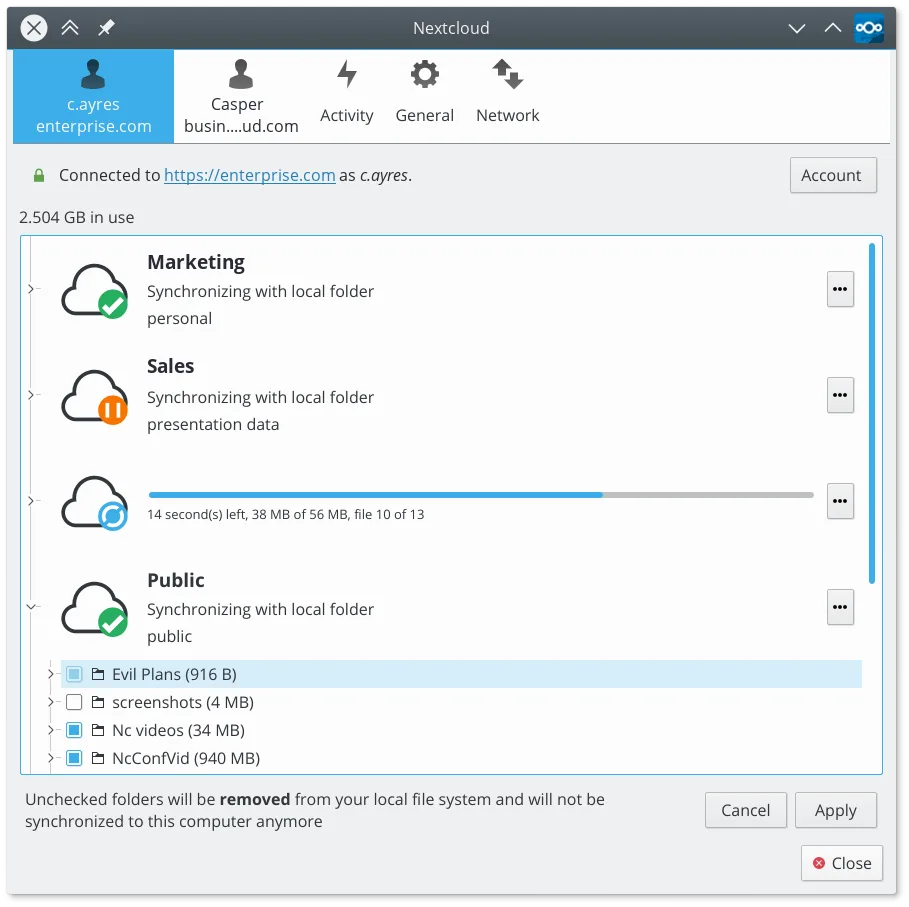
Nextcloud Desktop Client is a good replacement for Resilio Sync if you're okay with using a central server instead of direct peer-to-peer syncing. It reliably syncs folders across devices, supports versioning and file recovery, and works well on Linux with native packages and Flatpak. While it doesn’t replicate Resilio’s decentralized model, it offers stronger collaboration and sharing features. Best for users who prioritize file history, access control, and self-hosted cloud integration over direct device-to-device transfers.
- Licencia
- GPL-2.0+
- Precio
- Gratis
- Última versión
- 35.0.0 (12 de octubre de 2026)
- Valoración
- —
Lo que funciona igual
- Both sync folders automatically between devices
- Support selective sync of specific folders
- Work across multiple platforms including Linux, Windows, and macOS
- Handle large files and continuous background sync
- Allow offline access to local copies of synced files
Lo que cambia
- Nextcloud requires a central server; Resilio Sync uses direct P2P without one
- Nextcloud supports file versioning and trash recovery; Resilio has limited versioning
- Nextcloud enables sharing and permissions via web interface; Resilio sharing is link-based with less control
- Resilio Sync can sync over LAN without internet; Nextcloud needs server access
- Nextcloud depends on server availability and maintenance; Resilio does not
Abrir tus archivos de Resilio Sync
You cannot directly open Resilio Sync folders with the Nextcloud Desktop Client. Resilio stores data in its own format within synced directories, but the actual files are plain copies. You can manually copy files out of Resilio-synced folders and import them into Nextcloud. No conversion is needed since both tools sync regular filesystem files. However, Resilio-specific sync states, device lists, or metadata won’t transfer.
Pasar de Resilio Sync a Nextcloud Desktop Client, paso a paso
- Install and set up a Nextcloud server or choose a hosted provider
- Install the Nextcloud Desktop Client from your distro’s repo or Flathub
- Log in to your Nextcloud account and choose folders to sync
- Copy files from your Resilio-synced directories into the Nextcloud local folder
- Verify sync status and adjust sharing or versioning settings as needed
Funciones clave de Nextcloud Desktop Client
- Sincronización bidireccional entre carpetas locales y el servidor
- Soporte para versionado de archivos y recuperación de archivos eliminados
- Integración con el servidor Nextcloud para compartir y colaborar
- Disponible como Flatpak y paquetes nativos para las principales distribuciones
- Funciona con cualquier backend compatible con Nextcloud, incluyendo instancias autohospedadas
- Operación en segundo plano con uso mínimo de recursos
- Soporte para archivos grandes y operaciones de sincronización con alto volumen
Cómo instalar Nextcloud Desktop Client en Linux
flatpak install flathub com.nextcloud.desktopclient.nextcloudsudo apt install nextcloud-desktopsudo apt install nextcloud-desktopsudo dnf install nextcloud-clientsudo pacman -S nextcloud-clientsudo zypper install nextcloud-desktopPreguntas frecuentes
Can I sync without an internet connection using Nextcloud?
No, Nextcloud requires access to the server. Local changes sync once the connection is restored, but unlike Resilio, it can’t sync directly over LAN when offline.
Does Nextcloud support real-time sync like Resilio?
Yes, the client syncs changes quickly, though not as instantly as Resilio’s P2P model. Delays depend on server performance and network.
Can I use Nextcloud Desktop Client with any WebDAV server?
No, it’s designed specifically for Nextcloud and ownCloud servers. Generic WebDAV servers aren’t supported.
Otras 5 alternativas a Resilio Sync
 SyncThingySyncThingy es un ícono de bandeja ligero que controla Syncthing, permitiéndote ver el estado, detenerlo y…Código abiertoGratisFlatpakSyncThingy vs Resilio Syncrsyncrsync es una herramienta de línea de comandos para sincronizar eficientemente archivos y directorios…Código abiertoGratisrsync vs Resilio Sync
 UnisonUnison es una herramienta de sincronización de archivos multiplataforma que mantiene dos directorios…Código abiertoGratisFlatpakUnison vs Resilio SyncLsyncdLsyncd replica directorios localmente o a través de redes usando rsync, ideal para la sincronización en…Código abiertoGratisLsyncd vs Resilio Sync
 FreeFileSyncFreeFileSync es una herramienta visual para comparar y sincronizar carpetas, ideal para mantener los archivos…Código abiertoGratisFlatpakFreeFileSync vs Resilio Sync