
 Nextcloud Desktop ClientLinux
vs
Resilio SyncWindows
Nextcloud Desktop ClientLinux
vs
Resilio SyncWindows
Nextcloud Desktop Client as a Linux alternative to Resilio Sync
Updated
Our verdict
Nextcloud Desktop Client is a good replacement for Resilio Sync if you're okay with using a central server instead of direct peer-to-peer syncing. It reliably syncs folders across devices, supports versioning and file recovery, and works well on Linux with native packages and Flatpak. While it doesn’t replicate Resilio’s decentralized model, it offers stronger collaboration and sharing features. Best for users who prioritize file history, access control, and self-hosted cloud integration over direct device-to-device transfers.
- License
- GPL-2.0+
- Price
- Free
- Latest version
- 35.0.0 (October 12, 2026)
- Rating
- —
What works the same
- Both sync folders automatically between devices
- Support selective sync of specific folders
- Work across multiple platforms including Linux, Windows, and macOS
- Handle large files and continuous background sync
- Allow offline access to local copies of synced files
What is different
- Nextcloud requires a central server; Resilio Sync uses direct P2P without one
- Nextcloud supports file versioning and trash recovery; Resilio has limited versioning
- Nextcloud enables sharing and permissions via web interface; Resilio sharing is link-based with less control
- Resilio Sync can sync over LAN without internet; Nextcloud needs server access
- Nextcloud depends on server availability and maintenance; Resilio does not
Opening your Resilio Sync files
You cannot directly open Resilio Sync folders with the Nextcloud Desktop Client. Resilio stores data in its own format within synced directories, but the actual files are plain copies. You can manually copy files out of Resilio-synced folders and import them into Nextcloud. No conversion is needed since both tools sync regular filesystem files. However, Resilio-specific sync states, device lists, or metadata won’t transfer.
Switching from Resilio Sync to Nextcloud Desktop Client, step by step
- Install and set up a Nextcloud server or choose a hosted provider
- Install the Nextcloud Desktop Client from your distro’s repo or Flathub
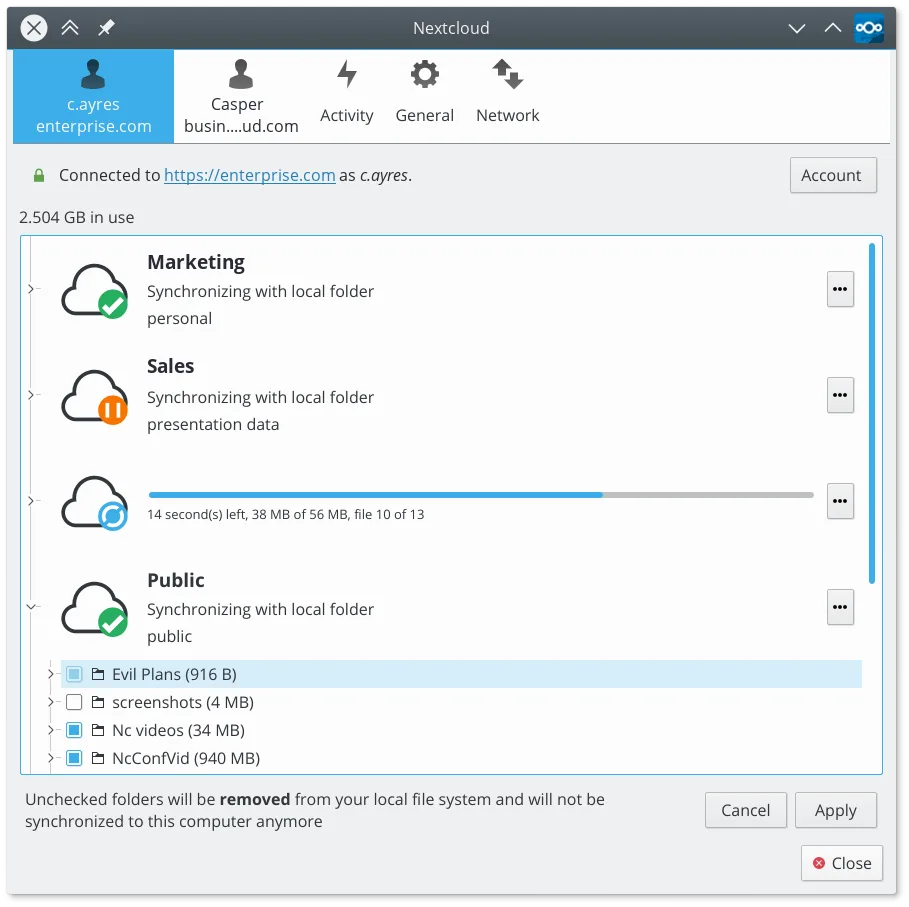
- Log in to your Nextcloud account and choose folders to sync
- Copy files from your Resilio-synced directories into the Nextcloud local folder
- Verify sync status and adjust sharing or versioning settings as needed
Key features of Nextcloud Desktop Client
- Two-way file synchronization between local folders and the server
- Support for file versioning and recovery of deleted files
- Integration with Nextcloud server for sharing and collaboration
- Available as a Flatpak and native packages for major distros
- Works with any Nextcloud-compatible backend, including self-hosted instances
- Background operation with minimal resource usage
- Support for large files and high-volume sync operations
How to install Nextcloud Desktop Client on Linux
flatpak install flathub com.nextcloud.desktopclient.nextcloudsudo apt install nextcloud-desktopsudo apt install nextcloud-desktopsudo dnf install nextcloud-clientsudo pacman -S nextcloud-clientsudo zypper install nextcloud-desktopFrequently asked questions
Can I sync without an internet connection using Nextcloud?
No, Nextcloud requires access to the server. Local changes sync once the connection is restored, but unlike Resilio, it can’t sync directly over LAN when offline.
Does Nextcloud support real-time sync like Resilio?
Yes, the client syncs changes quickly, though not as instantly as Resilio’s P2P model. Delays depend on server performance and network.
Can I use Nextcloud Desktop Client with any WebDAV server?
No, it’s designed specifically for Nextcloud and ownCloud servers. Generic WebDAV servers aren’t supported.
5 other alternatives to Resilio Sync
 SyncThingySyncThingy is a lightweight tray icon that controls Syncthing, letting you view status, stop, and manage the…Open sourceFreeFlatpakSyncThingy vs Resilio Syncrsyncrsync is a command-line tool for efficiently syncing files and directories locally or over a network.Open sourceFreersync vs Resilio Sync
 UnisonUnison is a cross-platform file synchronization tool that keeps two directories in sync across different…Open sourceFreeFlatpakUnison vs Resilio SyncLsyncdLsyncd mirrors directories locally or over networks using rsync, ideal for real-time file synchronization on…Open sourceFreeLsyncd vs Resilio Sync
 FreeFileSyncFreeFileSync is a visual tool for comparing and synchronizing folders, ideal for keeping files consistent…Open sourceFreeFlatpakFreeFileSync vs Resilio Sync