
 Nextcloud Desktop ClientLinux
vs
SyncthingWindows
Nextcloud Desktop Client como alternativa Linux a Syncthing
Actualizado el
Nuestra opinión
Nextcloud Desktop Client can replace Syncthing for users who are comfortable with a central server (self‑hosted or hosted) and need integration with Nextcloud's sharing and versioning features. It works well for typical desktop sync scenarios, but it does not provide true peer‑to‑peer syncing, so teams that rely on direct device‑to‑device transfers without a server will miss that capability.
- Licencia
- GPL-2.0+
- Precio
- Gratis
- Última versión
- 35.0.3 (5 de noviembre de 2026)
- Valoración
- —
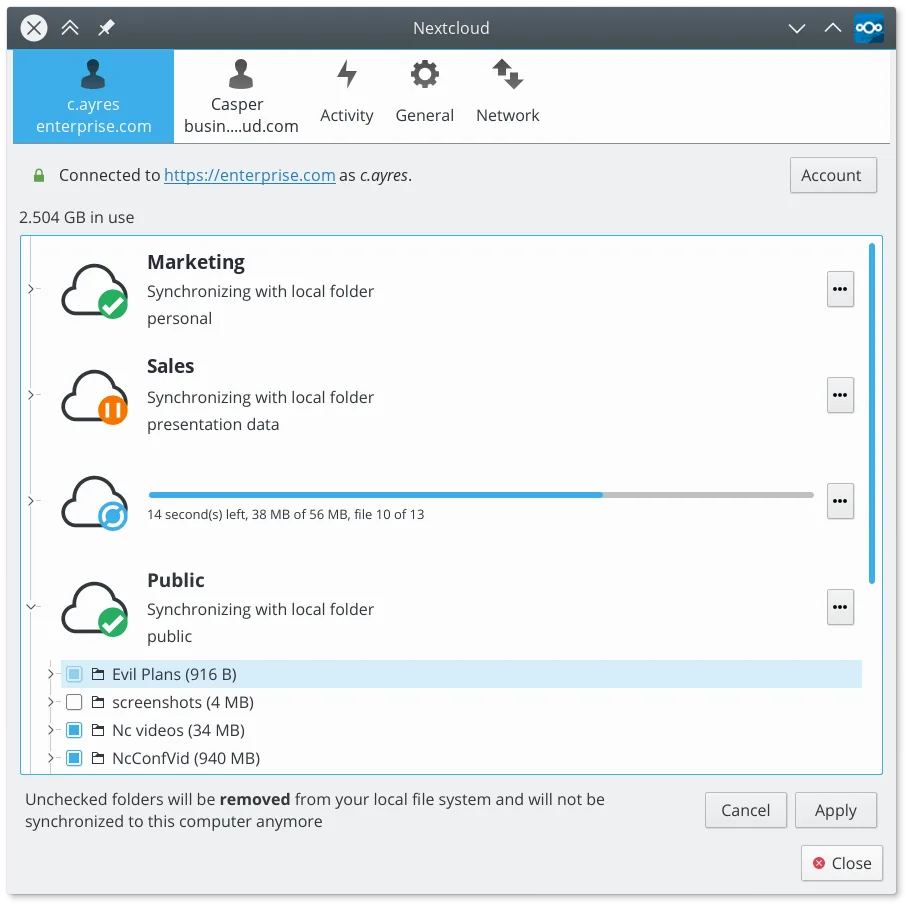
Lo que funciona igual
- Two‑way file synchronization
- Automatic detection of changes in local folders
- Cross‑platform clients (Linux desktop, Windows, macOS, mobile)
- Encrypted transfer of data
- Support for large files and high‑volume sync
Lo que cambia
- Syncthing is pure peer‑to‑peer; Nextcloud requires a server as an intermediary
- Nextcloud offers built‑in sharing, versioning and collaboration tools; Syncthing does not
- Syncthing provides a web UI for configuration; Nextcloud uses a desktop UI and server web UI
- Device discovery in Syncthing is automatic via local network/Internet; Nextcloud needs manual addition of devices on the server
- Nextcloud can store files centrally for backup; Syncthing keeps only copies on the participating devices
Abrir tus archivos de Syncthing
Both tools store files in the native filesystem, so any files synced with Syncthing can be opened directly after copying them to a Nextcloud‑synced folder. No special export step is required; just ensure the files are placed in a folder that the Nextcloud client monitors.
Pasar de Syncthing a Nextcloud Desktop Client, paso a paso
- Install the Nextcloud Desktop Client from your distro's repository or Flathub.
- Set up or point to an existing Nextcloud server (self‑hosted or a hosted instance).
- Create a sync folder in the client and point it to the directory currently used by Syncthing.
- Stop the Syncthing service and let Nextcloud perform the initial upload of existing files.
- Verify that changes on the Linux machine appear on the server and on any other devices.
- Add any additional devices (Windows, macOS, mobile) to the same Nextcloud account.
Funciones clave de Nextcloud Desktop Client
- Sincronización bidireccional entre carpetas locales y el servidor
- Soporte para versionado de archivos y recuperación de archivos eliminados
- Integración con el servidor Nextcloud para compartir y colaborar
- Disponible como Flatpak y paquetes nativos para las principales distribuciones
- Funciona con cualquier backend compatible con Nextcloud, incluyendo instancias autohospedadas
- Operación en segundo plano con uso mínimo de recursos
- Soporte para archivos grandes y operaciones de sincronización con alto volumen
Cómo instalar Nextcloud Desktop Client en Linux
flatpak install flathub com.nextcloud.desktopclient.nextcloudsudo apt install nextcloud-desktopsudo apt install nextcloud-desktopsudo dnf install nextcloud-clientsudo pacman -S nextcloud-clientsudo zypper install nextcloud-desktopPreguntas frecuentes
Can I keep using Syncthing on some devices while using Nextcloud on others?
Yes, but you will end up with two separate sync ecosystems; files changed by one will not automatically appear in the other unless you manually copy them.
Do I need to run a Nextcloud server to use the desktop client?
A server is required. You can install Nextcloud on a spare machine, a VPS, or use a hosted provider.
Is the data still end‑to‑end encrypted like with Syncthing?
The client encrypts traffic (HTTPS/TLS) to the server, but encryption is not end‑to‑end; the server can read the files.
Otras 2 alternativas a Syncthing
 Seafile ClientSeafile es un cliente de sincronización de archivos multiplataforma que mantiene tus carpetas locales…Código abiertoGratisFlatpakSeafile Client vs Syncthing
 Syncthing TrayA system tray icon and menu for Syncthing that adds status indicators, notifications, and quick actions to…Código abiertoGratisFlatpakSyncthing Tray vs Syncthing