
 OpenRGBLinux
vs
Corsair iCUEWindows
OpenRGB como alternativa Linux a Corsair iCUE
Actualizado el
Nuestra opinión
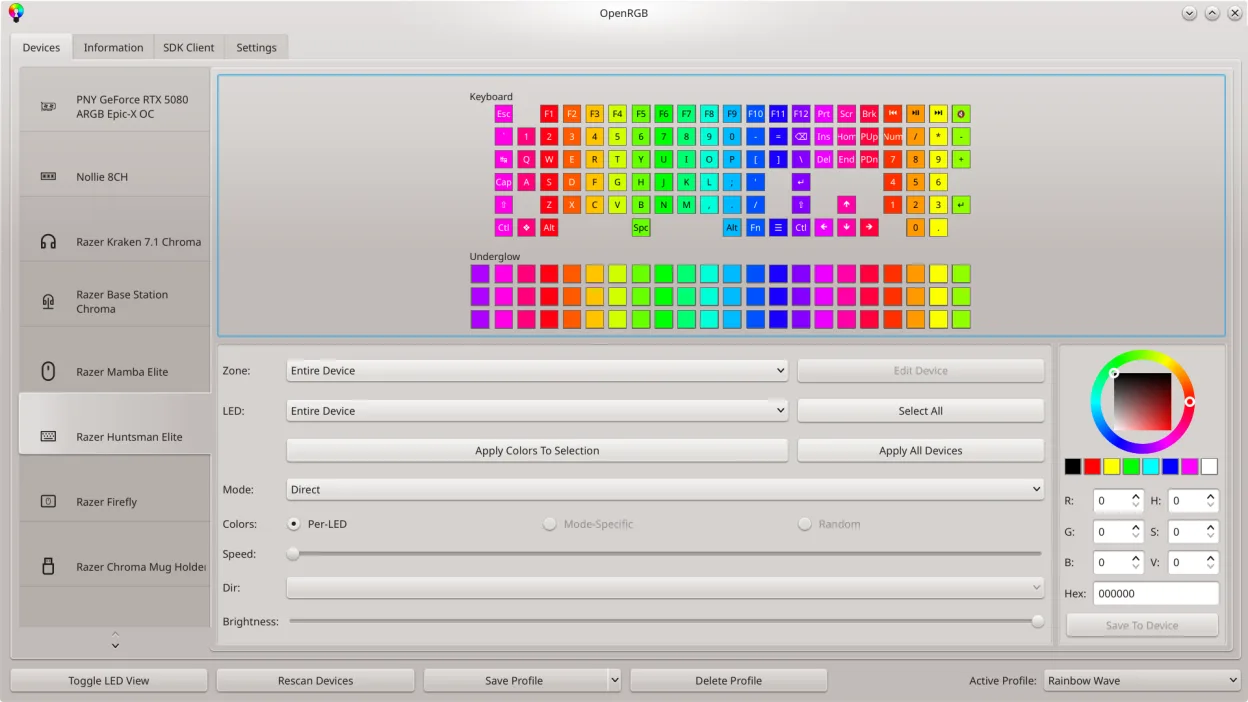
OpenRGB is a solid replacement for Corsair iCUE on Linux if your main goal is RGB control and fan management without being locked into Windows. It supports Corsair devices and many other brands, offering unified lighting effects, custom profiles, and scripting via CLI. While firmware updates and some advanced iCUE features aren't available, it covers core lighting and fan curve functionality well. It's ideal for Linux users who want full RGB control without proprietary software bloat, especially those mixing hardware from different vendors.
- Licencia
- GPL-2.0-or-later
- Precio
- Gratis
- Última versión
- 1.1 (16 de octubre de 2026)
- Valoración
- —
Lo que funciona igual
- Controls RGB lighting on Corsair memory, coolers, and cases
- Allows custom fan speed curves
- Synchronizes lighting across multiple devices
- Supports saving and loading profiles
- Runs natively on Linux without Windows
Lo que cambia
- Does not support firmware updates for Corsair devices
- Lacks some advanced iCUE-specific effects and macros
- No requirement for online accounts or background services
- Supports non-Corsair RGB hardware, unlike iCUE
- No built-in temperature monitoring dashboard
Abrir tus archivos de Corsair iCUE
OpenRGB does not support importing or exporting Corsair iCUE profile files. The two programs use incompatible formats, and there's no conversion tool. You'll need to recreate your lighting and fan settings manually in OpenRGB. However, once set up, OpenRGB allows saving its own profiles, which can be shared across systems or backed up locally.
Pasar de Corsair iCUE a OpenRGB, paso a paso
- Install OpenRGB from your distro's package manager or Flathub
- Shut down iCUE on Windows and ensure no RGB services are running
- Launch OpenRGB and let it detect connected Corsair devices
- Configure fan curves and RGB effects using the GUI or CLI
- Save your setup as a profile for future use
- Enable server mode if syncing across multiple PCs
Funciones clave de OpenRGB
- Controlar colores y efectos para muchos dispositivos RGB
- Guardar y cargar perfiles personalizados
- SDK para integración de terceros
- Interfaz de línea de comandos para scripting
- Sincronización multi‑instancia entre PCs
- Modo independiente o cliente/servidor
- Mapa LED gráfico para diseño de patrones
- Visor de información del dispositivo
Cómo instalar OpenRGB en Linux
flatpak install flathub org.openrgb.OpenRGBsudo dnf install openrgbsudo pacman -S openrgbsudo zypper install OpenRGBPreguntas frecuentes
Can OpenRGB control non-Corsair RGB devices?
Yes. OpenRGB supports RGB hardware from many brands including Thermaltake, NZXT, ASRock, and others, making it a universal solution.
Does OpenRGB require Windows to work?
No. OpenRGB runs natively on Linux and does not depend on any Windows software or dual-boot setup.
Can I sync lighting between multiple PCs?
Yes. OpenRGB supports multi-instance synchronization over the network, allowing coordinated lighting across several machines.