
 QCADLinux
vs
AutoCADWindows
QCADLinux
vs
AutoCADWindows
QCAD como alternativa Linux a AutoCAD
Actualizado el
Nuestra opinión
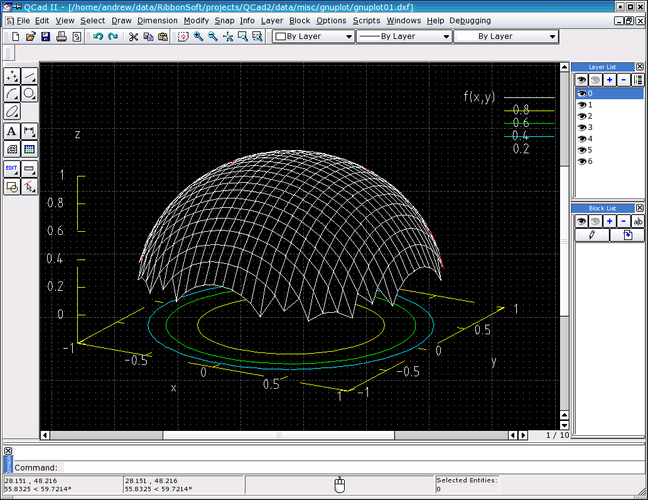
QCAD is a solid replacement for 2D drafting tasks, but it is not a full AutoCAD substitute. It handles layers, blocks, and DXF files well, making it suitable for mechanical drawings and floor plans. However, it lacks 3D solid modeling and parametric constraint solving. If your workflow relies heavily on 3D design or complex parametric constraints, QCAD will feel limiting. For pure 2D technical drawing where file compatibility with DXF is key, it is a capable, free option.
- Licencia
- GPL-3.0
- Precio
- Gratis
- Última versión
- 3.33.1
- Valoración
- —
Lo que funciona igual
- Layer management with visibility controls
- Support for blocks and block insertion
- Dimensioning and annotation tools
- Snap and grid features for precision
Lo que cambia
- No 3D solid modeling capabilities
- Lacks parametric constraint solving
- Limited scripting compared to AutoLISP
- No native DWG support (uses DXF)
Abrir tus archivos de AutoCAD
QCAD does not natively support the proprietary DWG format. You must convert DWG files to DXF using external tools or online converters before opening them in QCAD. Exporting from QCAD produces DXF files, which most CAD software can open. This adds an extra step to your workflow compared to direct DWG compatibility in AutoCAD.
Pasar de AutoCAD a QCAD, paso a paso
- Install QCAD from your distro's package manager (Arch or Fedora).
- Convert existing DWG files to DXF format using a converter tool.
- Import the DXF files into QCAD and verify layer integrity.
- Recreate any missing blocks or custom line styles in QCAD.
- Test printing to PDF to ensure annotations scale correctly.
- Adjust your workflow to use DXF for file exchange with other users.
Funciones clave de QCAD
- Gestión de capas con conmutadores de visibilidad
- Amplio soporte de importación/exportación DXF
- Herramientas básicas de dimensionado y anotación
- Estilos de línea y sombreados personalizables
- Scriptable mediante ECMAScript (JavaScript)
- Impresión a PDF y formatos raster
- Opciones de ajuste y cuadrícula para un dibujo preciso
Cómo instalar QCAD en Linux
sudo dnf install qcadsudo pacman -S qcadPreguntas frecuentes
Can QCAD open DWG files directly?
No. QCAD works with DXF. You need to convert DWG to DXF first.
Does QCAD support 3D modeling?
No. QCAD is strictly a 2D CAD application.
Is QCAD free to use?
Yes, the community edition is free and open-source under GPL-3.0.
Otras 4 alternativas a AutoCAD
 FreeCADFreeCAD es un modelador CAD 3D paramétrico de código abierto para diseño, ingeniería e impresión 3D.Código abiertoGratisFlatpakFreeCAD vs AutoCAD
 LibreCADLibreCAD es un programa 2D CAD gratuito y de código abierto para crear dibujos precisos en Linux.Código abiertoGratisFlatpakLibreCAD vs AutoCAD
 OpenSCADOpenSCAD es un modelador CAD 3D paramétrico que genera modelos sólidos a partir de guiones basados en texto…Código abiertoGratisFlatpakOpenSCAD vs AutoCAD
 BlenderBlender es una suite 3D gratuita y de código abierto para modelado, animación, renderizado y edición de video.Código abiertoGratisFlatpakBlender vs AutoCAD