
 QCADLinux
vs
AutoCADWindows
QCADLinux
vs
AutoCADWindows
QCAD as a Linux alternative to AutoCAD
Updated
Our verdict
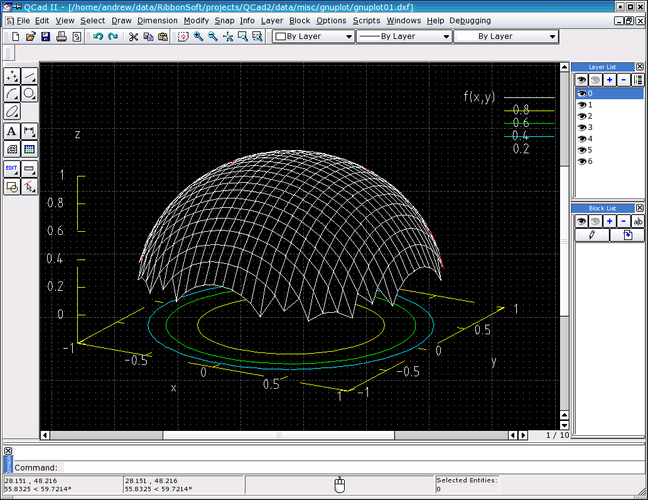
QCAD is a solid replacement for 2D drafting tasks, but it is not a full AutoCAD substitute. It handles layers, blocks, and DXF files well, making it suitable for mechanical drawings and floor plans. However, it lacks 3D solid modeling and parametric constraint solving. If your workflow relies heavily on 3D design or complex parametric constraints, QCAD will feel limiting. For pure 2D technical drawing where file compatibility with DXF is key, it is a capable, free option.
- License
- GPL-3.0
- Price
- Free
- Latest version
- 3.33.1
- Rating
- —
What works the same
- Layer management with visibility controls
- Support for blocks and block insertion
- Dimensioning and annotation tools
- Snap and grid features for precision
What is different
- No 3D solid modeling capabilities
- Lacks parametric constraint solving
- Limited scripting compared to AutoLISP
- No native DWG support (uses DXF)
Opening your AutoCAD files
QCAD does not natively support the proprietary DWG format. You must convert DWG files to DXF using external tools or online converters before opening them in QCAD. Exporting from QCAD produces DXF files, which most CAD software can open. This adds an extra step to your workflow compared to direct DWG compatibility in AutoCAD.
Switching from AutoCAD to QCAD, step by step
- Install QCAD from your distro's package manager (Arch or Fedora).
- Convert existing DWG files to DXF format using a converter tool.
- Import the DXF files into QCAD and verify layer integrity.
- Recreate any missing blocks or custom line styles in QCAD.
- Test printing to PDF to ensure annotations scale correctly.
- Adjust your workflow to use DXF for file exchange with other users.
Key features of QCAD
- Layer management with visibility toggles
- Extensive DXF import/export support
- Basic dimensioning and annotation tools
- Customizable line styles and hatches
- Scriptable via ECMAScript (JavaScript)
- Printing to PDF and raster formats
- Snap and grid options for precise drafting
How to install QCAD on Linux
sudo dnf install qcadsudo pacman -S qcadFrequently asked questions
Can QCAD open DWG files directly?
No. QCAD works with DXF. You need to convert DWG to DXF first.
Does QCAD support 3D modeling?
No. QCAD is strictly a 2D CAD application.
Is QCAD free to use?
Yes, the community edition is free and open-source under GPL-3.0.
4 other alternatives to AutoCAD
 FreeCADFreeCAD is an open‑source parametric 3D CAD modeler for design, engineering and 3D printing.Open sourceFreeFlatpakFreeCAD vs AutoCAD
 LibreCADLibreCAD is a free, open‑source 2D CAD program for creating precise drawings on Linux.Open sourceFreeFlatpakLibreCAD vs AutoCAD
 OpenSCADOpenSCAD is a parametric 3D CAD modeller that generates solid models from text-based scripts rather than…Open sourceFreeFlatpakOpenSCAD vs AutoCAD
 BlenderBlender is a free, open-source 3D suite for modeling, animation, rendering, and video editing.Open sourceFreeFlatpakBlender vs AutoCAD