
 QtiPlotLinux
vs
QtiPlotLinux
vs
 SigmaPlotWindows
QtiPlot como alternativa Linux a SigmaPlot
Actualizado el
Nuestra opinión
QtiPlot is a strong, free replacement for SigmaPlot, particularly for users who need publication-quality 2D and 3D graphs without paying commercial licenses. It covers the core workflow: importing data, performing basic statistics like t-tests and ANOVA, and exporting vector graphics. The main trade-off is that QtiPlot lacks the polished, wizard-driven interface of SigmaPlot, requiring more manual setup for complex layouts. However, its Python scripting support and cross-platform nature make it a viable long-term choice for researchers who value flexibility over point-and-click convenience.
- Licencia
- GPL-3.0
- Precio
- Gratis
- Última versión
- —
- Valoración
- —
Lo que funciona igual
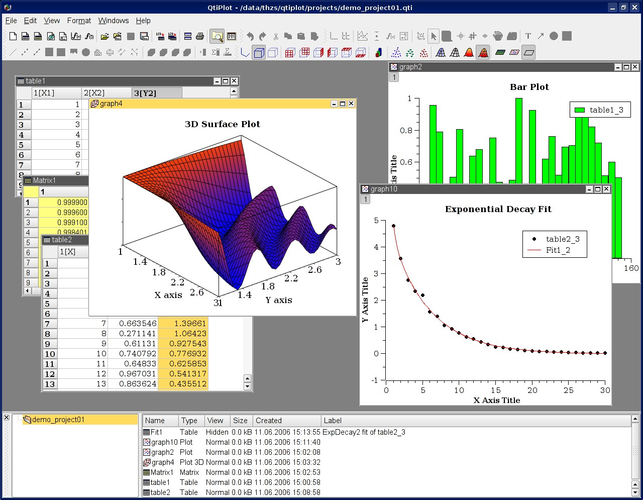
- Supports interactive 2D and 3D scientific graphing
- Includes statistical analysis tools such as t-tests and ANOVA
- Allows export to vector formats like PDF, EPS, and SVG
- Features a worksheet-style data editor for managing datasets
Lo que cambia
- QtiPlot is open-source (GPL-3.0) while SigmaPlot is commercial
- QtiPlot offers Python scripting for automation, whereas SigmaPlot uses a different scripting environment
- SigmaPlot generally has a more guided, wizard-based interface for complex multi-panel figures
- QtiPlot is cross-platform, running on Linux, Windows, and macOS, while SigmaPlot is Windows-centric
Abrir tus archivos de SigmaPlot
QtiPlot does not natively open SigmaPlot project files (.spt). You will need to export your data from SigmaPlot as CSV, Excel, or plain text files, which QtiPlot can import directly. For figures, you cannot open existing SigmaPlot plot files, but you can recreate them using the imported data. There is no direct conversion tool for project files, so expect to rebuild plot structures manually.
Pasar de SigmaPlot a QtiPlot, paso a paso
- Export all raw data from SigmaPlot as CSV or Excel files
- Install QtiPlot via your Linux package manager or from the official site
- Import the CSV/Excel files into QtiPlot's data editor
- Recreate your key plots by selecting data columns and choosing plot types
- Apply formatting (fonts, colors, labels) to match publication standards
- Export final figures as PDF or EPS for submission
Funciones clave de QtiPlot
- Worksheet‑style data editor
- Interactive 2‑D and 3‑D plots
- Non‑linear curve fitting
- Statistical tests (ANOVA, t‑test)
- Python scripting support
- Export to PDF, PostScript, SVG, PNG
- Import CSV, TXT, Excel, Gnuplot
Preguntas frecuentes
Can QtiPlot handle non-linear curve fitting?
Yes, QtiPlot includes robust non-linear curve fitting tools, allowing you to define custom functions and fit data to complex models, similar to SigmaPlot's capabilities.
Is there a learning curve compared to SigmaPlot?
Yes, QtiPlot is less intuitive for beginners. It requires more manual configuration for plot aesthetics and layout, but it offers greater flexibility and transparency for advanced users.
Does QtiPlot support batch processing?
Yes, you can use Python scripting to automate data import, analysis, and export, which is useful for processing large datasets or generating multiple figures consistently.