
 StremioLinux
vs
StremioLinux
vs
 Windows Media CenterWindows
Stremio como alternativa Linux a Windows Media Center
Actualizado el
Nuestra opinión
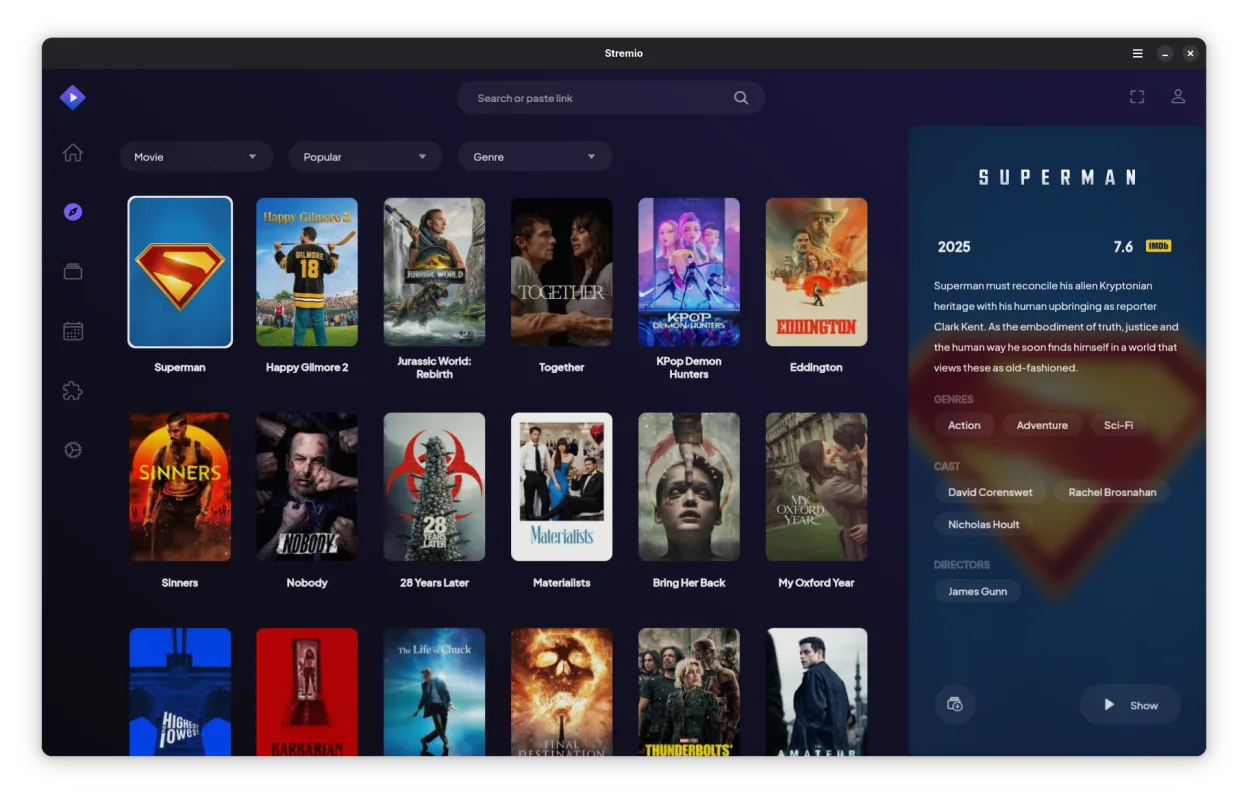
Stremio is a partial replacement for Windows Media Center, suitable for users who prioritize streaming and local media playback over live TV. It excels at managing local libraries and accessing online content via addons, offering a modern, 10-foot UI. However, it lacks native DVR and EPG features that defined Media Center. If you relied heavily on recording live broadcasts, Stremio alone will not suffice; you need a separate solution like Kodi with a PVR client or a dedicated DVR app. For those whose Media Center use was primarily for movies and music, Stremio is a strong, active alternative.
- Licencia
- GPL-3.0-only
- Precio
- Gratis
- Última versión
- 1.2.2 (7 de octubre de 2026)
- Valoración
- —
Lo que funciona igual
- Local media library management for movies and music
- 10-foot UI designed for remote control use
- Support for common video and audio codecs
- Cross-platform availability including Linux
Lo que cambia
- No native Digital Video Recording (DVR) capability
- No built-in Electronic Program Guide (EPG) integration
- No live TV playback without external hardware or addons
- Focus is on streaming and local files rather than a unified TV hub
Abrir tus archivos de Windows Media Center
Stremio does not natively open Windows Media Center's proprietary database files (.edb or .xml). You will need to manually import your media library by pointing Stremio to the folders where your movies and music are stored. Stremio will then scan these directories and fetch metadata from online sources, effectively rebuilding your library from scratch rather than migrating the existing database structure.
Pasar de Windows Media Center a Stremio, paso a paso
- Install Stremio via Flathub or your distribution's package manager
- Ensure your media files are organized in clear folder structures
- Open Stremio and add your local media directories in settings
- Allow Stremio to scan and fetch metadata for your library
- Install any necessary addons for online streaming sources
- Test playback of local files and remote content
Funciones clave de Stremio
- Biblioteca de medios local con obtención automática de metadatos
- Sistema de complementos para acceder a fuentes de streaming en línea
- Soporte para contenido 4K HDR
- Disponibilidad multiplataforma, incluyendo Linux, Windows y móvil
- Interfaz limpia y minimalista enfocada en el descubrimiento
- Integración con sistemas de archivos locales para reproducción directa
Cómo instalar Stremio en Linux
flatpak install flathub com.stremio.StremioPreguntas frecuentes
Can Stremio record live TV?
No, Stremio does not have built-in DVR functionality. You would need to use a separate application like Kodi with a PVR client or a dedicated DVR solution for live TV recording.
Does Stremio support remote controls?
Yes, Stremio is designed with a 10-foot UI in mind and supports standard infrared and Bluetooth remote controls, making it suitable for living room use.
Will my Windows Media Center library transfer automatically?
No, there is no direct migration tool. You must point Stremio to your existing media folders, and it will rebuild the library by scanning files and fetching new metadata.
