
 StremioLinux
vs
StremioLinux
vs
 Windows Media Player (wmp)Windows
Stremio como alternativa Linux a Windows Media Player (wmp)
Actualizado el
Nuestra opinión
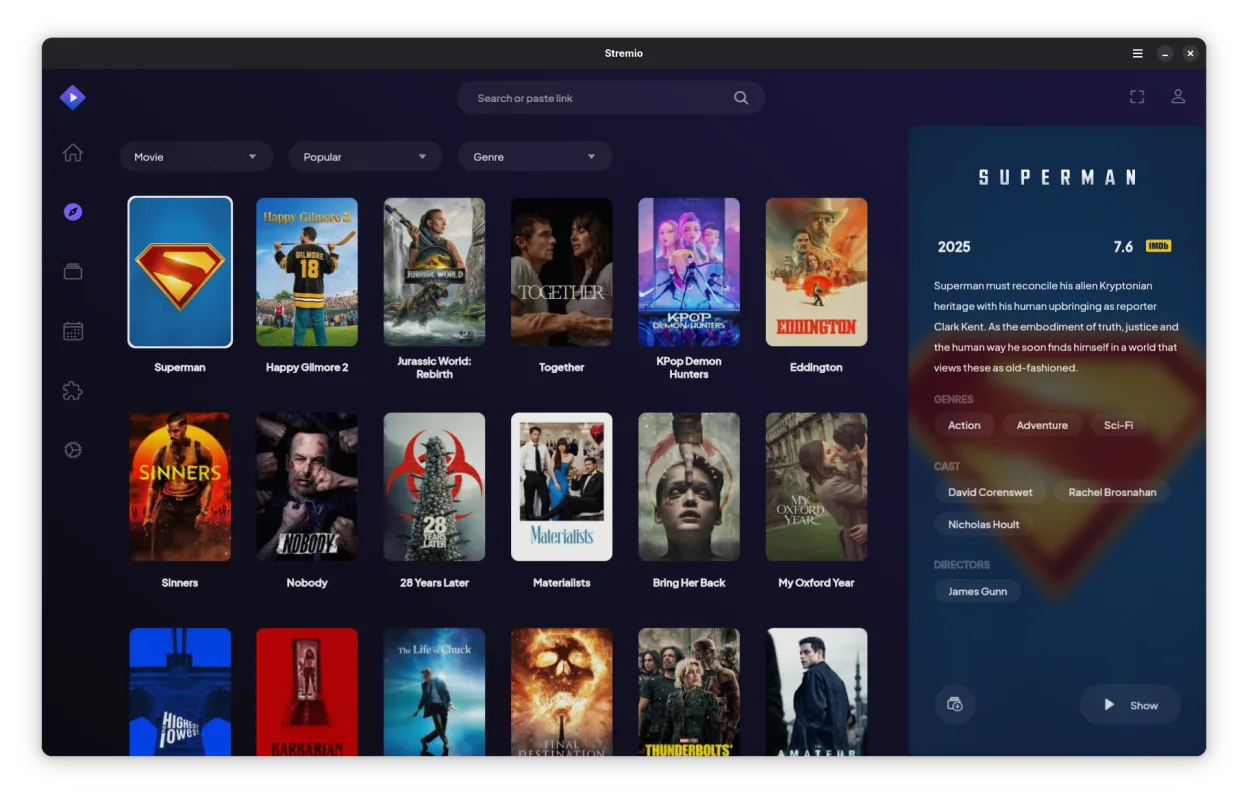
Stremio can replace Windows Media Player for users who mainly play local media and want a modern interface with automatic metadata. It handles MP3, AAC, WAV, MP4, WMV, AVI without extra codecs, and supports subtitles. However, it lacks some library features of WMP such as advanced playlist editing, CD ripping, and Windows‑specific DRM handling. It is best for casual listeners and movie watchers who prefer a clean UI and cross‑platform use.
Cobertura de funciones
- Licencia
- GPL-3.0-only
- Precio
- Gratis
- Última versión
- 1.2.2 (7 de octubre de 2026)
- Valoración
- —
Lo que funciona igual
- Both play common audio and video formats (MP3, AAC, WAV, MP4, WMV, AVI)
- Both support subtitles for video
- Both offer a library view with metadata and album art
- Both allow creation and management of playlists
- Both have a simple, quick‑playback UI
Lo que cambia
- Stremio has an addon system for online streaming, WMP does not
- Stremio supports 4K HDR content, WMP does not natively
- Stremio lacks CD ripping and burning features present in WMP
- Stremio does not integrate with Windows Media Center or the Windows ecosystem
- Stremio’s library organization is less granular (no separate audio/video tabs)
Abrir tus archivos de Windows Media Player (wmp)
Both can open standard media files. WMP stores playlists as .wpl files; Stremio does not import .wpl, so playlists must be recreated manually. Stremio does not export playlists to WMP format. Metadata files (.wmp) are not supported by Stremio.
Pasar de Windows Media Player (wmp) a Stremio, paso a paso
- Export your WMP playlists to a text or CSV format if you need them later.
- Move your media files to a folder that Stremio can scan (e.g., ~/Videos).
- Launch Stremio and let it index the folder; it will fetch metadata automatically.
- Add any desired online addons via the Addons section.
- Recreate playlists manually in Stremio’s library.
- Verify subtitle files (e.g., .srt) are in the same folder as the video.”
- faq
Funciones clave de Stremio
- Biblioteca de medios local con obtención automática de metadatos
- Sistema de complementos para acceder a fuentes de streaming en línea
- Soporte para contenido 4K HDR
- Disponibilidad multiplataforma, incluyendo Linux, Windows y móvil
- Interfaz limpia y minimalista enfocada en el descubrimiento
- Integración con sistemas de archivos locales para reproducción directa
Cómo instalar Stremio en Linux
Flatpak (Flathub)
flatpak install flathub com.stremio.StremioOtras 4 alternativas a Windows Media Player (wmp)
 MplayerMPlayer es un reproductor multimedia de línea de comandos gratuito que admite una amplia gama de formatos y…Código abiertoGratisMplayer vs Windows Media Player (wmp)
 TotemTotem (GNOME Videos) es el reproductor de vídeo predeterminado de GNOME construido sobre GStreamer.Código abiertoGratisTotem vs Windows Media Player (wmp)
 VLC media playerVLC es un reproductor multimedia gratuito y de código abierto que funciona en Linux y maneja prácticamente…Código abiertoGratisFlatpakVLC media player vs Windows Media Player (wmp)
 Gnome MPlayerGnome MPlayer es un frontend GUI ligero para MPlayer, diseñado para escritorios GNOME.Código abiertoGratisAbandonadoGnome MPlayer vs Windows Media Player (wmp)
Valora Stremio
Sé el primero en valorar
¿Es un buen sustituto de Windows Media Player (wmp)?
3