
 Wings 3DLinux
vs
3D BuilderWindows
Wings 3D como alternativa Linux a 3D Builder
Actualizado el
Nuestra opinión
Wings 3D is a strong replacement for 3D Builder if your focus is mesh editing and subdivision modeling. It handles STL and OBJ files well and offers more powerful tools than 3D Builder, such as beveling and sweeping. However, it lacks 3D Builder’s specific non-manifold repair tools and automated printing preparation features. If you need to fix broken meshes for 3D printing, Wings 3D requires manual work. It is best for users who want a lightweight, open-source editor for tweaking models before slicing, rather than a full CAD suite or a dedicated repair tool.
- Licencia
- Apache-2.0
- Precio
- Gratis
- Última versión
- 2.4.1 (15 de enero de 2025)
- Valoración
- —
Lo que funciona igual
- Supports importing and exporting STL and OBJ files
- Provides basic mesh editing tools like Move, Scale, and Rotate
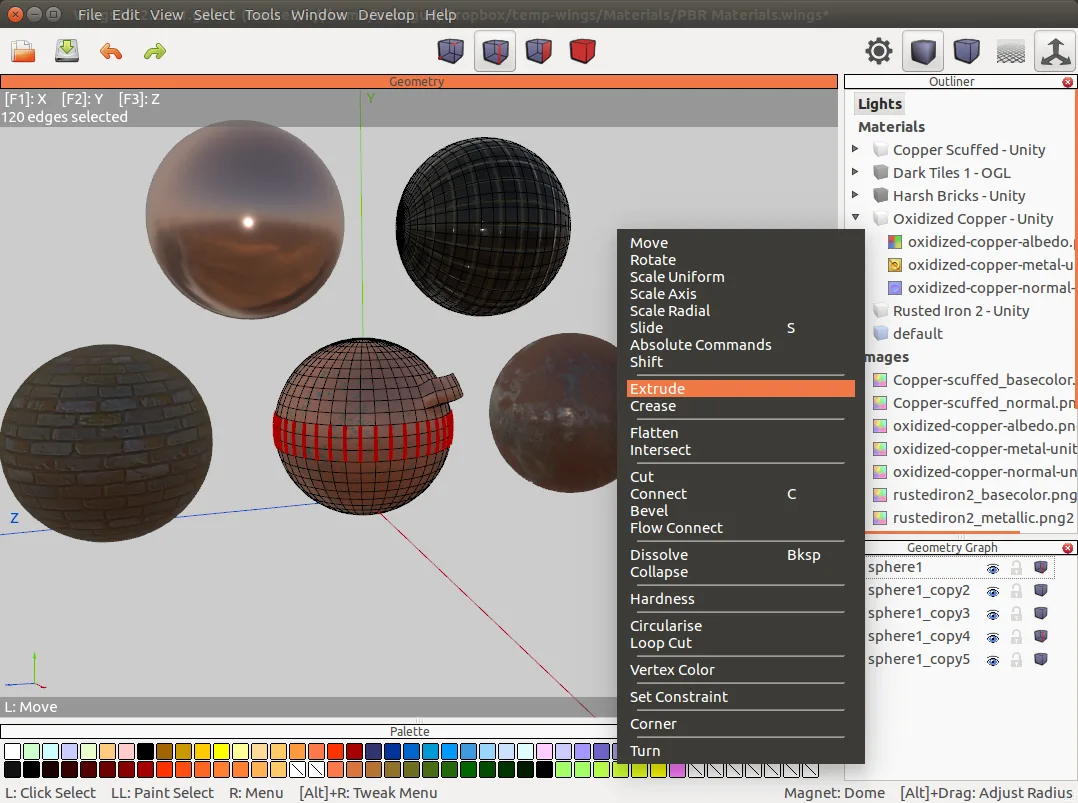
- Offers a simple interface with context-sensitive menus
- Allows viewing models in wireframe or solid modes
Lo que cambia
- Lacks automated non-manifold geometry repair tools
- Does not include specific 3D printing preparation or slicing hints
- Focused on subdivision modeling rather than simple mesh fixing
- Requires manual effort for tasks 3D Builder automates
Abrir tus archivos de 3D Builder
Wings 3D supports importing and exporting STL and OBJ files, which are the primary formats used by 3D Builder. This means you can open models created in 3D Builder, edit them in Wings 3D, and save them back in compatible formats. Support for PLY is not explicitly confirmed in the provided facts, so verify if you rely heavily on that format. The file compatibility is sufficient for standard 3D printing workflows involving mesh files.
Pasar de 3D Builder a Wings 3D, paso a paso
- Install Wings 3D from your distribution's package manager or Flathub
- Import your STL or OBJ files from 3D Builder into Wings 3D
- Use the right-click context menus to perform basic edits like scaling or rotating
- Manually inspect and fix any non-manifold geometry using edge and vertex tools
- Export the edited model as STL or OBJ for your 3D printer
Funciones clave de Wings 3D
- Menús contextuales sensibles al clic derecho
- Herramientas estándar de malla: Mover, Escalar, Rotar, Extruir, Biselar
- Herramientas avanzadas: Barrer, Corte plano, Circularizar, Doblado, Cizallado
- Espejo virtual para modelado simétrico
- Selección de bucles y anillos de aristas
- Vista previa suavizada y subdivisión en tiempo real
- Máscara magnética y escultura fina con ajustes
- Exportación a formatos comunes como OBJ y STL
Cómo instalar Wings 3D en Linux
flatpak install flathub com.wings3d.WINGSsudo apt install wings3dsudo apt install wings3dPreguntas frecuentes
Can Wings 3D repair broken 3D models?
It has tools like Weld and Cut to fix geometry, but it lacks the automated non-manifold repair features found in 3D Builder. You will need to manually identify and fix issues.
Is Wings 3D good for 3D printing?
It is suitable for preparing models by editing meshes, but it does not replace a slicer. You should use it for model adjustments and then send the file to a dedicated slicing application.
Does Wings 3D support PLY files?
The provided facts confirm support for OBJ and STL. PLY support is not explicitly mentioned, so you may need to convert PLY files to STL or OBJ before importing.
Otras 4 alternativas a 3D Builder
 BlenderBlender es una suite 3D gratuita y de código abierto para modelado, animación, renderizado y edición de video.Código abiertoGratisFlatpakBlender vs 3D Builder
 FreeCADFreeCAD es un modelador CAD 3D paramétrico de código abierto para diseño, ingeniería e impresión 3D.Código abiertoGratisFlatpakFreeCAD vs 3D Builder
 MeshLabHerramienta gratuita y de código abierto para procesar, limpiar y editar mallas triangulares 3D, ideal para…Código abiertoGratisFlatpakMeshLab vs 3D Builder
 Bambu StudioBambu Studio es una aplicación de corte 3D gratuita y de código abierto para Linux que te permite preparar…Código abiertoGratisFlatpakBambu Studio vs 3D Builder