
 Wings 3DLinux
vs
3D BuilderWindows
Wings 3D as a Linux alternative to 3D Builder
Updated
Our verdict
Wings 3D is a strong replacement for 3D Builder if your focus is mesh editing and subdivision modeling. It handles STL and OBJ files well and offers more powerful tools than 3D Builder, such as beveling and sweeping. However, it lacks 3D Builder’s specific non-manifold repair tools and automated printing preparation features. If you need to fix broken meshes for 3D printing, Wings 3D requires manual work. It is best for users who want a lightweight, open-source editor for tweaking models before slicing, rather than a full CAD suite or a dedicated repair tool.
- License
- Apache-2.0
- Price
- Free
- Latest version
- 2.4.1 (January 15, 2025)
- Rating
- —
What works the same
- Supports importing and exporting STL and OBJ files
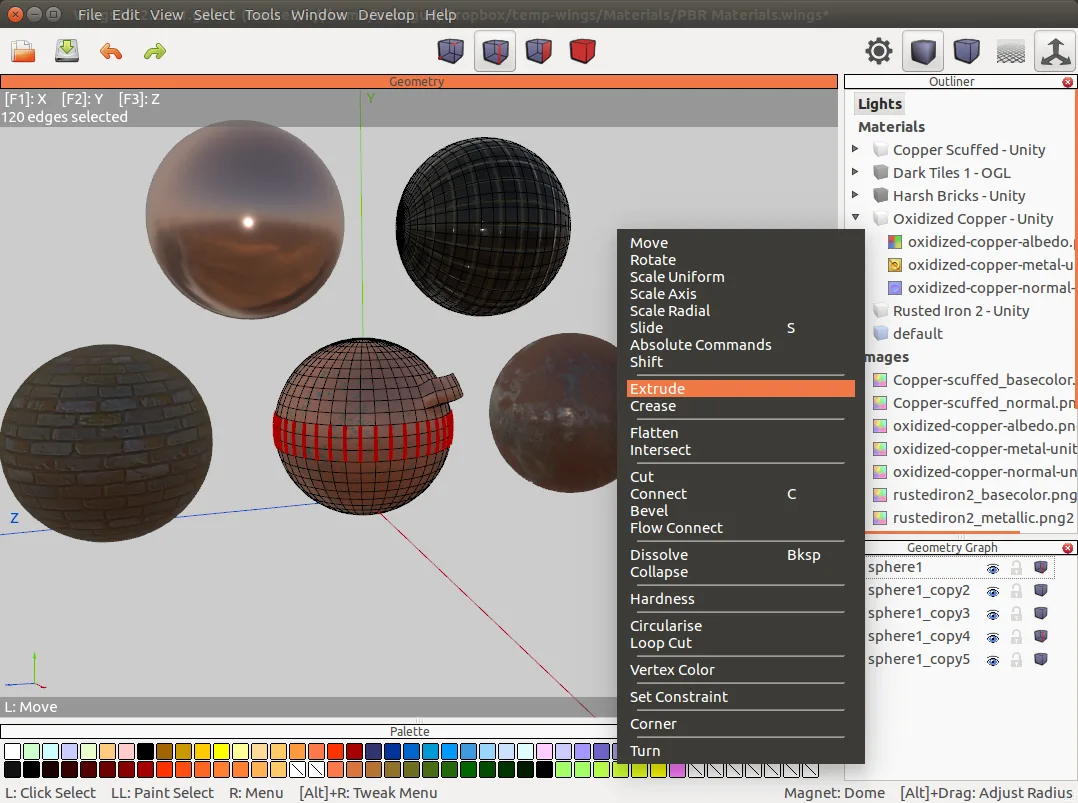
- Provides basic mesh editing tools like Move, Scale, and Rotate
- Offers a simple interface with context-sensitive menus
- Allows viewing models in wireframe or solid modes
What is different
- Lacks automated non-manifold geometry repair tools
- Does not include specific 3D printing preparation or slicing hints
- Focused on subdivision modeling rather than simple mesh fixing
- Requires manual effort for tasks 3D Builder automates
Opening your 3D Builder files
Wings 3D supports importing and exporting STL and OBJ files, which are the primary formats used by 3D Builder. This means you can open models created in 3D Builder, edit them in Wings 3D, and save them back in compatible formats. Support for PLY is not explicitly confirmed in the provided facts, so verify if you rely heavily on that format. The file compatibility is sufficient for standard 3D printing workflows involving mesh files.
Switching from 3D Builder to Wings 3D, step by step
- Install Wings 3D from your distribution's package manager or Flathub
- Import your STL or OBJ files from 3D Builder into Wings 3D
- Use the right-click context menus to perform basic edits like scaling or rotating
- Manually inspect and fix any non-manifold geometry using edge and vertex tools
- Export the edited model as STL or OBJ for your 3D printer
Key features of Wings 3D
- Context‑sensitive right‑click menus
- Standard mesh tools: Move, Scale, Rotate, Extrude, Bevel
- Advanced tools: Sweep, Plane Cut, Circularise, Bend, Shear
- Virtual Mirror for symmetrical modeling
- Edge Loop / Edge Ring selection
- Smooth preview and real‑time subdivision
- Magnet masking and tweak sculpting
- Export to common formats like OBJ and STL
How to install Wings 3D on Linux
flatpak install flathub com.wings3d.WINGSsudo apt install wings3dsudo apt install wings3dFrequently asked questions
Can Wings 3D repair broken 3D models?
It has tools like Weld and Cut to fix geometry, but it lacks the automated non-manifold repair features found in 3D Builder. You will need to manually identify and fix issues.
Is Wings 3D good for 3D printing?
It is suitable for preparing models by editing meshes, but it does not replace a slicer. You should use it for model adjustments and then send the file to a dedicated slicing application.
Does Wings 3D support PLY files?
The provided facts confirm support for OBJ and STL. PLY support is not explicitly mentioned, so you may need to convert PLY files to STL or OBJ before importing.
4 other alternatives to 3D Builder
 BlenderBlender is a free, open-source 3D suite for modeling, animation, rendering, and video editing.Open sourceFreeFlatpakBlender vs 3D Builder
 FreeCADFreeCAD is an open‑source parametric 3D CAD modeler for design, engineering and 3D printing.Open sourceFreeFlatpakFreeCAD vs 3D Builder
 MeshLabFree, open-source tool for processing, cleaning, and editing 3D triangular meshes, ideal for 3D printing prep.Open sourceFreeFlatpakMeshLab vs 3D Builder
 Bambu StudioBambu Studio is a free, open‑source 3D slicing application for Linux that lets you prepare models for 3D…Open sourceFreeFlatpakBambu Studio vs 3D Builder