
 ZulipLinux
vs
SlackWindows
ZulipLinux
vs
SlackWindows
Zulip como alternativa Linux a Slack
Actualizado el
Nuestra opinión
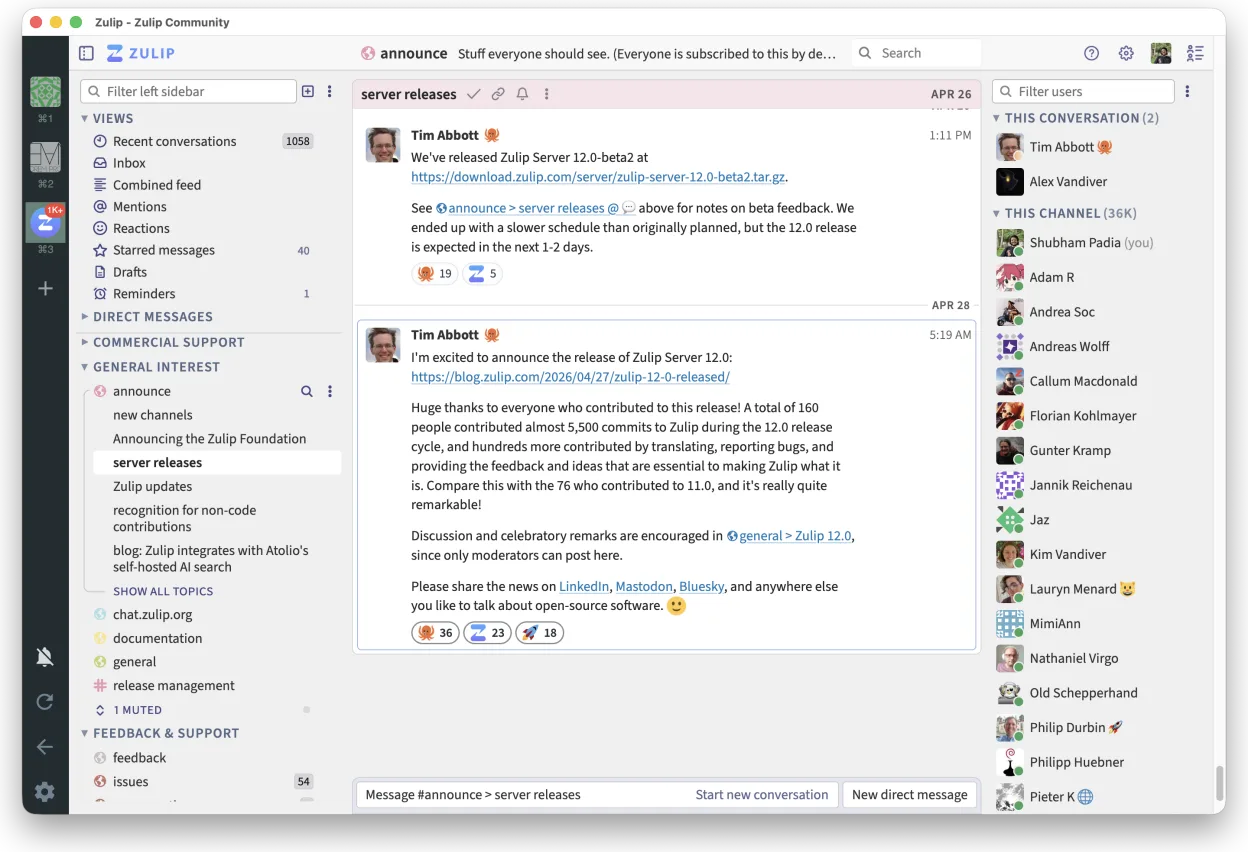
Zulip is a strong, honest replacement for Slack, particularly for teams that find Slack’s flat message streams chaotic. It excels at organizing high-volume discussions through mandatory threading, which keeps context intact. While it lacks some of Slack’s polished integrations out of the box, its open-source nature allows for deep customization and self-hosting. If your team values structured conversation over quick, fragmented pings, Zulip will feel like an upgrade. It is less suitable for casual, low-volume chat where immediate, unthreaded responses are preferred.
- Licencia
- Apache-2.0
- Precio
- Gratis
- Última versión
- 5.13.2 (21 de septiembre de 2026)
- Valoración
- —
Lo que funciona igual
- Real-time group and private messaging
- Channel-based organization with threaded replies
- File sharing and comprehensive search capabilities
- Support for SSO and MFA security features
Lo que cambia
- Zulip enforces threaded conversations, whereas Slack allows flat streams
- Zulip is open-source and self-hostable, while Slack is a proprietary cloud service
- Slack has a larger ecosystem of pre-built integrations; Zulip requires more manual setup for third-party tools
- Zulip’s interface is more text-heavy and focused on readability, unlike Slack’s visual-heavy design
Abrir tus archivos de Slack
Zulip does not natively open Slack-specific file formats or archive structures. You will need to export data from Slack using their built-in export tools (usually CSV or JSON) and then manually import or reference those files within Zulip. There is no direct, one-click migration path for file attachments; you must re-upload or link them to the new environment.
Pasar de Slack a Zulip, paso a paso
- Export user lists and channel structures from Slack via the admin console
- Set up a Zulip server (self-hosted or hosted) and create corresponding realms and channels
- Import user accounts and assign roles using Zulip’s admin API or CSV import tools
- Migrate historical messages using third-party scripts or manual export/import if necessary
- Configure SSO and MFA settings to match your existing security policies
- Communicate the switch to the team and provide a brief guide on threaded conversation etiquette
Funciones clave de Zulip
- Conversaciones en hilos para discusiones organizadas
- Código abierto y autoalojable
- Disponible como cliente de escritorio nativo para Linux
- Soporta grupos grandes y altos volúmenes de mensajes
- Compatibilidad multiplataforma
- Fuerte funcionalidad de búsqueda en el historial
Cómo instalar Zulip en Linux
flatpak install flathub org.zulip.ZulipPreguntas frecuentes
Does Zulip work offline?
The desktop client allows you to read cached messages offline, but sending new messages requires an internet connection.
Can I self-host Zulip?
Yes, Zulip is designed to be self-hostable. You can run it on your own infrastructure using Docker or manual installation, giving you full control over data and updates.
Is there a free plan?
The open-source software is free to use. If you self-host, you only pay for server costs. Hosted instances may have paid tiers for enterprise features.
Otras 4 alternativas a Slack
 DiscordUna aplicación de mensajería, voz y video multiplataforma para comunidades, juegos y encuentros casuales.FlatpakDiscord vs Slack
 MattermostMattermost es una plataforma de colaboración de código abierto y autoalojada para equipos de desarrolladores…Código abiertoGratisFlatpakMattermost vs Slack
 Rocket.ChatPlataforma de comunicación de equipo de código abierto para chat, video y colaboración, a menudo usada para…Código abiertoGratisFlatpakRocket.Chat vs Slack
 ElementElement es un cliente de chat y videoconferencia basado en matrices, de código abierto, para Linux.Código abiertoGratisFlatpakElement vs Slack