
 CarlaLinux
vs
Elgato WaveWindows
Carla, alternative Linux à Elgato Wave
Mis à jour le
Notre avis
Carla is a viable replacement for Elgato Wave Link if you are comfortable with manual audio routing. It handles multi-channel mixing, USB input, and real-time effects like EQ and compression effectively. However, it lacks the simplified, preset-based interface of Wave Link. This tool suits users who need precise control over signal flow and are willing to configure JACK or ALSA drivers. It is not ideal for users seeking a one-click solution for streaming specific to Elgato hardware, as it requires more technical setup to achieve similar results.
- Licence
- GPL-2.0
- Prix
- Gratuit
- Dernière version
- 2.5.10 (31 juillet 2025)
- Note
- —
Ce qui fonctionne pareil
- Real-time audio mixing and routing capabilities
- Support for USB audio devices via ALSA/JACK
- Access to effects processing such as EQ and compression
- Low-latency monitoring options for live audio
- Separate output destinations for different applications
Ce qui change
- Lacks the simplified, preset-driven UI of Elgato Wave Link
- Requires manual configuration of audio drivers and routing
- Does not include proprietary Elgato hardware-specific controls
- No built-in one-click presets for common streaming scenarios
- Steeper learning curve due to modular patching system
Ouvrir vos fichiers Elgato Wave
Carla does not natively open or export Elgato Wave Link project files. Wave Link configurations are proprietary and tied to its specific application structure. You will need to manually recreate your mixing setup in Carla by mapping inputs to outputs and adding the same effect chains. There is no direct import function for Wave Link presets.
Passer de Elgato Wave à Carla, étape par étape
- Install Carla and configure your audio driver (JACK or ALSA) for low latency.
- Identify your USB microphone input channels in Carla's mixer.
- Add effect plugins (EQ, compressor) to the microphone track.
- Route the processed output to your desired destination (e.g., virtual cable or application).
- Create a separate output path for monitoring if needed.
- Save the configuration as a Carla preset for quick loading.
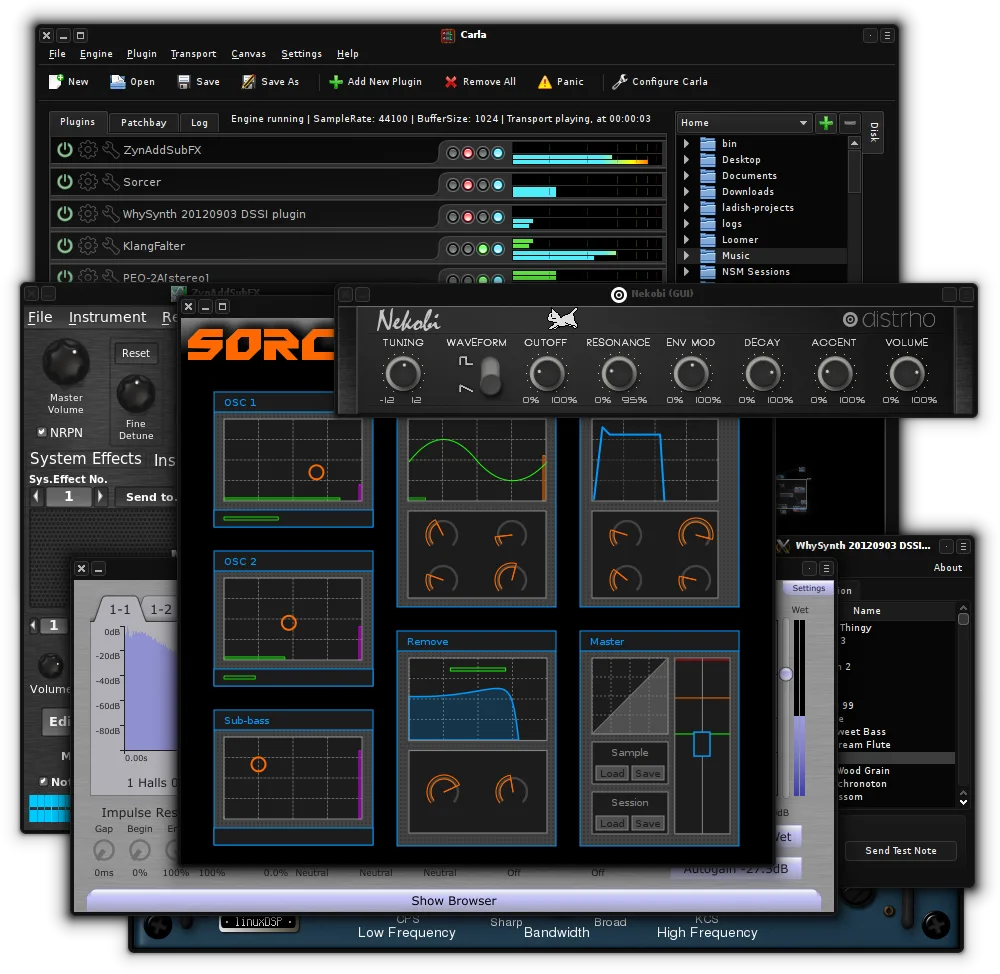
Fonctionnalités clés de Carla
- Héberge des greffons VST2, VST3, LV2 et SF2
- Prend en charge JACK, ALSA et d'autres pilotes audio
- Routage de signal modulaire avec connexions patchables
- Pont de greffons pour exécuter des VST Windows
- Interface utilisateur personnalisable avec thèmes et habillages
- Prise en charge de l'apprentissage MIDI et de l'automatisation
- Surveillance et mesures audio en temps réel
- Modes autonome et greffon pour DAW
Installer Carla sous Linux
flatpak install flathub studio.kx.carlasudo apt install carlasudo dnf install Carlasudo pacman -S carlasudo zypper install carlaQuestions fréquentes
Can Carla replace the specific 'Wave Link' presets?
No, but you can recreate similar effects chains using standard plugins. You will need to manually adjust settings to match the sound you prefer.
Does Carla work with all USB microphones?
Yes, as long as the microphone is recognized by your Linux audio subsystem (ALSA/JACK). Carla acts as a host for the audio stream, not a driver manager.
Is Carla suitable for beginners?
It has a steeper learning curve than Wave Link. If you are not familiar with audio routing concepts, you may find the initial setup challenging.
3 autres alternatives à Elgato Wave
 ArdourArdour est une station de travail audio numérique professionnelle et open source pour l'enregistrement…Open sourceGratuitFlatpakArdour ou Elgato Wave
 MixxxMixxx est un programme de mixage DJ gratuit et open source pour Linux, doté de la synchronisation rythmique…Open sourceGratuitFlatpakMixxx ou Elgato Wave