
 CarlaLinux
vs
Elgato WaveWindows
Carla as a Linux alternative to Elgato Wave
Updated
Our verdict
Carla is a viable replacement for Elgato Wave Link if you are comfortable with manual audio routing. It handles multi-channel mixing, USB input, and real-time effects like EQ and compression effectively. However, it lacks the simplified, preset-based interface of Wave Link. This tool suits users who need precise control over signal flow and are willing to configure JACK or ALSA drivers. It is not ideal for users seeking a one-click solution for streaming specific to Elgato hardware, as it requires more technical setup to achieve similar results.
- License
- GPL-2.0
- Price
- Free
- Latest version
- 2.5.10 (July 31, 2025)
- Rating
- —
What works the same
- Real-time audio mixing and routing capabilities
- Support for USB audio devices via ALSA/JACK
- Access to effects processing such as EQ and compression
- Low-latency monitoring options for live audio
- Separate output destinations for different applications
What is different
- Lacks the simplified, preset-driven UI of Elgato Wave Link
- Requires manual configuration of audio drivers and routing
- Does not include proprietary Elgato hardware-specific controls
- No built-in one-click presets for common streaming scenarios
- Steeper learning curve due to modular patching system
Opening your Elgato Wave files
Carla does not natively open or export Elgato Wave Link project files. Wave Link configurations are proprietary and tied to its specific application structure. You will need to manually recreate your mixing setup in Carla by mapping inputs to outputs and adding the same effect chains. There is no direct import function for Wave Link presets.
Switching from Elgato Wave to Carla, step by step
- Install Carla and configure your audio driver (JACK or ALSA) for low latency.
- Identify your USB microphone input channels in Carla's mixer.
- Add effect plugins (EQ, compressor) to the microphone track.
- Route the processed output to your desired destination (e.g., virtual cable or application).
- Create a separate output path for monitoring if needed.
- Save the configuration as a Carla preset for quick loading.
Key features of Carla
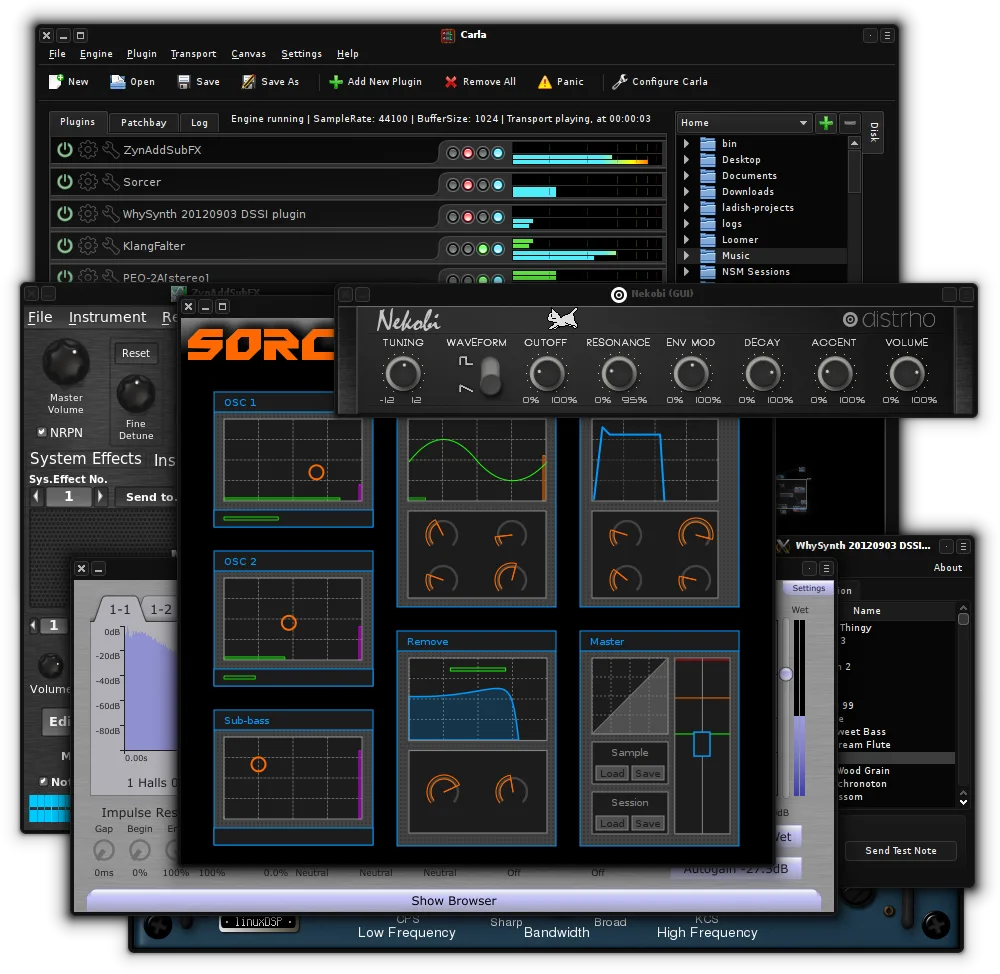
- Hosts VST2, VST3, LV2, and SF2 plugins
- Supports JACK, ALSA, and other audio drivers
- Modular signal routing with patchable connections
- Plugin bridge for running Windows VSTs
- Customizable UI with themes and skins
- MIDI learn and automation support
- Real-time audio monitoring and metering
- Standalone and DAW plugin modes
How to install Carla on Linux
flatpak install flathub studio.kx.carlasudo apt install carlasudo dnf install Carlasudo pacman -S carlasudo zypper install carlaFrequently asked questions
Can Carla replace the specific 'Wave Link' presets?
No, but you can recreate similar effects chains using standard plugins. You will need to manually adjust settings to match the sound you prefer.
Does Carla work with all USB microphones?
Yes, as long as the microphone is recognized by your Linux audio subsystem (ALSA/JACK). Carla acts as a host for the audio stream, not a driver manager.
Is Carla suitable for beginners?
It has a steeper learning curve than Wave Link. If you are not familiar with audio routing concepts, you may find the initial setup challenging.
3 other alternatives to Elgato Wave
 ArdourArdour is a professional open-source digital audio workstation for recording, editing, and mixing audio and…Open sourceFreeFlatpakArdour vs Elgato Wave
 MixxxMixxx is a free, open‑source DJ mixing program for Linux with beat‑matching, effects, and controller support.Open sourceFreeFlatpakMixxx vs Elgato Wave