
 Claws MailLinux
vs
Claws MailLinux
vs
 EudoraWindows
Claws Mail, alternative Linux à Eudora
Mis à jour le
Notre avis
Claws Mail can serve as a solid replacement for Eudona for users who need a fast, keyboard‑friendly client with solid IMAP/POP3 support, local storage, filtering and threading. It lacks a built‑in HTML composer, so anyone who relied on sending formatted mail will need a workaround. For users who valued a simple, native‑Linux client and are comfortable with plain‑text or external editors, Claws Mail is a good fit; power users who need extensive HTML handling may find it limiting.
- Licence
- GPL-3.0-only
- Prix
- Gratuit
- Dernière version
- 4.4.0 (9 mars 2026)
- Note
- —
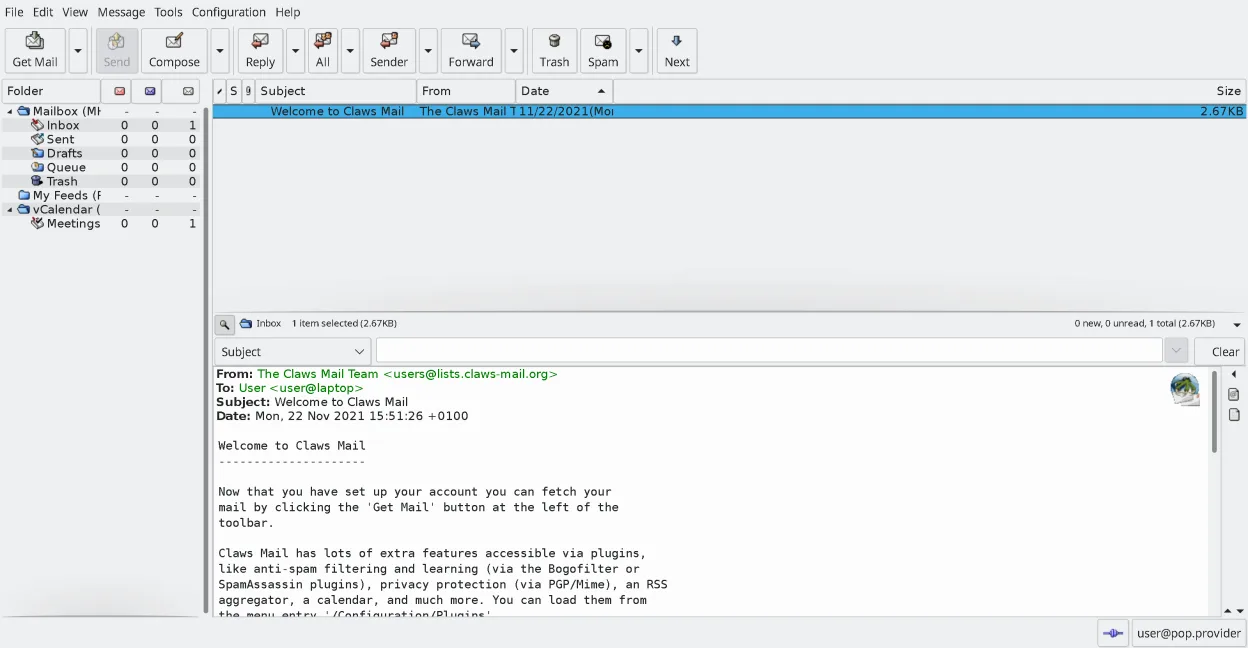
Ce qui fonctionne pareil
- IMAP/POP3 retrieval and SMTP sending
- Local mail storage (MH format, can be used with Maildir via plugins)
- Message filtering/rules and spam integration
- Address book and search with threading
- Keyboard‑centric operation
Ce qui change
- Claws Mail stores mail in MH format by default, not mbox used by Eudora
- No native HTML composer; HTML reading requires a plugin
- Eudora’s integrated calendar and rich‑text editor are missing
- Claws Mail relies on external editors for composing, unlike Eudora’s built‑in editor
- Eudora’s Windows‑only UI conventions differ from Claws Mail’s GTK interface
Ouvrir vos fichiers Eudora
Claws Mail can import mail from most other clients, including mbox files, which covers the bulk of Eudora's stored messages. Direct import of Eudora's proprietary address book format is not documented, so you may need to export contacts to a generic CSV or vCard format from Eudora first. Exporting from Claws Mail back to Eudora is possible via mbox export, but round‑tripping is not guaranteed.
Passer de Eudora à Claws Mail, étape par étape
- Export Eudora mail folders to mbox files (File → Export).
- Copy the mbox files to your Linux home directory.
- In Claws Mail, use File → Import → Import mbox to bring the messages into the MH folder tree.
- Export Eudora contacts to CSV or vCard, then import them via Claws Mail's Address Book → Import.
- Configure your IMAP/POP3 accounts in Claws Mail, matching the same server settings.
- Test sending a plain‑text message; if you need HTML, install the htmlview plugin or use an external editor.
Fonctionnalités clés de Claws Mail
- Stockage des boîtes aux lettres au format MH pour un accès rapide
- Exploitation centrée sur le clavier avec prise en charge complète des raccourcis
- Système de plugins pour RSS, calendrier et protocoles supplémentaires
- Comptes multiples et arborescences de dossiers
- Filtrage anti-spam intégré (intégration SpamAssassin)
- Filotage des messages et recherche puissante
- Prise en charge d'éditeurs externes pour la composition d'e-mail en mode simple
- Importation/Exportation depuis la plupart des autres clients de messagerie
Installer Claws Mail sous Linux
flatpak install flathub org.claws_mail.Claws-Mailsudo apt install claws-mailsudo apt install claws-mailsudo dnf install claws-mailsudo pacman -S claws-mailsudo zypper install claws-mailQuestions fréquentes
Can Claws Mail read Eudora's HTML messages?
Yes, with the htmlview plugin Claws Mail can render HTML mail, but it cannot compose HTML directly.
Will my existing Eudora rules work in Claws Mail?
No, you will need to recreate filters using Claws Mail's filter editor; the syntax is different.
Is there a Windows version of Claws Mail I can use during transition?
Claws Mail is available for Windows, so you can run it on the same machine to verify settings before switching fully to Linux.
4 autres alternatives à Eudora
 Evolution MailEvolution est le gestionnaire intégré de messagerie, calendrier, contacts et tâches de GNOME.Open sourceGratuitFlatpakEvolution Mail ou Eudora
 KMailKMail est le client de messagerie complet de KDE, faisant partie de la suite Kontact, prenant en charge IMAP…Open sourceGratuitKMail ou Eudora
 SylpheedSylpheed est un client de messagerie et de nouvelles léger, basé sur GTK, conçu pour Linux, Windows et macOS.Open sourceGratuitSylpheed ou Eudora
 Mozilla ThunderbirdMozilla Thunderbird est un client de messagerie, agenda et flux d'actualités gratuit et open‑source pour…Open sourceGratuitMozilla Thunderbird ou Eudora