
 Claws MailLinux
vs
Claws MailLinux
vs
 The Bat!Windows
Claws Mail, alternative Linux à The Bat!
Mis à jour le
Notre avis
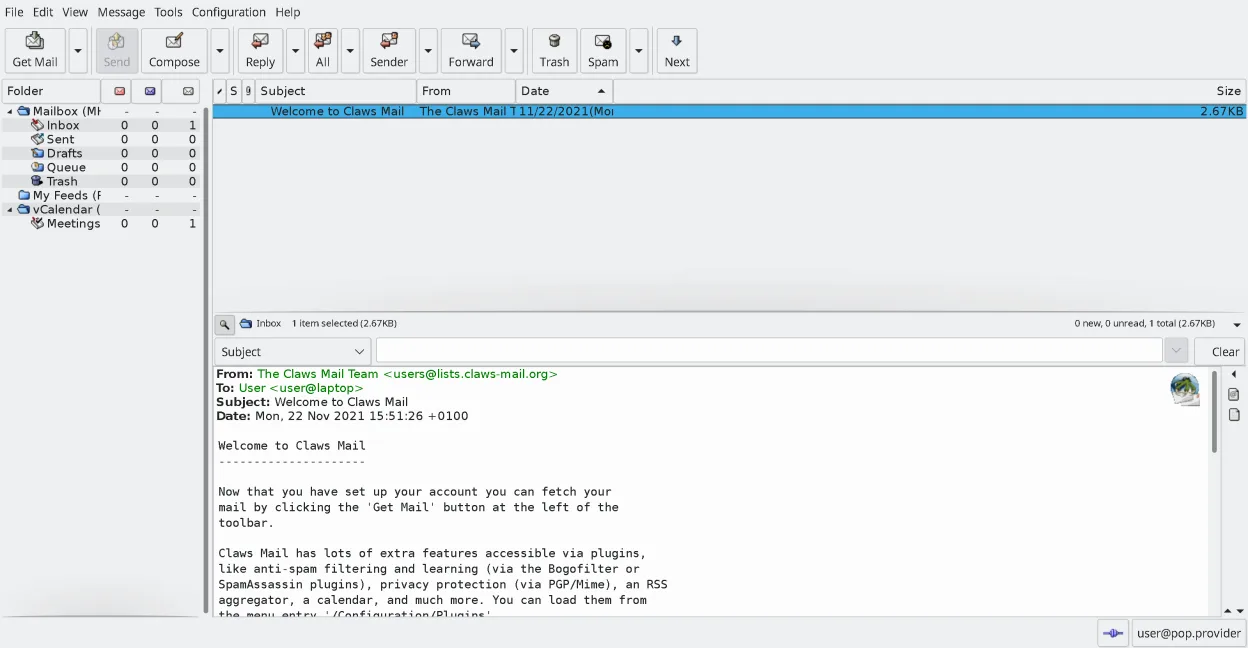
Claws Mail is a solid replacement for The Bat! if you prioritize speed, local mail storage, and lightweight design over built-in calendar and advanced encryption tools. It handles multiple accounts, strong filtering, and offline access well, and its MH storage is reliable. However, it lacks native PGP and S/MIME support—plugins are required—and has no built-in calendar. It suits users who want a fast, keyboard-driven client and don’t mind setting up encryption separately. Not ideal for those relying heavily on integrated security or contact management.
- Licence
- GPL-3.0-only
- Prix
- Gratuit
- Dernière version
- 4.4.0 (9 mars 2026)
- Note
- —
Ce qui fonctionne pareil
- Supports multiple IMAP, POP3, and SMTP accounts with separate folder trees
- Fast local mail storage using MH format for reliable offline access
- Advanced filtering rules and spam handling via SpamAssassin integration
- Keyboard-driven interface with full shortcut customization
- Plugin system extends functionality, similar in concept to The Bat!'s add-ons
Ce qui change
- No built-in PGP or S/MIME—requires manual setup with plugins like GnuPG
- Lacks integrated calendar and contact management without third-party plugins
- No native HTML composition; plugins allow reading but not creating HTML mail
- Lighter feature set out of the box, focused on simplicity over all-in-one design
- Smaller user base and less commercial support compared to The Bat!
Ouvrir vos fichiers The Bat!
Claws Mail can import mail from most common formats via its import tools, including mbox and MH. While there's no direct importer for The Bat!'s proprietary storage format, you can export messages from The Bat! to mbox or EML and then import them into Claws Mail. This process works reliably for messages, but filters, rules, and folder structures may need manual recreation. Contact and calendar data must be exported separately and re-imported if supported by plugins.
Passer de The Bat! à Claws Mail, étape par étape
- Export mail from The Bat! to mbox or EML format
- Install Claws Mail from your distribution’s repository or Flathub
- Use the Import tool in Claws Mail to bring in exported messages
- Set up accounts manually with IMAP/POP3 and SMTP settings
- Install GnuPG and enable PGP plugin for encryption support
- Configure filters and keyboard shortcuts to match your workflow
Fonctionnalités clés de Claws Mail
- Stockage des boîtes aux lettres au format MH pour un accès rapide
- Exploitation centrée sur le clavier avec prise en charge complète des raccourcis
- Système de plugins pour RSS, calendrier et protocoles supplémentaires
- Comptes multiples et arborescences de dossiers
- Filtrage anti-spam intégré (intégration SpamAssassin)
- Filotage des messages et recherche puissante
- Prise en charge d'éditeurs externes pour la composition d'e-mail en mode simple
- Importation/Exportation depuis la plupart des autres clients de messagerie
Installer Claws Mail sous Linux
flatpak install flathub org.claws_mail.Claws-Mailsudo apt install claws-mailsudo apt install claws-mailsudo dnf install claws-mailsudo pacman -S claws-mailsudo zypper install claws-mailQuestions fréquentes
Does Claws Mail support PGP encryption?
Yes, but not out of the box. You need to install and configure the PGP plugin using GnuPG for signing and encrypting messages.
Can I use Claws Mail with HTML emails?
You can read HTML emails if the proper plugin is installed, but Claws Mail does not support composing HTML—only plain text.
Is calendar integration available?
Not natively. You can use the 'Calendar' plugin, but it's basic and not tightly integrated like in The Bat!.
4 autres alternatives à The Bat!
 Evolution MailEvolution est le gestionnaire intégré de messagerie, calendrier, contacts et tâches de GNOME.Open sourceGratuitFlatpakEvolution Mail ou The Bat!
 Mozilla ThunderbirdMozilla Thunderbird est un client de messagerie, agenda et flux d'actualités gratuit et open‑source pour…Open sourceGratuitMozilla Thunderbird ou The Bat!
 SylpheedSylpheed est un client de messagerie et de nouvelles léger, basé sur GTK, conçu pour Linux, Windows et macOS.Open sourceGratuitSylpheed ou The Bat!
 KMailKMail est le client de messagerie complet de KDE, faisant partie de la suite Kontact, prenant en charge IMAP…Open sourceGratuitKMail ou The Bat!