
 darktableLinux
vs
PhotoScapeWindows
darktable, alternative Linux à PhotoScape
Mis à jour le
Notre avis
darktable can replace PhotoScape for users who need a non‑destructive workflow and raw support, but it is heavier and less focused on quick, simple edits. If you already work with RAW images or need batch processing, tethering, and high‑precision adjustments, darktable is a solid choice. For casual users who just want a quick collage or GIF maker, PhotoScape (or its Linux Snap) remains simpler.
- Licence
- GPL-3.0+
- Prix
- Gratuit
- Dernière version
- 5.6.2 (4 octobre 2026)
- Note
- —
Ce qui fonctionne pareil
- Batch processing of multiple images
- Cropping and resizing
- Basic color/brightness adjustments
- Collage/contact‑sheet creation
- Export to common image formats
Ce qui change
- darktable does not provide a dedicated GIF animation creator
- Red‑eye correction is not a primary feature in darktable
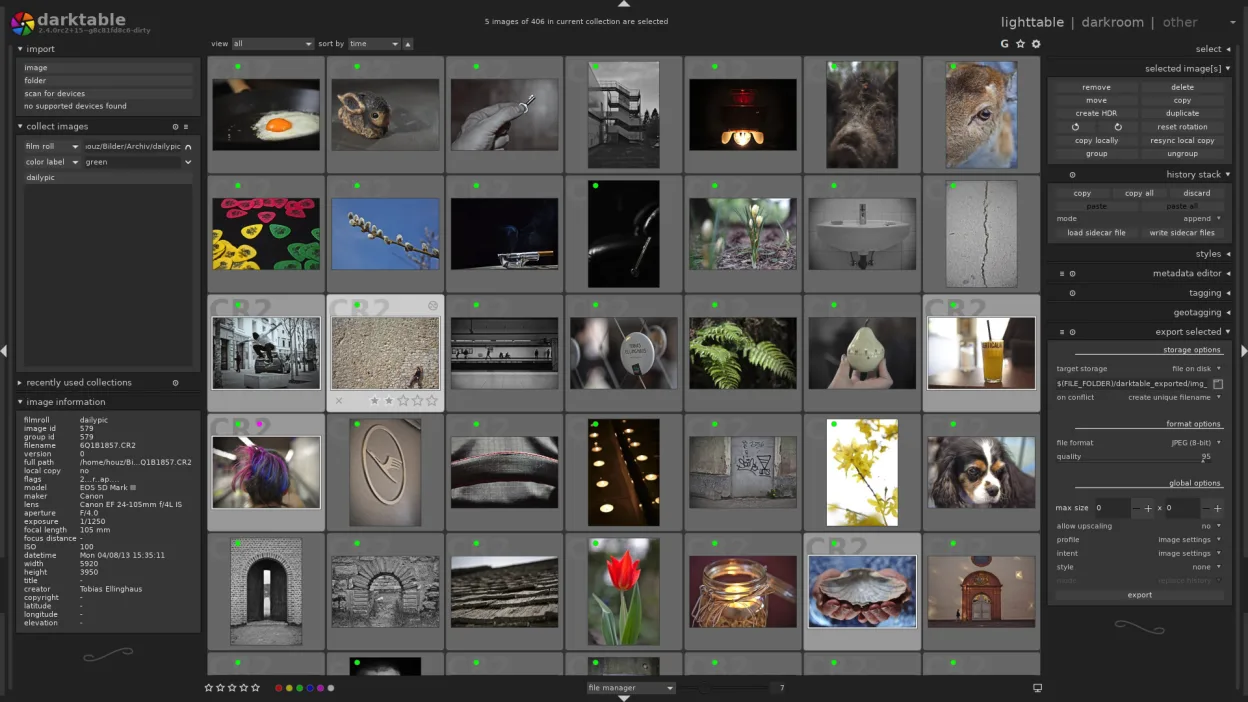
- PhotoScape’s interface is menu‑driven and lightweight, darktable uses a lighttable/darkroom paradigm
- PhotoScape offers a quick “one‑click” batch renaming tool that darktable lacks
- darktable’s learning curve is steeper and requires more steps for simple tasks
Ouvrir vos fichiers PhotoScape
darktable can import most common JPEG, PNG, TIFF, and RAW formats used by PhotoScape. It cannot open PhotoScape’s proprietary project files, but you can export images from PhotoScape as standard formats and then import them into darktable.
Passer de PhotoScape à darktable, étape par étape
- Export all images from PhotoScape as JPEG/PNG
- Install darktable via your distro’s package manager or Flathub
- Open the exported images in darktable’s lighttable view
- Use the darkroom module for adjustments, or batch‑process via the lighttable’s batch mode
Fonctionnalités clés de darktable
- Édition non destructif avec pile d’historique
- Modes table de lumière et chambre noire
- Traitement RAW haute précision
- Vue carte de géolocalisation
- Support de tethering
- Modes impression et diaporama
- Extensible via scripts Python
Installer darktable sous Linux
flatpak install flathub org.darktable.Darktablesudo apt install darktablesudo apt install darktablesudo dnf install darktablesudo pacman -S darktablesudo zypper install darktableQuestions fréquentes
Can I use darktable to create GIFs?
No, darktable does not support GIF animation creation. Use GIMP or a dedicated GIF tool instead.
Does darktable support red‑eye correction?
Red‑eye correction is not a built‑in feature. You can manually adjust the area with the brush tool, but there is no automatic red‑eye fix.
Is darktable suitable for quick photo edits?
It works well for detailed edits and RAW processing, but for quick one‑click adjustments a lighter tool like PhotoScape is faster.
5 autres alternatives à PhotoScape
 GIMPGIMP est un éditeur de graphiques raster gratuit et open source, conçu pour la retouche photo, la peinture…Open sourceGratuitFlatpakGIMP ou PhotoScape
 ShotwellShotwell est un gestionnaire de photos GNOME pour l'importation, l'organisation et l'édition légère d'images.Open sourceGratuitFlatpakShotwell ou PhotoScape
 KritaKrita est un programme de peinture numérique et d'illustration open‑source complet.Open sourceGratuitFlatpakKrita ou PhotoScape
 gThumb Image ViewergThumb est un visionneuse, un éditeur et un organisateur d'images intégré à GNOME pour Linux.Open sourceGratuitFlatpakgThumb Image Viewer ou PhotoScape
 nomacs - Image LoungeNomacs est un visionneuse d'images gratuite et open source qui prend en charge les vignettes, les…Open sourceGratuitFlatpaknomacs - Image Lounge ou PhotoScape