
 EpiphanyLinux
vs
Microsoft Edge LegacyWindows
EpiphanyLinux
vs
Microsoft Edge LegacyWindows
Epiphany, alternative Linux à Microsoft Edge Legacy
Mis à jour le
Notre avis
Epiphany is a decent replacement for Microsoft Edge Legacy if you value simplicity, GNOME integration, and privacy over extensions and cross-platform sync. It handles modern web standards well enough for basic browsing, with solid HTML5 and JavaScript support via WebKit. However, it lacks extension support, cloud sync, and advanced tab features that Edge Legacy offered. It's best suited for Linux users who stay within the GNOME ecosystem and don’t rely on syncing bookmarks or passwords across devices. Not ideal for power users or those tied to Microsoft services.
- Licence
- GPL-3.0
- Prix
- Gratuit
- Dernière version
- —
- Note
- —
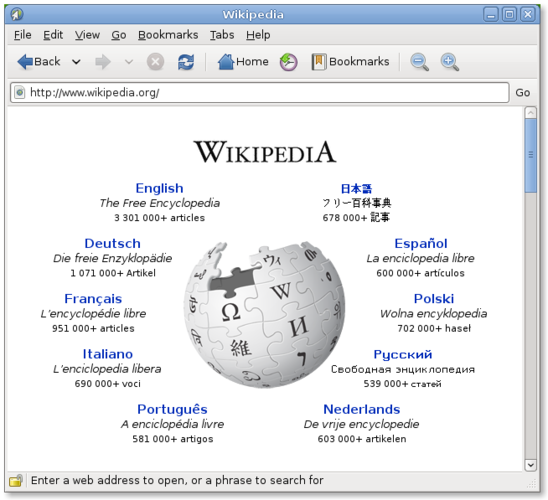
Ce qui fonctionne pareil
- Both support modern HTML5, CSS3, and JavaScript for standard web compatibility
- Include private browsing modes
- Offer basic tab management with tab switching and closing
- Use rendering engines developed from WebKit (Edge Legacy initially used a fork of WebKit before EdgeHTML diverged)
- Provide password saving via system keyring (GNOME Keyring vs Windows Credential Manager)
Ce qui change
- Epiphany has no extension/add-on support, while Edge Legacy allowed limited extensions
- No sync functionality in Epiphany for bookmarks, passwords, or tabs across devices
- Epiphany lacks integration with Microsoft cloud services like OneDrive or Outlook
- Edge Legacy had better JavaScript performance due to more aggressive optimization
- Epiphany has reader mode; Edge Legacy did not include this feature
Ouvrir vos fichiers Microsoft Edge Legacy
Epiphany does not directly open Microsoft Edge Legacy session files or import live tabs. However, it can import bookmarks from Edge Legacy through standard HTML bookmark export: export favorites in Edge Legacy as an HTML file, then import that into Epiphany via its bookmark manager. History, passwords, and open tabs cannot be migrated directly. Passwords saved in Edge Legacy must be manually transferred or rely on GNOME Keyring after logging in to sites again.
Passer de Microsoft Edge Legacy à Epiphany, étape par étape
- Export bookmarks from Microsoft Edge Legacy as an HTML file
- Open Epiphany and go to Bookmarks > Import from HTML file
- Enable GNOME Keyring if not already set up, and allow Epiphany to store passwords
- Install Epiphany if not present: sudo apt install epiphany-browser (Ubuntu/Debian)
- Set Epiphany as default browser in GNOME Settings
Fonctionnalités clés de Epiphany
- Moteur de rendu WebKit
- Intégration avec GNOME (menus, mode sombre)
- Gestion simple des onglets
- Mode lecture intégré
- Prise en charge de HTML5, CSS3, JavaScript
- Fenêtre de navigation privée
- Intégration d'un gestionnaire de mots de passe via GNOME Keyring
Questions fréquentes
Can I use browser extensions in Epiphany like I did in Microsoft Edge Legacy?
No, Epiphany does not support browser extensions or add-ons. It’s designed to be minimal and secure by limiting third-party code execution.
Does Epiphany sync my data with other devices?
No, Epiphany does not have built-in sync. You can manually sync bookmarks via exported HTML files, but passwords and tabs are not synced.
Is Epiphany based on Chromium like the newer Microsoft Edge?
No, Epiphany uses the WebKit engine, not Chromium. It shares no codebase with the current Microsoft Edge browser.
6 autres alternatives à Microsoft Edge Legacy
 FirefoxFirefox est un navigateur web rapide et privé développé par Mozilla.Open sourceGratuitFlatpakFirefox ou Microsoft Edge Legacy
 ChromiumChromium est le projet de navigateur open source derrière Chrome et Edge, offrant une expérience web rapide…Open sourceGratuitFlatpakChromium ou Microsoft Edge Legacy
 Google ChromeGoogle Chrome est le navigateur web propriétaire de Google, basé sur Chromium, disponible pour Linux.GratuitFlatpakGoogle Chrome ou Microsoft Edge Legacy
 BraveBrave est un navigateur web rapide et axé sur la confidentialité qui bloque les publicités et les traceurs…Open sourceGratuitFlatpakBrave ou Microsoft Edge Legacy
 VivaldiVivaldi est un navigateur web hautement personnalisable et riche en fonctionnalités, conçu pour les…FlatpakVivaldi ou Microsoft Edge Legacy
 FalkonFalkon est un navigateur web Qt léger conçu pour offrir une expérience de navigation rapide et riche en…Open sourceGratuitFlatpakFalkon ou Microsoft Edge Legacy