
 EvolutionLinux
vs
ThunderbirdWindows
EvolutionLinux
vs
ThunderbirdWindows
Evolution, alternative Linux à Thunderbird
Mis à jour le
Notre avis
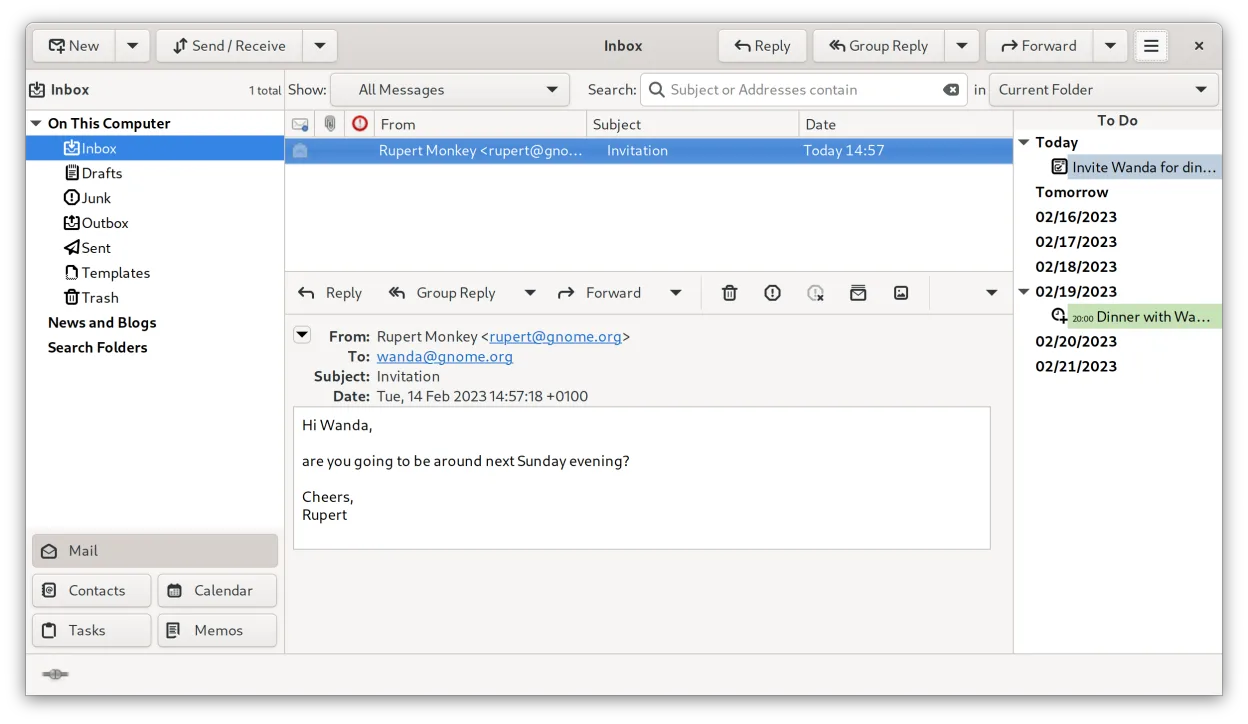
Evolution is a solid replacement for Thunderbird if you want tight integration between email, calendar, and contacts in a single native Linux application. It handles IMAP/POP3, has strong standards compliance, and supports CalDAV, LDAP, and Exchange via EWS. While it lacks built-in RSS and native chat (IRC/XMPP/Matrix), it covers core email, calendar, and contact needs well. Users who rely on RSS or real-time chat inside the client will need external tools. It's best suited for those prioritizing organization and integration over extensibility or lightweight design.
- Licence
- GPL-2.0+ and GFDL-1.3
- Prix
- Gratuit
- Dernière version
- 3.62.1 (9 octobre 2026)
- Note
- —
Ce qui fonctionne pareil
- Both support IMAP, POP3, and SMTP for email handling
- Integrated calendar and contact management with vCard and iCalendar support
- Offer mail filtering, search, and address books
- Support S/MIME and GnuPG for encryption
- Open-source and free with active development
Ce qui change
- Evolution lacks a built-in RSS feed reader
- No native support for IRC, XMPP, or Matrix chat
- No Usenet or news reader functionality
- Evolution has deeper Exchange (EWS) and LDAP integration than Thunderbird
- Evolution combines mail, calendar, and tasks in one interface, while Thunderbird separates them more
Ouvrir vos fichiers Thunderbird
Evolution does not directly import Thunderbird profiles, but you can export mail folders in standard .mbox format from Thunderbird and import them into Evolution. Contacts and calendars can be transferred via vCard and iCalendar (.ics) files. While there's no one-click migration, all core data types are exportable and compatible using standard formats. Third-party tools like Thunderbird's ImportExportTools add-on can assist in preparing data.
Passer de Thunderbird à Evolution, étape par étape
- Export your Thunderbird mail folders as .mbox files using ImportExportTools or manual copy
- Export contacts as vCard (.vcf) and calendars as .ics files from Thunderbird
- Install Evolution via your distribution's package manager or Flathub
- Import .mbox files into Evolution via 'Import' in the mail folder context menu
- Import vCard and .ics files into Evolution's address book and calendar
- Reconfigure email accounts manually in Evolution using IMAP/POP3 settings
Fonctionnalités clés de Evolution
- Courriel, agenda, contacts et tâches intégrés dans une même fenêtre
- Prise en charge complète d’IMAP, POP3, SMTP, CalDAV et EWS
- Formats de données standards (MIME, iCalendar, vCard)
- Chiffrement intégré avec GnuPG et S/MIME
- Carnet d’adresses avec LDAP et stockage local
- Partage d’agenda et planification via CalDAV
- Règles de filtrage du courriel et recherche
- Raccourcis clavier personnalisables
Installer Evolution sous Linux
flatpak install flathub org.gnome.Evolutionsudo apt install evolutionsudo apt install evolutionsudo dnf install evolutionsudo pacman -S evolution-bogofiltersudo zypper install evolutionQuestions fréquentes
Can Evolution replace Thunderbird for calendar and email together?
Yes, Evolution handles both email and calendar tightly, using CalDAV and standard formats. It's a strong fit if you use these together and don't rely on RSS or chat.
Does Evolution support modern encryption like Thunderbird?
Yes, Evolution supports GnuPG and S/MIME for signing and encrypting emails, comparable to Thunderbird's capabilities.
Is Evolution as lightweight as Thunderbird?
No, Evolution is heavier and more integrated, resembling Outlook in scope. It's less suitable for minimal setups than Thunderbird.
5 autres alternatives à Thunderbird
 MailspringUn client de messagerie de bureau rapide et complet pour Linux, doté d'un moteur de synchronisation C++ et…Open sourceGratuitFlatpakMailspring ou Thunderbird
 Claws MailClaws Mail est un client de messagerie GTK léger et rapide pour Linux.Open sourceGratuitFlatpakClaws Mail ou Thunderbird
 KMailKMail est le client de messagerie complet de KDE, faisant partie de la suite Kontact, prenant en charge IMAP…Open sourceGratuitKMail ou Thunderbird
 SylpheedSylpheed est un client de messagerie et de nouvelles léger, basé sur GTK, conçu pour Linux, Windows et macOS.Open sourceGratuitSylpheed ou Thunderbird
 GearyGeary est un client de messagerie basé sur GNOME pour Linux qui vous permet d'envoyer, de recevoir et…Open sourceGratuitFlatpakGeary ou Thunderbird