
 EvolutionLinux
vs
Windows MailWindows
EvolutionLinux
vs
Windows MailWindows
Evolution, alternative Linux à Windows Mail
Mis à jour le
Notre avis
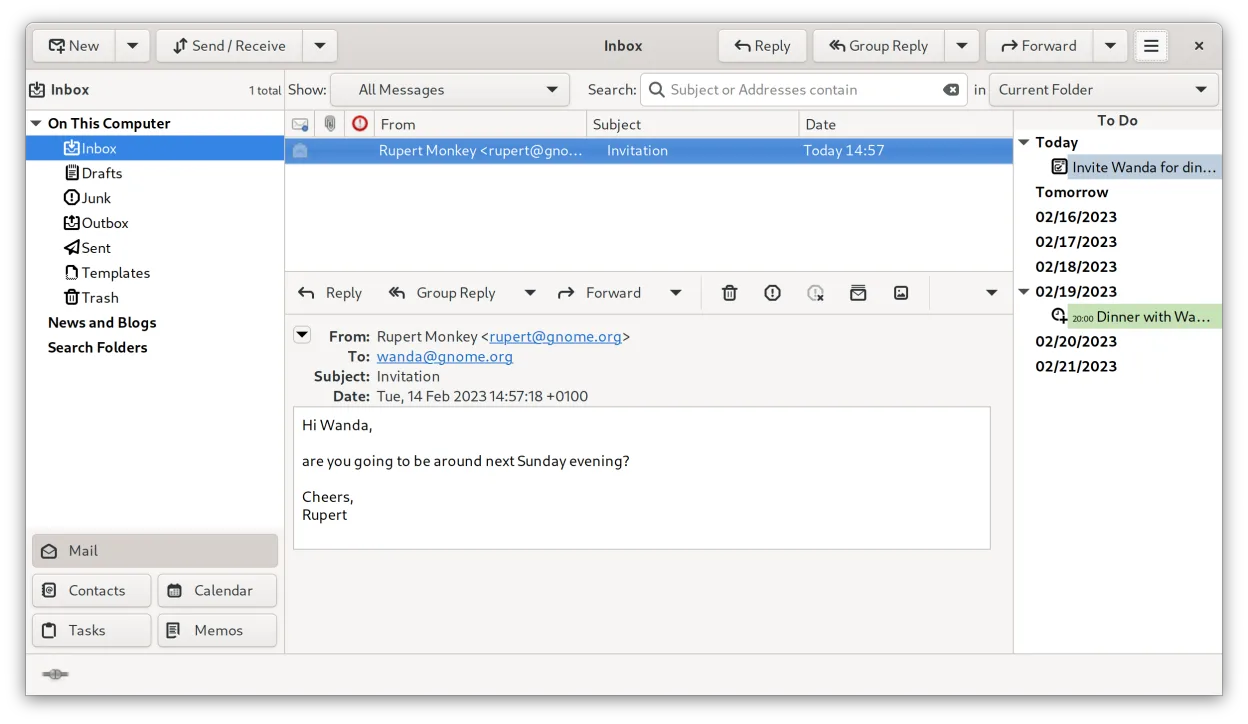
Evolution is a solid replacement for Windows Mail if you need more than just basic email. It handles multiple IMAP/POP3 accounts, offers full calendar support with iCal/ICS, and provides search and backup options. Users who prefer a single, integrated interface for mail, calendar, contacts and tasks will feel comfortable, while those who only want a very lightweight client may find it heavier than necessary.
- Licence
- GPL-2.0+ and GFDL-1.3
- Prix
- Gratuit
- Dernière version
- 3.62.1 (9 octobre 2026)
- Note
- —
Ce qui fonctionne pareil
- Supports multiple email accounts (IMAP/POP3/SMTP)
- Calendar integration with iCal/ICS files
- Search across messages
- Ability to export or backup data
- Simple UI that can be hidden behind tabs
Ce qui change
- Includes contacts and task management, which Windows Mail lacks
- Provides built‑in encryption (GnuPG/S‑MIME) not present in Windows Mail
- Offers CalDAV and Exchange Web Services support, beyond basic calendar features
- More configuration options and a larger footprint than the lightweight Windows Mail client
- No native import of Windows Mail's proprietary .eml archive format; conversion may be needed
Ouvrir vos fichiers Windows Mail
Evolution can import standard MIME email files (.eml) and iCalendar (.ics) files, which covers most data exported from Windows Mail. However, Windows Mail’s proprietary backup format is not directly supported, so you may need to export messages to .eml first using Windows Mail before importing them into Evolution.
Passer de Windows Mail à Evolution, étape par étape
- Export your mail from Windows Mail to .eml files (or use the built‑in export to .pst and then convert to .eml)
- Copy any .ics calendar files to a known folder
- Install Evolution from your distribution’s repository or via Flathub
- Open Evolution, run the Import wizard, select Mail and Calendar, and point to the exported files
- Configure your accounts (IMAP/POP3/SMTP) and verify that mail syncs correctly
- Set up any desired filters or keyboard shortcuts
Fonctionnalités clés de Evolution
- Courriel, agenda, contacts et tâches intégrés dans une même fenêtre
- Prise en charge complète d’IMAP, POP3, SMTP, CalDAV et EWS
- Formats de données standards (MIME, iCalendar, vCard)
- Chiffrement intégré avec GnuPG et S/MIME
- Carnet d’adresses avec LDAP et stockage local
- Partage d’agenda et planification via CalDAV
- Règles de filtrage du courriel et recherche
- Raccourcis clavier personnalisables
Installer Evolution sous Linux
flatpak install flathub org.gnome.Evolutionsudo apt install evolutionsudo apt install evolutionsudo dnf install evolutionsudo pacman -S evolution-bogofiltersudo zypper install evolutionQuestions fréquentes
Can Evolution handle Exchange accounts?
Yes, Evolution supports Exchange Web Services (EWS) and can sync mail, calendar and contacts with Microsoft Exchange servers.
Is Evolution resource‑heavy compared to Windows Mail?
It uses more memory and CPU than the very lightweight Windows Mail, but on a modern system the impact is modest.
Will my contacts from Windows Mail transfer automatically?
Only if you export them to a standard format like vCard or CSV; Evolution can then import those files.
4 autres alternatives à Windows Mail
 ThunderbirdThunderbird est un client de messagerie, de flux de nouvelles, de chat et de calendrier gratuit et open…Open sourceGratuitFlatpakThunderbird ou Windows Mail
 MailspringUn client de messagerie de bureau rapide et complet pour Linux, doté d'un moteur de synchronisation C++ et…Open sourceGratuitFlatpakMailspring ou Windows Mail
 Claws MailClaws Mail est un client de messagerie GTK léger et rapide pour Linux.Open sourceGratuitFlatpakClaws Mail ou Windows Mail
 GearyGeary est un client de messagerie basé sur GNOME pour Linux qui vous permet d'envoyer, de recevoir et…Open sourceGratuitFlatpakGeary ou Windows Mail