
 GeanyLinux
vs
VS CodeWindows
Geany, alternative Linux à VS Code
Mis à jour le
Notre avis
Geany is a solid, lightweight alternative to VS Code for users who prioritize speed and low resource usage over heavy feature sets. It handles basic editing, syntax highlighting, and simple scripting well. However, it is not a drop-in replacement for complex development environments. If you rely heavily on advanced IntelliSense, remote development, or a vast ecosystem of extensions, Geany will feel limiting. It suits developers working on smaller projects or those who find VS Code too bloated, but you will lose significant power in debugging and language-specific tooling.
- Licence
- GPL-2.0+
- Prix
- Gratuit
- Dernière version
- 2.1.0 (6 juillet 2025)
- Note
- —
Ce qui fonctionne pareil
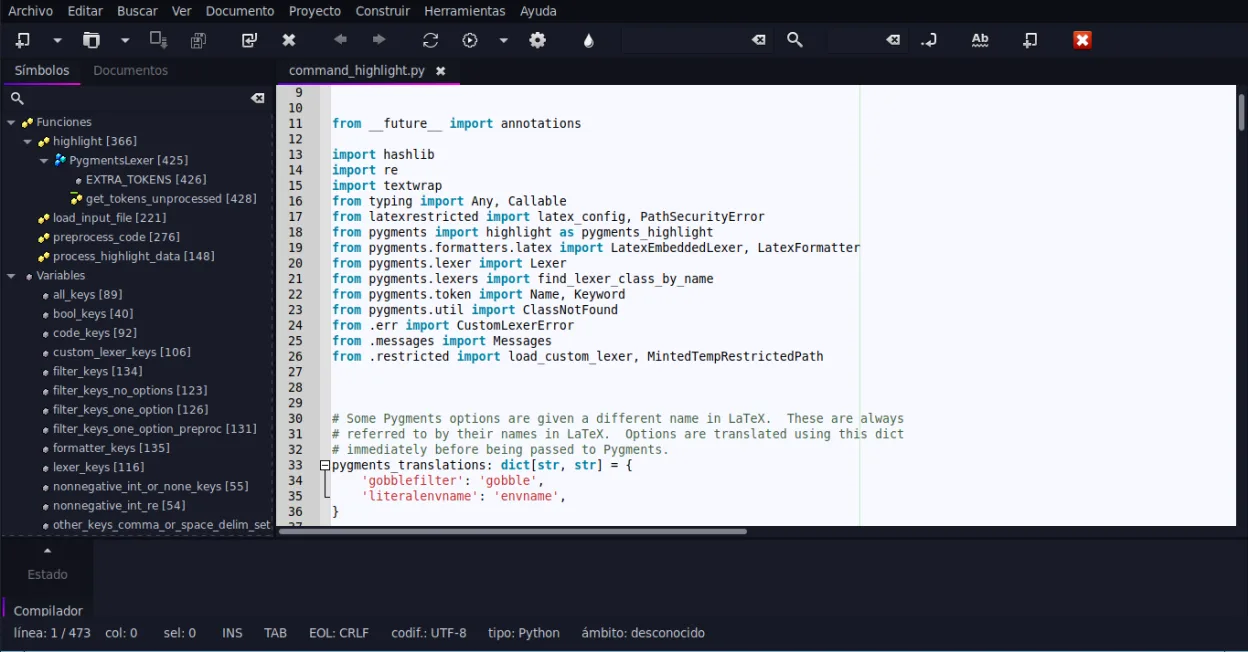
- Supports syntax highlighting for many popular programming languages
- Includes an integrated terminal for running commands
- Offers code completion and auto-completion for common constructs
- Extensible through a plugin architecture
- Customizable interface with themes and keybindings
Ce qui change
- Lacks the deep, language-specific IntelliSense and semantic analysis found in VS Code
- Debugging capabilities are limited compared to VS Code's integrated debugger
- Plugin ecosystem is much smaller and less actively maintained than VS Code's marketplace
- Does not support remote development or live server features out of the box
- Git integration is basic and lacks the visual diff and history tools of VS Code
Ouvrir vos fichiers VS Code
Geany opens standard text files, including source code, directly. It does not natively open VS Code workspace files (.code-workspace) or settings files (.vscode/settings.json). You will need to recreate your workspace configuration and settings manually in Geany. Project files like .c, .py, or .js open without issue, but any VS Code-specific metadata or extension configurations will not transfer.
Passer de VS Code à Geany, étape par étape
- Install Geany from your distribution's package manager or Flathub
- Open your project folder in Geany to start editing
- Configure your preferred theme and keybindings in the Preferences menu
- Enable necessary plugins via the Plugin Manager if you need extra features
- Set up your terminal emulator settings if the default does not match your shell
- Manually recreate any complex project settings or snippets in Geany's configuration
Fonctionnalités clés de Geany
- Coloration syntaxique pour plus de 30 langages
- Complétion de code et auto-complétion des structures courantes
- Émulateur de terminal intégré
- Gestionnaire de plugins avec plugins préinstallés
- Fonction de repli de code et listes de symboles
- Prise en charge de la complétion des balises XML/HTML
Installer Geany sous Linux
flatpak install flathub org.geany.Geanysudo apt install geanysudo apt install geanysudo dnf install geanysudo pacman -S geanysudo zypper install geanyQuestions fréquentes
Can I use my VS Code extensions in Geany?
No. Geany uses its own plugin system, which is different from VS Code's extension model. You will need to find equivalent Geany plugins or write custom ones for specific features.
Is Geany good for Python development?
It is adequate for basic Python scripting and running scripts. However, it lacks the advanced linting, refactoring, and debugging tools provided by VS Code with the Python extension.
Does Geany support Git?
Yes, Geany has built-in Git support for basic operations like commit, push, and pull. It is functional but less intuitive and feature-rich than the Git integration in VS Code.
5 autres alternatives à VS Code
 VimVim est un éditeur de texte modal hautement configurable pour une édition efficace sous Linux.Open sourceGratuitFlatpakVim ou VS Code
 NeovimNeovim est une version moderne de Vim qui ajoute extensibilité, support UI avancé et extensions puissantes…Open sourceGratuitFlatpakNeovim ou VS Code
 KateKate est un éditeur de texte riche en fonctionnalités, axé sur les programmeurs, issu de KDE, prenant en…Open sourceGratuitFlatpakKate ou VS Code
 Sublime TextSublime Text est un éditeur de code source léger et rapide, doté d'une interface minimale et d'une…FlatpakSublime Text ou VS Code
 EclipseEclipse est un environnement de développement intégré (IDE) gratuit, axé sur Java, qui s'exécute nativement…Open sourceGratuitFlatpakEclipse ou VS Code