
 GnoteLinux
vs
Sticky NotesWindows
Gnote, alternative Linux à Sticky Notes
Mis à jour le
Notre avis
Gnote is a solid replacement for Sticky Notes for Linux users who need a lightweight, local note‑taking tool. It lets you create, edit, move, resize, and pin notes just like Sticky Notes, and adds notebooks, wiki‑style links, and optional Markdown support. It’s best for GNOME desktop users who want plain‑text storage and occasional sync; people who only need the bare minimum sticky‑note experience will find Gnote a bit more feature‑rich but still straightforward.
- Licence
- GPL-3.0-only
- Prix
- Gratuit
- Dernière version
- 51.0 (26 septembre 2026)
- Note
- —
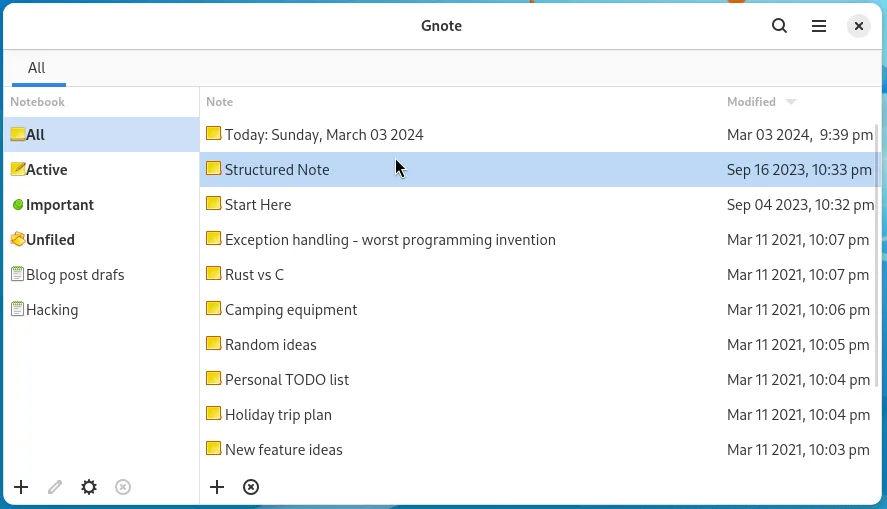
Ce qui fonctionne pareil
- Create, edit, delete notes
- Move and resize notes freely
- Pin notes to the desktop
- Store notes locally in plain‑text
- Basic formatting via Markdown
Ce qui change
- Gnote does not support native Windows .xml Sticky Notes file format
- It lacks the very minimal “quick note” pop‑up that Sticky Notes offers
- No built‑in cloud sync except via GNOME Online Accounts
- Notes are not automatically pinned to the top of the screen by default
- Requires GNOME environment for best integration
Ouvrir vos fichiers Sticky Notes
Sticky Notes stores notes in a proprietary XML format that Gnote cannot read directly. To migrate, you would need to export the notes from Windows (e.g., to plain text or HTML) and then import them into Gnote as new notes. Gnote can export notes to HTML, but it does not import Sticky Notes files natively.
Passer de Sticky Notes à Gnote, étape par étape
- Export each Sticky Notes note to a plain‑text or HTML file from Windows.
- Transfer the exported files to your Linux machine via USB or cloud storage.
- Open Gnote and create a new note for each exported file, pasting the content.
- If you used Markdown, enable Markdown support in Gnote preferences to preserve formatting.
- Organize the new notes into notebooks if desired.
- Delete the old Sticky Notes after confirming the migration worked.
Fonctionnalités clés de Gnote
- Liens de type WikiWiki entre les notes
- Organisation des notes en carnets
- Exportation des notes en HTML ou impression
- Synchronisation optionnelle entre appareils
- Liste de notes recherchable
- Raccourcis clavier pour créer et éditer
- Stockage en texte brut pour faciliter les sauvegardes
Installer Gnote sous Linux
flatpak install flathub org.gnome.Gnotesudo apt install gnotesudo apt install gnotesudo dnf install gnotesudo pacman -S gnotesudo zypper install gnoteQuestions fréquentes
Does Gnote support pinning notes to the desktop?
Yes, Gnote notes can be pinned to the desktop and remain on top of other windows, just like Sticky Notes.
Can I sync Gnote notes across devices?
Gnote can sync via GNOME Online Accounts, but it does not use a cloud service out of the box; you need to set up an account such as Google Drive or Dropbox.
Is Gnote lighter than Sticky Notes?
Gnote is a native Linux application with minimal dependencies, comparable in size to Sticky Notes, and runs well on low‑resource systems.