
 GPartedLinux
vs
Macrium ReflectWindows
GPartedLinux
vs
Macrium ReflectWindows
GParted, alternative Linux à Macrium Reflect
Mis à jour le
Notre avis
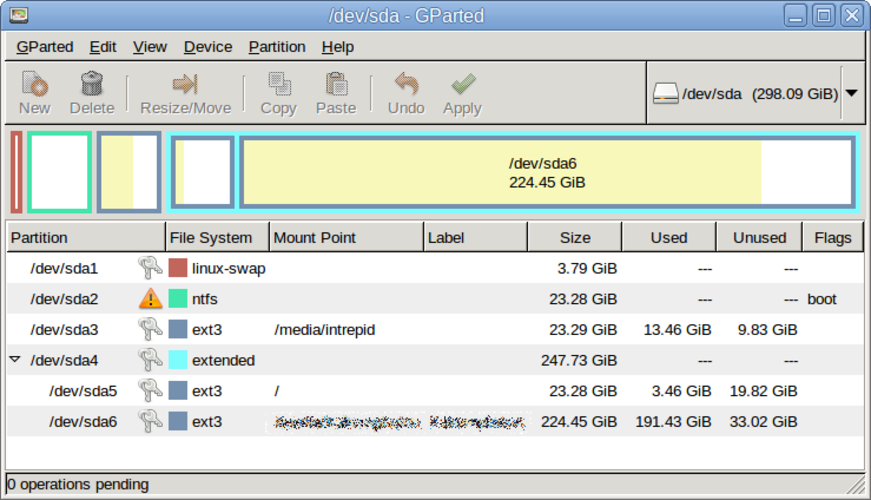
GParted is not a drop‑in replacement for Macrium Reflect. It can copy and resize partitions, but it lacks full disk imaging, scheduled backups, boot‑loader handling, and the ability to restore images to bare metal. It is useful for users who only need partition manipulation or quick copy of a single partition, such as system administrators or advanced Linux users who prefer live‑USB editing.
Couverture fonctionnelle
- Licence
- GPL-3.0
- Prix
- Gratuit
- Dernière version
- 1.8.1
- Note
- —
Ce qui fonctionne pareil
- Both can copy disk partitions
- Both support ext4 and other Linux file systems
- Both run on Linux
- Both have GUI interfaces
Ce qui change
- GParted does not create full disk or partition images; it only copies partitions
- No scheduling or automated backups in GParted
- No boot‑loader or MBR/EFI handling in GParted
- No image restore to bare metal in GParted
- GParted lacks support for creating incremental or differential backups
Ouvrir vos fichiers Macrium Reflect
There is no documented way to open or import Macrium Reflect image files (.mrimg) in GParted. The two formats are incompatible; you would need to use Macrium Reflect on Windows or a compatible tool that can read its image format.
Passer de Macrium Reflect à GParted, étape par étape
- 1. Back up your data with Macrium Reflect on Windows. 2. Export the image to a standard format (e.g., ISO or raw) if possible. 3. Boot a GParted live USB on the target Linux machine. 4. Use GParted to create the necessary partitions. 5. Restore the exported image using a tool like dd or partclone. 6. Reinstall the boot loader (GRUB or systemd‑boot) on the new system.
- faq
- :
- Array — Array — Array
Fonctionnalités clés de GParted
- Interface graphique GTK pour GNU Parted
- Prise en charge du redimensionnement, du déplacement, de la copie et de la suppression de partitions
- Indépendant du système de fichiers : ext4, NTFS, FAT32, XFS, Btrfs, etc.
- Prise en charge des clés USB live pour l'édition avant le démarrage
- Annuler/Rétablir pour les opérations de partition
- Vérification des sommes de contrôle pour l'intégrité des données
- Mode par lot via la ligne de commande pour l'automatisation
Installer GParted sous Linux
Ubuntu / Mint
sudo apt install gpartedDebian
sudo apt install gpartedFedora
sudo dnf install gpartedArch / Manjaro
sudo pacman -S gpartedopenSUSE
sudo zypper install gparted2 autres alternatives à Macrium Reflect
ClonezillaClonezilla est un outil gratuit et open source de création d'images et de clonage de disques pour Linux.Open sourceGratuitClonezilla ou Macrium ReflectTimeshiftTimeshift est un utilitaire de restauration système pour Linux qui crée des instantanés Btrfs ou des…Open sourceGratuitTimeshift ou Macrium Reflect
Notez GParted
Soyez le premier à noter
Bon remplaçant de Macrium Reflect ?
8