
 HarunaLinux
vs
KMPlayerWindows
Haruna, alternative Linux à KMPlayer
Mis à jour le
Notre avis
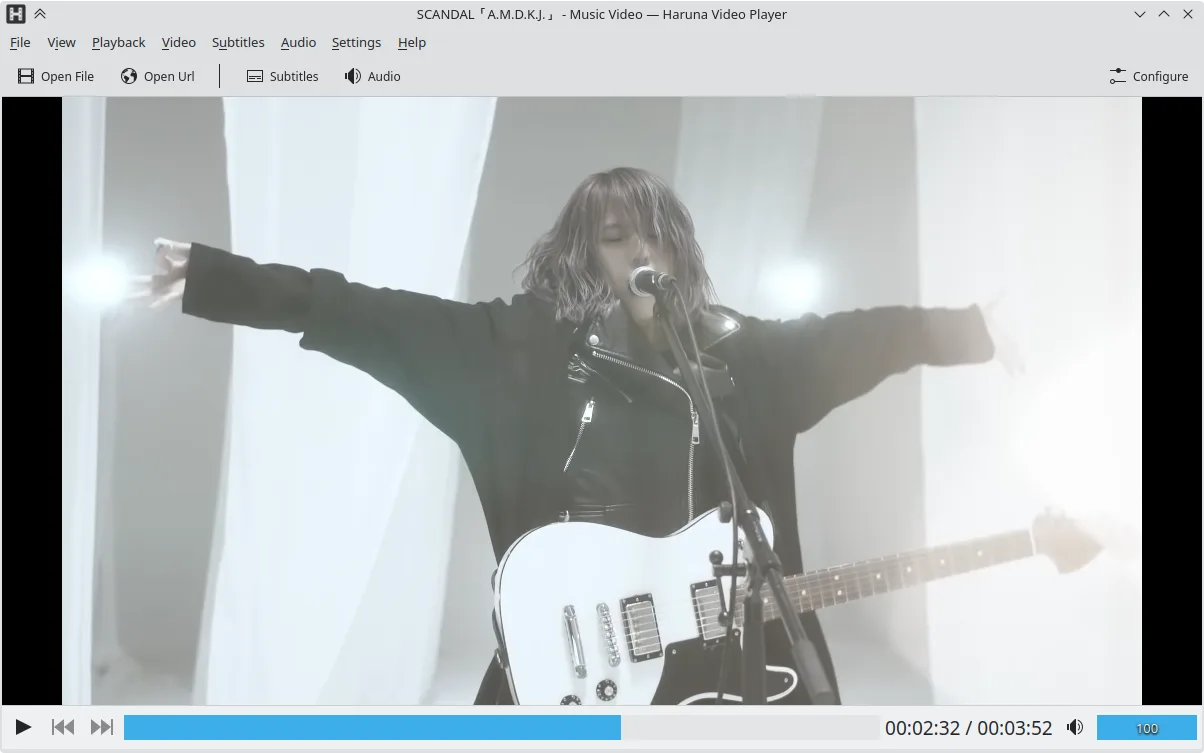
Haruna can replace KMPlayer for users who mainly play local files and want a lightweight, open‑source player with good subtitle and multiple audio support. It handles most common codecs (AVI, MKV, MP4, FLV) and can play DVDs. It lacks some of KMPlayer’s advanced filtering, video‑editing, and built‑in ad‑blocker features, but its customization and YouTube integration give it a distinct edge for casual use.
Couverture fonctionnelle
- Licence
- GPL-3.0-or-later
- Prix
- Gratuit
- Dernière version
- 1.9.0 (30 octobre 2026)
- Note
- —
Ce qui fonctionne pareil
- Both support a wide range of audio and video codecs (AVI, MKV, MP4, FLV)
- Both can play DVDs and handle multiple audio tracks and subtitles
- Both offer basic playback controls and a lightweight interface
Ce qui change
- Haruna is open source and GPL‑licensed, KMPlayer is proprietary
- Haruna includes YouTube playback via youtube‑dl, KMPlayer does not natively support online streams
- Haruna lacks built‑in ad‑blocking and advanced video‑filtering features that KMPlayer offers
- Haruna does not support VCD playback out of the box
- Haruna’s interface is more minimalistic and relies on keyboard/mouse shortcuts for advanced actions
Ouvrir vos fichiers KMPlayer
Both players can open standard media files; Haruna can import most KMPlayer‑played formats, but it does not support KMPlayer‑specific playlist or configuration files. Exporting from KMPlayer to Haruna is simply a matter of opening the file; no special conversion is required.
Passer de KMPlayer à Haruna, étape par étape
- Install Haruna via Flatpak, APT, or your distro’s package manager.
- Open your media file or DVD with Haruna; it will detect codecs automatically.
- Configure subtitles and audio tracks in the Settings menu if needed.
- Add any YouTube URLs directly in the address bar for online playback.
- Replace any KMPlayer shortcuts with Haruna’s customizable keybindings if desired.
- Delete or archive KMPlayer after confirming everything works.
Fonctionnalités clés de Haruna
- Lecture de vidéos locales et en ligne, y compris YouTube via youtube-dl
- Prise en charge des listes de lecture YouTube et saut automatique des chapitres contenant certains mots
- Affichage au survol de la souris de la liste de lecture et superposition sur la vidéo
- Raccourcis et boutons souris configurables
- Accès rapide au prochain chapitre par clic du milieu sur la barre de progression
- Open source, licence GPL-3.0 ou ultérieure
- Disponible en Flatpak, Arch, Debian, Fedora, openSUSE, Ubuntu
Installer Haruna sous Linux
Flatpak (Flathub)
flatpak install flathub org.kde.harunaUbuntu / Mint
sudo apt install harunaDebian
sudo apt install harunaFedora
sudo dnf install harunaArch / Manjaro
sudo pacman -S harunaopenSUSE
sudo zypper install haruna5 autres alternatives à KMPlayer
 VLC media playerVLC est un lecteur multimédia gratuit et open source qui fonctionne sur Linux et prend en charge pratiquement…Open sourceGratuitFlatpakVLC media player ou KMPlayer
 mpvmpv est un lecteur multimédia gratuit, open source et multiplateforme qui lit presque tous les formats vidéo…Open sourceGratuitFlatpakmpv ou KMPlayer
 CelluloidCelluloid est un lecteur multimédia léger pour Linux utilisant le moteur mpv et GTK, offrant une interface…Open sourceGratuitFlatpakCelluloid ou KMPlayer
 TotemTotem (GNOME Videos) est le lecteur vidéo par défaut de GNOME, construit sur GStreamer.Open sourceGratuitTotem ou KMPlayer
 SMPlayerSMPlayer est un lecteur multimédia gratuit et open source doté de codecs intégrés, capable de lire presque…Open sourceGratuitFlatpakSMPlayer ou KMPlayer
Notez Haruna
Soyez le premier à noter
Bon remplaçant de KMPlayer ?
6