
 HarunaLinux
vs
KMPlayerWindows
Haruna as a Linux alternative to KMPlayer
Updated
Our verdict
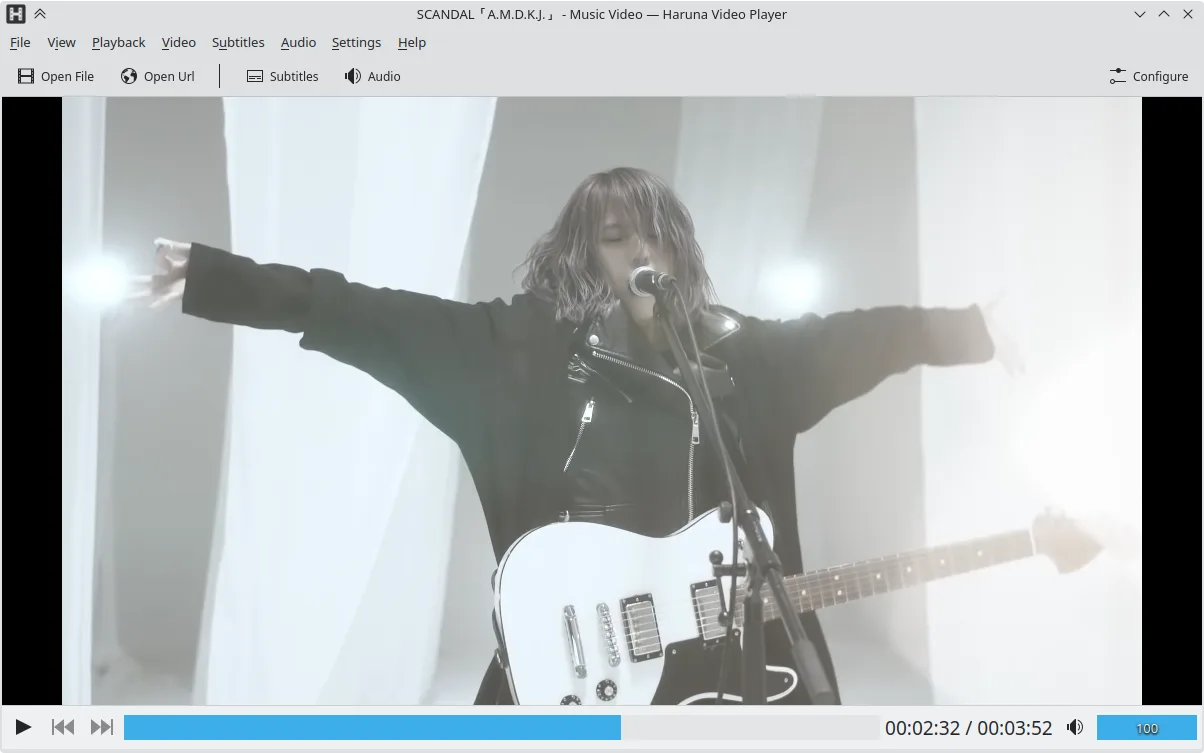
Haruna can replace KMPlayer for users who mainly play local files and want a lightweight, open‑source player with good subtitle and multiple audio support. It handles most common codecs (AVI, MKV, MP4, FLV) and can play DVDs. It lacks some of KMPlayer’s advanced filtering, video‑editing, and built‑in ad‑blocker features, but its customization and YouTube integration give it a distinct edge for casual use.
Feature parity
- License
- GPL-3.0-or-later
- Price
- Free
- Latest version
- 1.9.0 (October 30, 2026)
- Rating
- —
What works the same
- Both support a wide range of audio and video codecs (AVI, MKV, MP4, FLV)
- Both can play DVDs and handle multiple audio tracks and subtitles
- Both offer basic playback controls and a lightweight interface
What is different
- Haruna is open source and GPL‑licensed, KMPlayer is proprietary
- Haruna includes YouTube playback via youtube‑dl, KMPlayer does not natively support online streams
- Haruna lacks built‑in ad‑blocking and advanced video‑filtering features that KMPlayer offers
- Haruna does not support VCD playback out of the box
- Haruna’s interface is more minimalistic and relies on keyboard/mouse shortcuts for advanced actions
Opening your KMPlayer files
Both players can open standard media files; Haruna can import most KMPlayer‑played formats, but it does not support KMPlayer‑specific playlist or configuration files. Exporting from KMPlayer to Haruna is simply a matter of opening the file; no special conversion is required.
Switching from KMPlayer to Haruna, step by step
- Install Haruna via Flatpak, APT, or your distro’s package manager.
- Open your media file or DVD with Haruna; it will detect codecs automatically.
- Configure subtitles and audio tracks in the Settings menu if needed.
- Add any YouTube URLs directly in the address bar for online playback.
- Replace any KMPlayer shortcuts with Haruna’s customizable keybindings if desired.
- Delete or archive KMPlayer after confirming everything works.
Key features of Haruna
- Plays local and online videos, including YouTube via youtube‑dl
- Supports YouTube playlists and auto‑skips chapters containing specific words
- Mouse‑over playlist toggle and overlay on video
- Configurable shortcuts and mouse buttons
- Quick jump to next chapter with middle‑click on progress bar
- Open source, GPL‑3.0‑or‑later license
- Available as Flatpak, Arch, Debian, Fedora, openSUSE, Ubuntu
How to install Haruna on Linux
Flatpak (Flathub)
flatpak install flathub org.kde.harunaUbuntu / Mint
sudo apt install harunaDebian
sudo apt install harunaFedora
sudo dnf install harunaArch / Manjaro
sudo pacman -S harunaopenSUSE
sudo zypper install haruna5 other alternatives to KMPlayer
 VLC media playerVLC is a free, open‑source multimedia player that runs on Linux and handles virtually any audio or video…Open sourceFreeFlatpakVLC media player vs KMPlayer
 mpvmpv is a free, open‑source, cross‑platform media player that plays almost any video or audio format.Open sourceFreeFlatpakmpv vs KMPlayer
 CelluloidCelluloid is a lightweight media player for Linux that uses the mpv engine and GTK for a clean GNOME‑style…Open sourceFreeFlatpakCelluloid vs KMPlayer
 TotemTotem (GNOME Videos) is the default GNOME video player built on GStreamer.Open sourceFreeTotem vs KMPlayer
 SMPlayerSMPlayer is a free, open-source media player with built-in codecs that handles nearly all video and audio…Open sourceFreeFlatpakSMPlayer vs KMPlayer
Rate Haruna
Be the first to rate
Is it a good replacement for KMPlayer?
6