
 LogseqLinux
vs
AnytypeWindows
LogseqLinux
vs
AnytypeWindows
Logseq, alternative Linux à Anytype
Mis à jour le
Notre avis
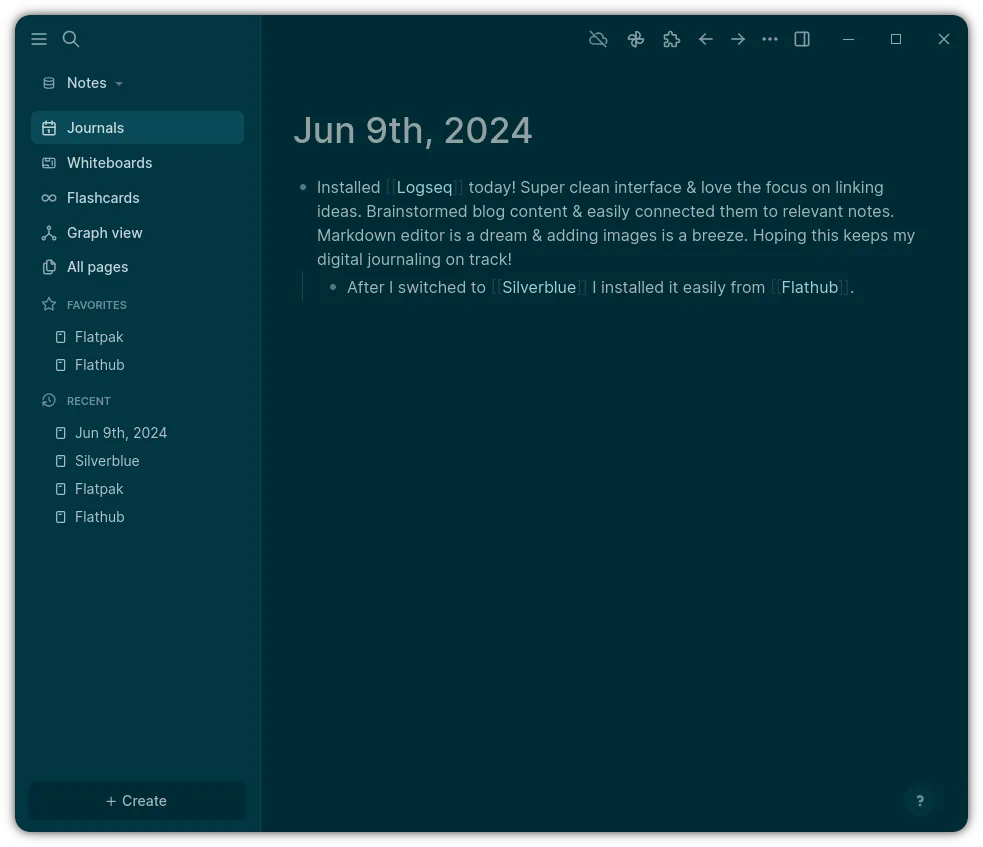
Logseq can replace Anytype for users who need a local‑first, block‑based editor and want to keep data in plain text. It supports drag‑and‑drop outlines, a graph view, and daily notes, but it lacks Anytype’s object‑oriented model and native cross‑platform file format. If you’re comfortable with Markdown/Org and prefer open‑source, Logseq is a solid choice. If you rely on Anytype’s advanced linking and export options, you’ll need to adjust workflows.
- Licence
- AGPL-3.0-or-later
- Prix
- Gratuit
- Dernière version
- 0.10.15 (5 décembre 2025)
- Note
- —
Ce qui fonctionne pareil
- Both are local‑first and privacy‑first, storing data locally;
- Both use block‑based editing with drag‑and‑drop;
- Both offer a graph view to visualize connections;
- Both support daily notes and agenda integration;
- Both are open‑source and cross‑platform
Ce qui change
- Logseq stores data as plain Markdown/Org files, while Anytype uses a proprietary object model;
- Logseq lacks Anytype’s built‑in object linking and advanced export formats;
- Anytype provides a richer set of block types (e.g., tables, code blocks) natively;
- Logseq’s collaboration is via Git or shared folders, not real‑time sync;
- Anytype offers a dedicated desktop app with a richer UI, while Logseq is a lightweight Electron app.
Ouvrir vos fichiers Anytype
Anytype files are stored in a custom binary format that cannot be opened directly by Logseq. To migrate, you would need to export from Anytype to Markdown or plain text (if supported) and then import those files into Logseq. If Anytype does not provide such an export, manual copy‑paste of content is required.
Passer de Anytype à Logseq, étape par étape
- Export Anytype notes to Markdown or plain text if the app offers it;
- Create a new folder for Logseq and copy the exported files into it;
- Open Logseq and point it to the folder containing the Markdown/Org files;
- Verify that links and blocks appear correctly and adjust any formatting;
- If any data is missing, manually recreate it in Logseq using its block editor;
- Backup both the original Anytype data and the new Logseq folder before starting.
Fonctionnalités clés de Logseq
- Stockage local privilégié dans des fichiers Markdown/Org
- Vue graphique pour visualiser les connexions
- Notes quotidiennes et intégration agenda
- Navigation centrée sur le clavier
- Collaboration via Git ou dossiers partagés
- Thèmes et plugins personnalisables
Installer Logseq sous Linux
flatpak install flathub com.logseq.LogseqQuestions fréquentes
Does Logseq support Anytype’s block types like tables and code blocks?
Logseq supports tables and code blocks in Markdown and Org syntax, but the visual rendering may differ from Anytype’s native block styles.
Can I keep my Anytype data in the same format after moving to Logseq?
No. Logseq stores data in plain text files; Anytype’s proprietary format cannot be preserved without exporting to Markdown.
Is there a way to sync Logseq with Anytype in real time?
Logseq does not offer real‑time sync with Anytype. You would need to use a shared folder or Git to sync files manually.
5 autres alternatives à Anytype
 JoplinJoplin est une application open source et multiplateforme de prise de notes et de gestion de tâches qui…Open sourceGratuitFlatpakJoplin ou Anytype
 Standard NotesStandard Notes est une application de prise de notes sécurisée, chiffrée de bout en bout, qui synchronise vos…Open sourceGratuitFlatpakStandard Notes ou Anytype
 ObsidianObsidian est une application de base de connaissances basée sur le markdown qui stocke les notes sous forme…FlatpakObsidian ou Anytype
 Trilium NotesTrilium Notes est une application de prise de notes hiérarchique, auto‑hébergeable, pour créer des bases de…Open sourceGratuitFlatpakTrilium Notes ou Anytype
 ZettlrZettlr est un éditeur Markdown rapide et open‑source avec prise en charge du Zettelkasten et des citations.Open sourceGratuitFlatpakZettlr ou Anytype