
 MattermostLinux
vs
Microsoft Teams (2026 updated client)Windows
Mattermost, alternative Linux à Microsoft Teams (2026 updated client)
Mis à jour le
Notre avis
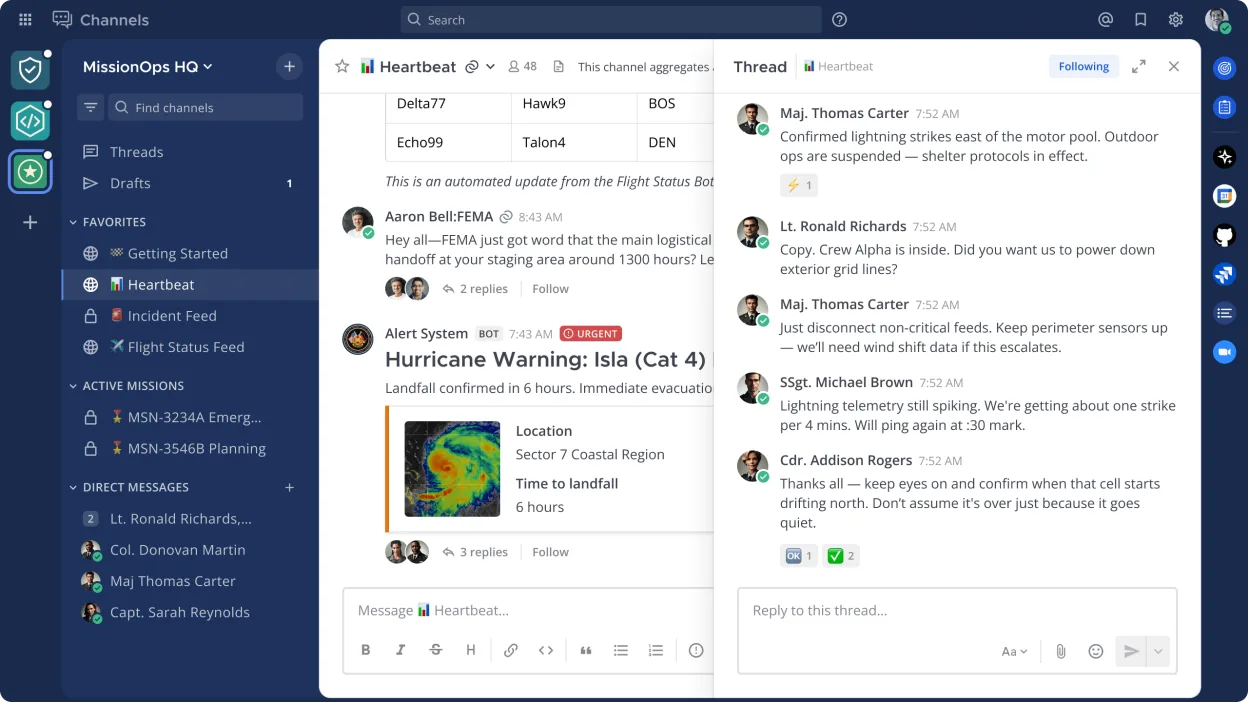
Mattermost is a solid replacement for Microsoft Teams (2026 updated client) if you prioritize self-hosting, security, and integration with developer tools. It covers core collaboration features like persistent chat, file sharing, and searchable history, and supports mobile and desktop clients. However, it lacks built-in video and audio conferencing unless paired with external tools. Best suited for technical teams comfortable managing their own server. For organizations needing out-of-the-box calling and meetings, it's not a direct substitute.
- Licence
- Apache-2.0
- Prix
- Gratuit
- Dernière version
- 6.4.0 (16 novembre 2026)
- Note
- —
Ce qui fonctionne pareil
- Persistent group and direct messaging with searchable history
- File sharing within channels and direct messages
- Cross-platform clients including Linux, Windows, macOS, iOS, and Android
- Support for Markdown formatting and code snippets
- Integration with external tools via REST API and plugins
Ce qui change
- Mattermost does not include built-in video or audio conferencing; requires external tools like Jitsi or Zoom
- No native calendar or task integration comparable to Outlook or Planner
- Self-hosting required, increasing setup and maintenance overhead
- Limited interoperability with Microsoft 365 services
- Fewer user-friendly features for non-technical users
Ouvrir vos fichiers Microsoft Teams (2026 updated client)
Mattermost supports uploading and sharing common file types, but there is no direct compatibility with Microsoft Teams-specific formats or export tools. Files shared in Teams can generally be downloaded and re-uploaded to Mattermost manually. Exporting chat history or files in bulk from Teams requires Microsoft's data export tools, and no automated import process into Mattermost exists. Migration of historical data must be handled externally.
Passer de Microsoft Teams (2026 updated client) à Mattermost, étape par étape
- Set up a Mattermost server on a Linux host with PostgreSQL or MySQL
- Configure authentication (SAML or LDAP) to match existing user directories
- Invite users and organize them into teams and channels
- Migrate important files manually or via script from Teams exports
- Train users on Mattermost workflows and integrations
- Deploy desktop and mobile clients across the organization
Fonctionnalités clés de Mattermost
- Messagerie auto-hébergée avec canaux d'équipe et messages directs
- Intégration avec Git, les pipelines CI/CD et les outils de supervision
- Commandes personnalisées et automatisation par bots
- Partage de fichiers et prise en charge de Markdown
- Contrôle d'accès basé sur les rôles et journalisation des audits
- API RESTful et système de plugins
- Applications mobiles pour iOS et Android
- Prise en charge de l'authentification SAML et LDAP
Installer Mattermost sous Linux
flatpak install flathub com.mattermost.Desktopsudo pacman -S mattermost-desktopQuestions fréquentes
Can Mattermost replace Microsoft Teams for video meetings?
Not directly. Mattermost has no built-in video calling. You must integrate third-party services like Jitsi or Zoom via links or plugins to enable conferencing.
Is Mattermost free to use?
Yes, the open source edition is free under the Apache-2.0 license. Mattermost, Inc. also offers paid enterprise editions with additional features and support.
Can we migrate our Microsoft Teams chat history to Mattermost?
No automated tool exists. You can export data from Teams using Microsoft's compliance tools, but importing into Mattermost requires custom scripting and is not officially supported.
3 autres alternatives à Microsoft Teams (2026 updated client)
 ElementElement est un client de messagerie et de visioconférence basé sur Matrix, open source, pour Linux.Open sourceGratuitFlatpakElement ou Microsoft Teams (2026 updated client)
 FranzFranz est un messager de bureau qui regroupe plusieurs services de messagerie dans une seule interface.Open sourceGratuitFlatpakFranz ou Microsoft Teams (2026 updated client)
 Signal DesktopSignal Desktop est un messager privé gratuit et open‑source pour Linux, synchronisant messages et appels avec…Open sourceGratuitFlatpakSignal Desktop ou Microsoft Teams (2026 updated client)
Toutes les alternatives à Microsoft Teams (2026 updated client)