
 Microsoft EdgeLinux
vs
Microsoft EdgeLinux
vs
 Mozilla FirefoxWindows
Microsoft Edge, alternative Linux à Mozilla Firefox
Mis à jour le
Notre avis
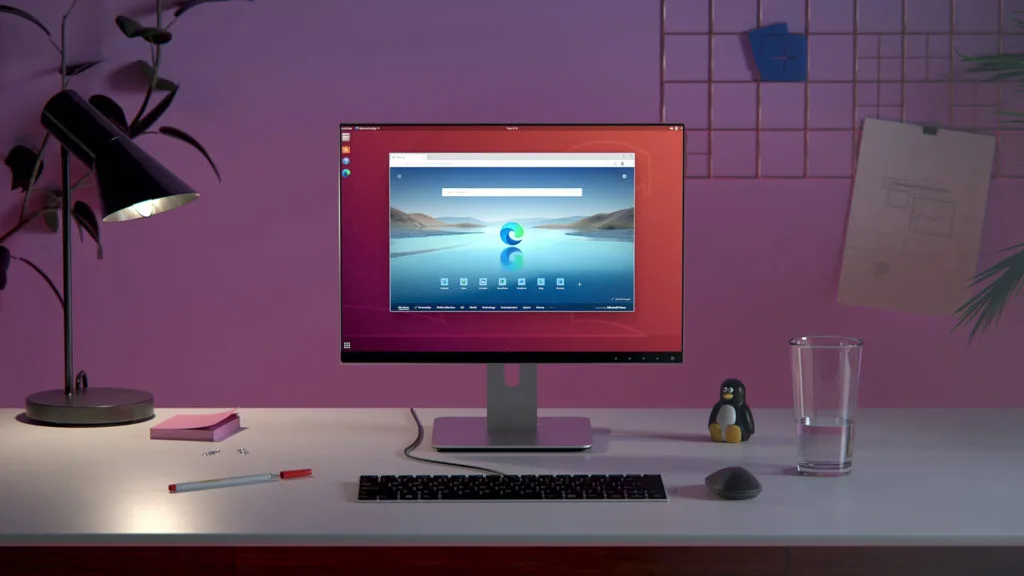
Microsoft Edge is a solid replacement for Mozilla Firefox on Linux for users who value a Chromium‑based engine, integrated Microsoft services, and built‑in tracking protection. It delivers fast rendering, Chrome extension support, and cross‑device sync via a Microsoft account. Those who rely heavily on Firefox‑specific add‑ons or prefer an open‑source browser may find Edge less suitable, but for everyday browsing, privacy controls, and productivity features Edge meets most needs.
- Licence
- LicenseRef-proprietary
- Prix
- Gratuit
- Dernière version
- 156.0.4314.42-1 (22 octobre 2026)
- Note
- —
Ce qui fonctionne pareil
- Chromium‑based rendering engine
- Extension support via Chrome Web Store
- Cross‑device sync of tabs, history, and settings
- InPrivate browsing mode
- Tracking prevention and ad blocking
Ce qui change
- No native Firefox add‑on ecosystem; some extensions may not work
- No Firefox‑specific features like Pocket integration or Firefox Focus
- Edge uses Microsoft account for sync instead of Firefox Sync
- No built‑in support for Firefox‑specific bookmarks or password format
- Edge is proprietary, not open source
Ouvrir vos fichiers Mozilla Firefox
Edge can import bookmarks, passwords, and history from Firefox using the built‑in import wizard. Exporting from Edge to Firefox is also supported via the same wizard. If you use Firefox‑specific profile files (e.g., extensions packaged for Firefox), Edge cannot open them directly.
Passer de Mozilla Firefox à Microsoft Edge, étape par étape
- Open Edge and go to Settings > Profiles > Import bookmarks, passwords, and history
- Choose Firefox as the source and follow the prompts
- Verify that bookmarks and passwords appear in Edge
- Install any desired Chrome extensions from the Chrome Web Store
- Adjust privacy settings in Edge to match your preferences
- Close Firefox to avoid sync conflicts
Fonctionnalités clés de Microsoft Edge
- Moteur basé sur Chromium avec rendu rapide
- Prévention du suivi intégrée et AdBlock Plus
- Navigation InPrivate et recherche
- Synchronisation entre appareils via compte Microsoft
- Protection Microsoft Defender SmartScreen
- Support d’extensions du Chrome Web Store
- Barre de recherche Bing intégrée
- Edge DevTools pour le débogage
Installer Microsoft Edge sous Linux
flatpak install flathub com.microsoft.EdgeQuestions fréquentes
Does Edge support Firefox extensions?
No, Edge only supports extensions from the Chrome Web Store; Firefox‑specific add‑ons will not work.
Will my Firefox bookmarks sync to Edge?
Yes, you can import bookmarks during setup or later via Settings > Profiles > Import.
Is Edge open source?
No, Edge is proprietary software distributed under Microsoft’s license.
11 autres alternatives à Mozilla Firefox
 FirefoxFirefox est un navigateur web rapide et privé développé par Mozilla.Open sourceGratuitFlatpakFirefox ou Mozilla Firefox
 BraveBrave est un navigateur web rapide et axé sur la confidentialité qui bloque les publicités et les traceurs…Open sourceGratuitFlatpakBrave ou Mozilla Firefox
 ZenZen est un navigateur web léger et axé sur la confidentialité qui garde vos onglets organisés et vos…Open sourceGratuitFlatpakZen ou Mozilla Firefox
 FreeTubeFreeTube est un client YouTube léger qui bloque les publicités et le suivi, conçu avec la confidentialité à…Open sourceGratuitFlatpakFreeTube ou Mozilla Firefox
 Google ChromeGoogle Chrome est le navigateur web propriétaire de Google, basé sur Chromium, disponible pour Linux.GratuitFlatpakGoogle Chrome ou Mozilla Firefox
 ChromiumChromium est le projet de navigateur open source derrière Chrome et Edge, offrant une expérience web rapide…Open sourceGratuitFlatpakChromium ou Mozilla Firefox
 OperaOpera GX est un navigateur Linux propriétaire conçu pour les joueurs, offrant des contrôles de performance…GratuitFlatpakOpera ou Mozilla Firefox
 KonquerorKonqueror est un navigateur web et un gestionnaire de fichiers KDE prenant en charge les systèmes de fichiers…Open sourceGratuitKonqueror ou Mozilla Firefox