
 NeovimLinux
vs
VimWindows
Neovim, alternative Linux à Vim
Mis à jour le
Notre avis
Neovim is an excellent replacement for Vim if you want a more extensible, modern editing experience. It keeps the core modal editing workflow intact while adding a cleaner architecture for plugins and UI customization. If you rely heavily on legacy Vimscript or specific GUI features from the original Vim, you might face minor friction. However, for most users seeking a faster, more responsive editor with better terminal integration and Lua support, Neovim is the superior choice. It is not just a fork; it is a refined evolution that respects Vim's heritage while fixing its historical pain points.
- Licence
- Apache-2.0
- Prix
- Gratuit
- Dernière version
- 0.12.6 (9 octobre 2026)
- Note
- —
Ce qui fonctionne pareil
- Identical modal editing modes (Normal, Insert, Visual, Command)
- Support for Vimscript configuration and keybindings
- Extensive plugin ecosystem for syntax highlighting and tools
- Terminal-based interface with optional GUI clients
Ce qui change
- Primary configuration language is Lua, not just Vimscript
- Built-in terminal emulator and job control system
- Native support for floating windows and advanced UI elements
- Removes some legacy Vim features that are rarely used
- Requires a separate client for a full GUI experience
Ouvrir vos fichiers Vim
Neovim opens and saves standard text files (.txt, .md, .py, .c, etc.) without issue. It also reads and writes Vim swap files (.swp) and undo files, allowing you to resume sessions from Vim. Configuration files (.vimrc) are compatible, though Neovim recommends migrating to init.lua. There are no proprietary formats; everything is plain text or standard Vim internal structures.
Passer de Vim à Neovim, étape par étape
- Install Neovim via your package manager or Flathub
- Copy your .vimrc to ~/.config/nvim/init.vim or start fresh
- Install a plugin manager like lazy.nvim or packer.nvim
- Port critical plugins, replacing Vimscript-only ones with Lua alternatives if needed
- Configure your keybindings in the new init file
- Test core workflows to ensure muscle memory translates correctly
Fonctionnalités clés de Neovim
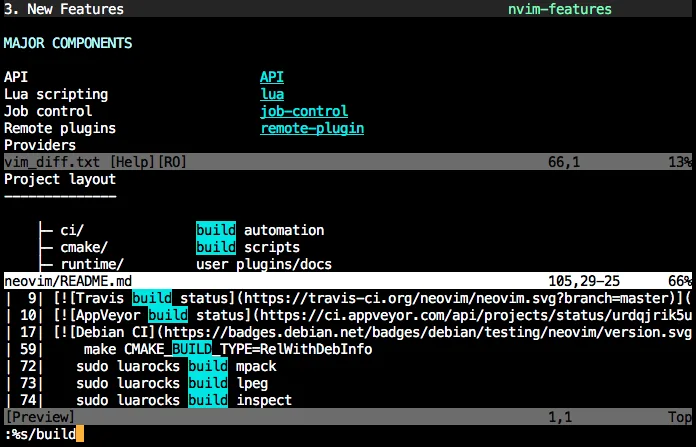
- Édition modale avec modes insertion, normal, visuel, commande
- Émulateur de terminal intégré
- Extensible via Lua et Vimscript
- Plugins distants via RPC
- Contrôle de tâches asynchrone
- UI configurable avec fenêtres flottantes et divisions
Installer Neovim sous Linux
flatpak install flathub io.neovim.nvimsudo apt install neovimsudo apt install neovimsudo dnf install neovimsudo pacman -S neovimsudo zypper install neovimQuestions fréquentes
Can I use my existing Vim plugins?
Most Vim plugins work in Neovim, but some that rely on deprecated APIs or GUI-specific features may fail. Check plugin documentation for Neovim compatibility.
Is Neovim slower than Vim?
No, Neovim is generally faster due to its modern C codebase and asynchronous job handling. It handles large files and complex configurations more efficiently.
Do I need a GUI client?
No, Neovim works perfectly in the terminal. GUI clients like Neovide or gVim are optional and provide better rendering, but are not required for core functionality.
4 autres alternatives à Vim
 HelixHelix est un éditeur de texte terminal rapide, basé sur Rust, offrant une édition modale, des sélections…Open sourceGratuitFlatpakHelix ou Vim
 GNU EmacsGNU Emacs est un éditeur de texte hautement extensible et un interpréteur Lisp qui fonctionne comme un…Open sourceGratuitFlatpakGNU Emacs ou Vim
 KateKate est un éditeur de texte riche en fonctionnalités, axé sur les programmeurs, issu de KDE, prenant en…Open sourceGratuitFlatpakKate ou Vim
 geditgedit est l'éditeur de texte léger et polyvalent de GNOME, idéal pour les notes, les documents et l'édition…Open sourceGratuitFlatpakgedit ou Vim