
 PiTiViLinux
vs
Corel VideoStudioWindows
PiTiVi, alternative Linux à Corel VideoStudio
Mis à jour le
Notre avis
PiTiVi is a solid, native Linux replacement for Corel VideoStudio, particularly for users who prioritize a clean, non-modal workflow over advanced effects. It handles standard timeline editing, codec support via GStreamer, and basic audio mixing well. However, it lacks the extensive library of pre-made titles and transitions found in Corel. If you need heavy motion graphics or specific proprietary effects, look at Kdenlive or Shotcut. For straightforward cutting, trimming, and exporting standard MP4s, PiTiVi is stable, efficient, and integrates nicely with GNOME.
- Licence
- LGPL-2.0+
- Prix
- Gratuit
- Dernière version
- 2023.03 (26 mars 2023)
- Note
- —
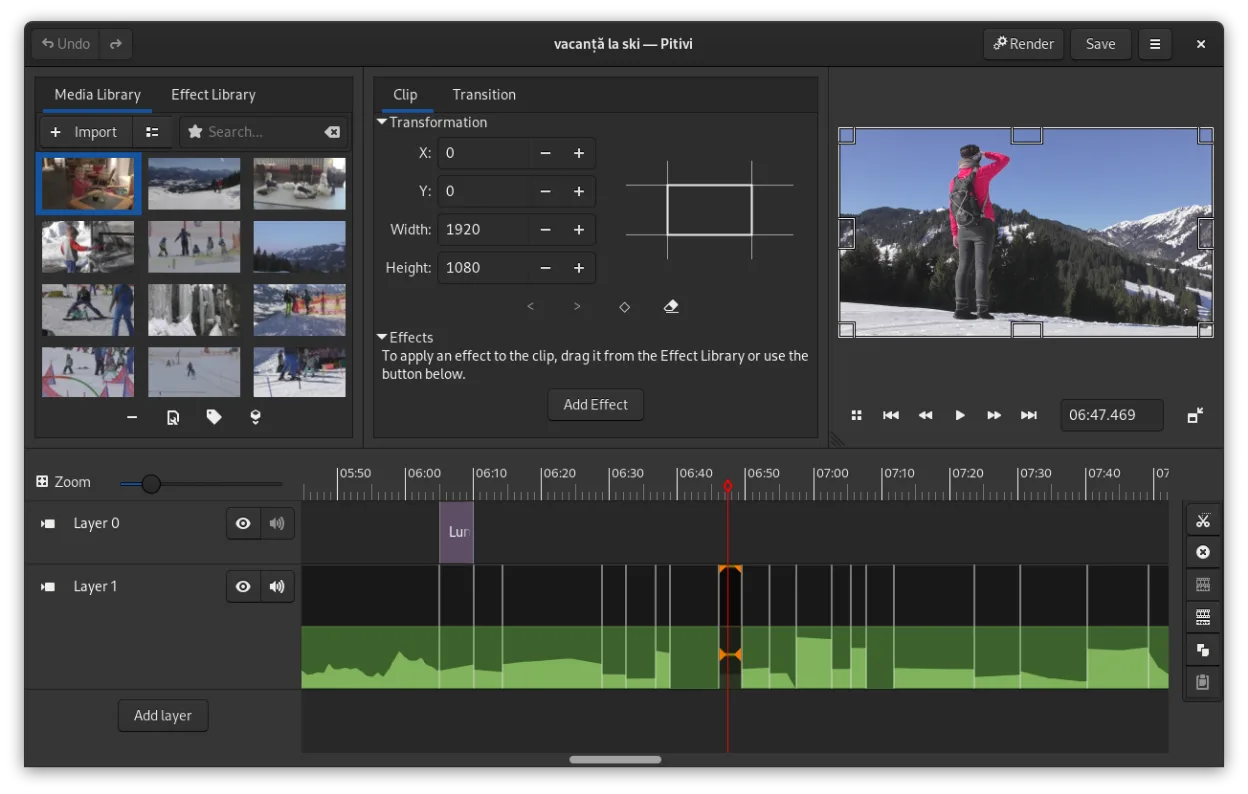
Ce qui fonctionne pareil
- Timeline-based non-linear editing interface
- Support for common codecs like H.264 and H.265 via GStreamer
- Basic audio track management and syncing
- Export to standard formats like MP4
- Crossfade and standard video transitions
Ce qui change
- Lacks a large library of pre-made title templates and motion graphics
- No dedicated color grading suite comparable to Corel's tools
- Interface is simpler, which may feel less feature-dense to power users
- Relies on GStreamer for plugin support rather than proprietary effect engines
- Fewer built-in social media-specific export presets
Ouvrir vos fichiers Corel VideoStudio
PiTiVi does not open Corel VideoStudio project files (.vpro) directly. You must export your edited video from Corel as a high-quality intermediate format (like ProRes or DNxHD) or keep your raw footage separate. To migrate, you will need to re-import your original media files into PiTiVi and rebuild the timeline. Exporting from PiTiVi to standard MP4 or MOV files is straightforward and compatible with most Windows systems for final delivery.
Passer de Corel VideoStudio à PiTiVi, étape par étape
- Install PiTiVi via your package manager or Flathub
- Export your current Corel project as a high-quality video file for reference
- Gather all original raw footage and audio assets
- Create a new project in PiTiVi and set the correct resolution and framerate
- Import media and rebuild the timeline using ripple editing to save time
- Render the final video to MP4 for testing
Fonctionnalités clés de PiTiVi
- Montage non linéaire avec une timeline indépendante du taux de rafraîchissement
- Prise en charge de tout format géré par GStreamer
- Animation de keyframes pour effets et filtres
- Montage en ripple et roll pour des ajustements rapides de la timeline
- Ratios d’aspect, taux de rafraîchissement et préréglages de rendu personnalisés
- Fondus et transitions conformes au standard SMPTE
- Panneaux d’interface détachables pour configurations multi‑moniteurs
- Flux de travail non modal centré sur le curseur
Installer PiTiVi sous Linux
flatpak install flathub org.pitivi.Pitivisudo apt install pitivisudo apt install pitivisudo dnf install pitivisudo pacman -S pitivisudo zypper install pitiviQuestions fréquentes
Does PiTiVi support H.265/HEVC?
Yes, if your GStreamer installation includes the appropriate plugins. Most modern Linux distributions include these by default, but you may need to install additional codec packages if you encounter errors.
Is PiTiVi stable enough for daily use?
It is generally stable for standard editing tasks. However, as an open-source project, it may have fewer features than commercial rivals. Keep your system updated and save your project frequently.
Can I use PiTiVi on non-GNOME desktops?
Yes. While designed for GNOME, it runs well on KDE, XFCE, and other environments. The interface remains consistent, though some integration features may be less prominent.
4 autres alternatives à Corel VideoStudio
 KdenliveKdenlive est un éditeur vidéo non linéaire gratuit et riche en fonctionnalités, construit sur le framework…Open sourceGratuitFlatpakKdenlive ou Corel VideoStudio
 ShotcutShotcut est un éditeur vidéo gratuit et open source pour Linux, prenant en charge une large gamme de formats…Open sourceGratuitFlatpakShotcut ou Corel VideoStudio
 OpenShotOpenShot est un éditeur vidéo non linéaire gratuit et open source pour Linux et d'autres plateformes…Open sourceGratuitFlatpakOpenShot ou Corel VideoStudio
 BlenderBlender est une suite 3D libre et open-source pour la modélisation, l’animation, le rendu et le montage vidéo.Open sourceGratuitFlatpakBlender ou Corel VideoStudio