
 ProtonPlusLinux
vs
SteamWindows
ProtonPlusLinux
vs
SteamWindows
ProtonPlus, alternative Linux à Steam
Mis à jour le
Notre avis
ProtonPlus is not a full replacement for Steam. It is a tool that manages compatibility layers for games that are already installed through Steam or other launchers. It does not provide a storefront, purchase system, or social networking. It is useful for Linux gamers who want to tweak Proton, Wine, DXVK, or VKD3D settings and keep those tools up‑to‑date, especially if they use multiple launchers. It is not a substitute for Steam’s core client functions.
Couverture fonctionnelle
- Licence
- GPL-3.0-or-later
- Prix
- Gratuit
- Dernière version
- 0.6.8 (8 septembre 2026)
- Note
- —
Ce qui fonctionne pareil
- Both interact with Steam game libraries
- Both allow editing of launch options
- Both can notify users about updates
- Both can be scripted via CLI
- Both run on Linux
Ce qui change
- ProtonPlus does not sell or host games
- ProtonPlus lacks Steam’s social features (friends, chat, community hubs)
- ProtonPlus does not manage cloud saves
- ProtonPlus does not handle automatic game updates or patches
- ProtonPlus does not provide a storefront or payment system
Ouvrir vos fichiers Steam
ProtonPlus can read a Steam library folder to list installed games, but it does not import or export Steam configuration files such as "config.vdf" or "libraryfolders.vdf". Users must keep their Steam client for library management and purchases.
Passer de Steam à ProtonPlus, étape par étape
- 1. Keep your Steam client installed for purchases and library management.
- 2. Install ProtonPlus from Flathub or your distro’s package manager.
- 3. Open ProtonPlus, let it scan your Steam library, and select the compatibility tools you want for each game.
- 4. Use ProtonPlus to update or change Proton/Wine/DXVK/VKD3D versions as needed.
- 5. Launch games through ProtonPlus or your chosen launcher to apply the new settings.
- faq
- :
Fonctionnalités clés de ProtonPlus
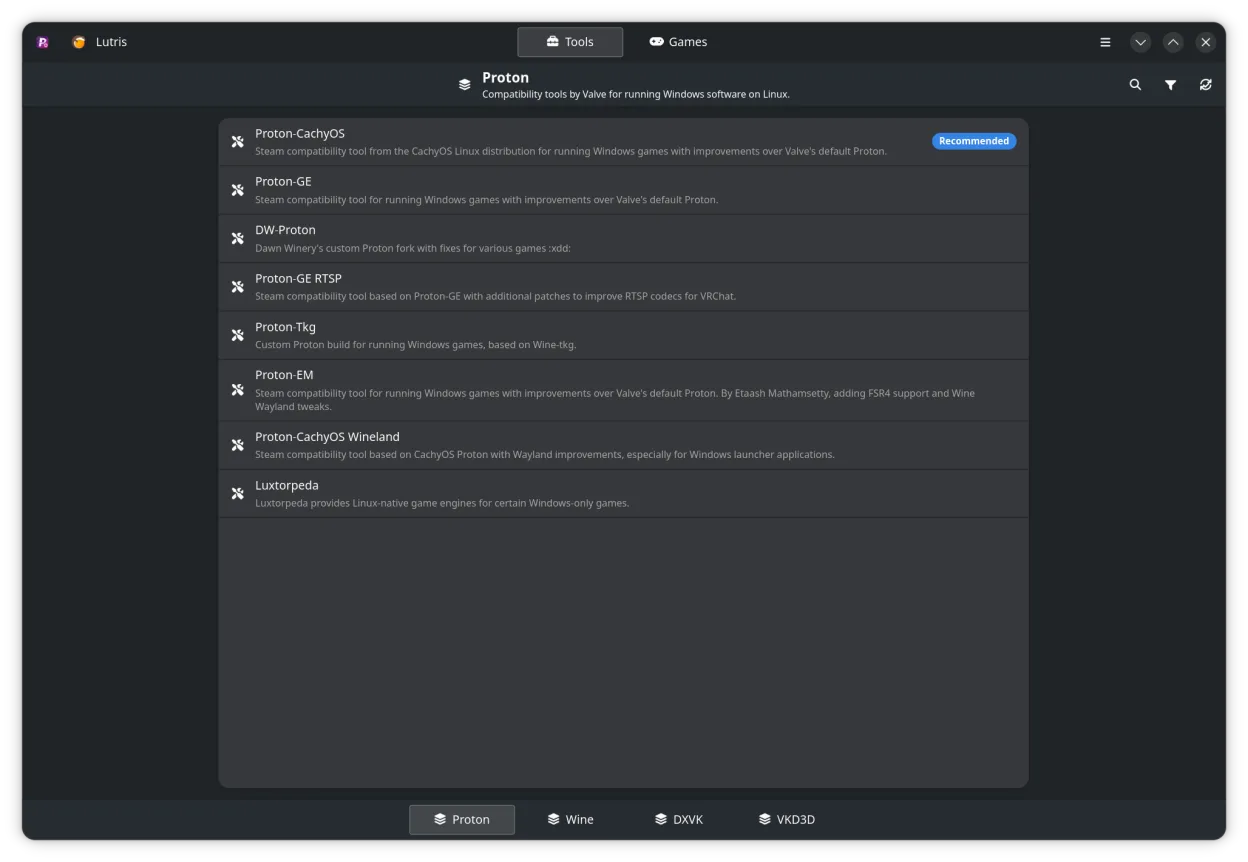
- Gérer Proton, Wine, DXVK, VKD3D et outils associés
- Support pour Steam, Faugus Launcher, Lutris, Heroic Games Launcher, Bottles et WineZGUI
- Parcourir la bibliothèque Steam et modifier les paramètres de compatibilité par jeu
- Éditer les options de lancement directement depuis l’interface
- Suivre les téléchargements et mises à jour avec notifications
- Support CLI pour scripting et automatisation
Installer ProtonPlus sous Linux
Flatpak (Flathub)
flatpak install flathub com.vysp3r.ProtonPlusopenSUSE
sudo zypper install ProtonPlus3 autres alternatives à Steam
Heroic Games LauncherHeroic Games Launcher est un outil open source qui permet aux utilisateurs Linux d'installer et de lancer des…Open sourceGratuitHeroic Games Launcher ou Steam LutrisLutris est une plateforme gratuite et open‑source qui centralise l’installation et le lancement des jeux PC…Open sourceGratuitFlatpakLutris ou Steam
 BottlesBottles exécute des applications Windows sous Linux, en les gérant dans des environnements isolés.Open sourceGratuitFlatpakBottles ou Steam
LutrisLutris est une plateforme gratuite et open‑source qui centralise l’installation et le lancement des jeux PC…Open sourceGratuitFlatpakLutris ou SteamBottlesBottles exécute des applications Windows sous Linux, en les gérant dans des environnements isolés.Open sourceGratuitFlatpakBottles ou SteamNotez ProtonPlus
Soyez le premier à noter
Bon remplaçant de Steam ?
3