
 Qalculate! (GTK UI)Linux
vs
WolframAlphaWindows
Qalculate! (GTK UI), alternative Linux à WolframAlpha
Mis à jour le
Notre avis
Qalculate! is a solid local alternative for users who need symbolic math, unit conversion, and plotting without internet dependency. It handles standard calculus and physics calculations well, making it suitable for students and engineers doing routine work. However, it is not a direct replacement for WolframAlpha’s data-centric capabilities. If your workflow relies heavily on querying curated scientific databases or using natural language inputs for complex, multi-step reasoning, Qalculate! will feel limiting. It excels as a fast, offline computational tool but lacks the breadth of Wolfram’s knowledge base.
- Licence
- GPL-2.0+
- Prix
- Gratuit
- Dernière version
- 5.13.0 (5 octobre 2026)
- Note
- —
Ce qui fonctionne pareil
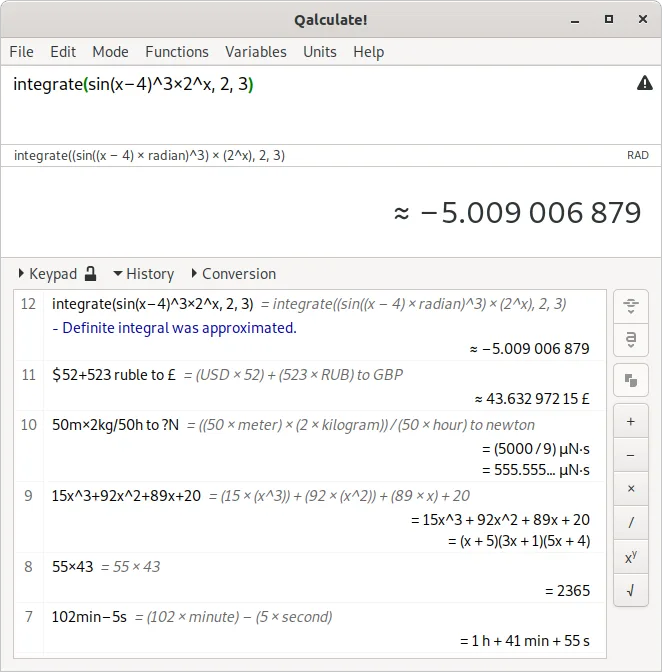
- Supports symbolic and numerical computation, including integrals and equation solving.
- Includes built-in plotting capabilities for visualizing mathematical functions.
- Provides access to physical constants and scientific data for calculations.
- Offers arbitrary precision and uncertainty propagation for high-accuracy results.
Ce qui change
- Lacks natural language query input; requires structured mathematical syntax.
- No access to Wolfram’s extensive curated web-scale scientific and factual database.
- Does not perform complex multi-step reasoning or generate comprehensive reports.
- Visualization is functional but less sophisticated than Wolfram’s interactive 3D plots.
Ouvrir vos fichiers WolframAlpha
Qalculate! does not natively open WolframAlpha-specific file formats like .wl or .wls. You can import standard data formats such as CSV or plain text for numerical analysis. Exporting results is typically done as text, images, or standard mathematical formats. If you have existing Wolfram notebooks, you will need to manually re-enter the logic or convert data to compatible formats before importing.
Passer de WolframAlpha à Qalculate! (GTK UI), étape par étape
- Install Qalculate! via your package manager or Flathub.
- Review the function library to map common Wolfram commands to Qalculate equivalents.
- Export any numerical data from WolframAlpha to CSV or text files.
- Test symbolic calculations in Qalculate! to verify syntax differences.
- Configure unit settings to match your preferred measurement system.
- Create a cheat sheet for frequently used functions and constants.
Fonctionnalités clés de Qalculate! (GTK UI)
- Calculs symboliques, y compris intégrales et équations
- Bibliothèque étendue de calculs et conversions d'unités
- Précision arbitraire et propagation des incertitudes
- Prise en charge de l'arithmétique d'intervalles
- Capacités de tracé de graphiques intégrées
- Grande bibliothèque de fonctions personnalisables
- Base de données de constantes physiques
- Compatibilité multiplateforme
Installer Qalculate! (GTK UI) sous Linux
flatpak install flathub io.github.QalculateQuestions fréquentes
Can Qalculate! handle natural language queries like WolframAlpha?
No. Qalculate! requires structured mathematical input. You must type equations or use its function library directly; it does not parse free-form text questions.
Is Qalculate! fully offline?
Yes. All computations, unit conversions, and constant lookups happen locally on your machine. It does not require an internet connection to function.
Does Qalculate! support 3D plotting?
Qalculate! includes plotting capabilities, but its 3D visualization is more basic than WolframAlpha’s. It is suitable for standard surface and contour plots but lacks advanced interactive features.
2 autres alternatives à WolframAlpha
 GNU OctaveGNU Octave est un environnement de calcul numérique gratuit et open source, largement compatible avec la…Open sourceGratuitFlatpakGNU Octave ou WolframAlpha