
 QOwnNotesLinux
vs
ObsidianWindows
QOwnNotesLinux
vs
ObsidianWindows
QOwnNotes, alternative Linux à Obsidian
Mis à jour le
Notre avis
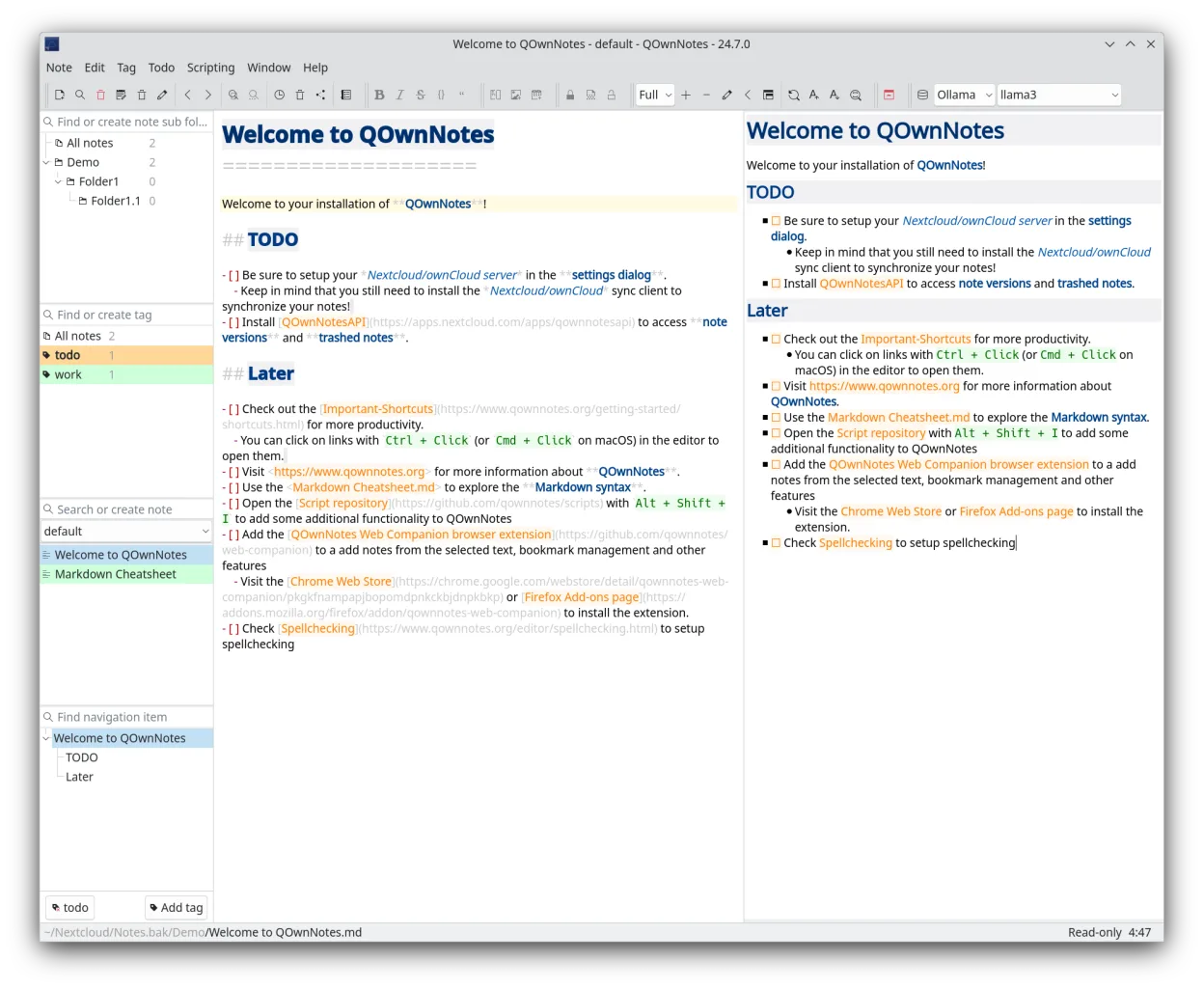
QOwnNotes is a solid replacement for Obsidian if you prioritize local Markdown files, speed, and lightweight design over advanced knowledge graph features. It supports bidirectional links manually through [[link]] syntax, but lacks Obsidian’s automatic graph view and backlink indexing. The interface is functional but not as customizable. It’s best for users who want a no-frills note-taker with basic linking and strong sync via Nextcloud, especially if they already use that ecosystem. Not ideal for heavy graph users.
- Licence
- GPL-2.0+
- Prix
- Gratuit
- Dernière version
- 26.10.12 (25 octobre 2026)
- Note
- —
Ce qui fonctionne pareil
- Both store notes as plain Markdown files on disk
- Support
[[WikiLink]]syntax for linking between notes - Offer fast full-text search and quick note navigation
- Run offline and don’t require cloud storage
- Available on Linux, Windows, and macOS
Ce qui change
- QOwnNotes has no visual graph view of note connections
- No automatic backlink pane or bidirectional link tracking
- Interface is less customizable with fewer themes and plugins
- Plugin system exists but is smaller and less mature than Obsidian’s
- Sync relies on Nextcloud/ownCloud instead of folder-based or custom sync
Ouvrir vos fichiers Obsidian
QOwnNotes can open Obsidian’s Markdown files directly since both use plain text and [[WikiLink]] syntax. Notes stored in a shared folder or synced via Nextcloud will retain their formatting. Images and attachments may need manual path adjustments if using relative links. Tags and basic metadata transfer fine. However, Obsidian-specific frontmatter or plugins won’t be interpreted in QOwnNotes.
Passer de Obsidian à QOwnNotes, étape par étape
- Copy your Obsidian vault folder to a local directory
- Open the folder in QOwnNotes as an external notes folder
- Use
[[ ]]links in QOwnNotes—they’ll match Obsidian’s syntax - Set up Nextcloud sync if you want cross-device sync
- Manually recreate any needed tags or todo lists
Fonctionnalités clés de QOwnNotes
- Édition Markdown avec aperçu en temps réel
- Gestionnaire de liste de tâches
- Gestion par tags et recherche
- Synchronisation avec ownCloud/Nextcloud
- Multiplateforme (Linux, macOS, Windows)
- Raccourcis clavier personnalisables
- Léger et rapide
- Open source sous licence GPL-2.0+
Installer QOwnNotes sous Linux
flatpak install flathub org.qownnotes.QOwnNotessudo dnf install qownnotesQuestions fréquentes
Can QOwnNotes show a graph view like Obsidian?
No, QOwnNotes does not have a visual graph map of note connections. You can navigate links manually using [[ ]] syntax, but there’s no dynamic graph panel.
Does QOwnNotes support Obsidian plugins or themes?
No, QOwnNotes uses its own plugin system and theming. Obsidian plugins and CSS snippets won’t work in QOwnNotes.
Can I sync QOwnNotes without Nextcloud?
Not directly. Sync is built around Nextcloud/ownCloud. For folder-only sync, you’d need third-party tools like rsync or Syncthing alongside it.
5 autres alternatives à Obsidian
 JoplinJoplin est une application open source et multiplateforme de prise de notes et de gestion de tâches qui…Open sourceGratuitFlatpakJoplin ou Obsidian
 ZettlrZettlr est un éditeur Markdown rapide et open‑source avec prise en charge du Zettelkasten et des citations.Open sourceGratuitFlatpakZettlr ou Obsidian
 LogseqLogseq est un outil de base de connaissances non linéaire, privilégiant le stockage local, qui enregistre les…Open sourceGratuitFlatpakLogseq ou Obsidian
 CherryTreeCherryTree est une application de prise de notes hiérarchique offrant du texte enrichi, la coloration…Open sourceGratuitFlatpakCherryTree ou Obsidian
 Standard NotesStandard Notes est une application de prise de notes sécurisée, chiffrée de bout en bout, qui synchronise vos…Open sourceGratuitFlatpakStandard Notes ou Obsidian