
 StremioLinux
vs
StremioLinux
vs
 Windows Media Player (wmp)Windows
Stremio, alternative Linux à Windows Media Player (wmp)
Mis à jour le
Notre avis
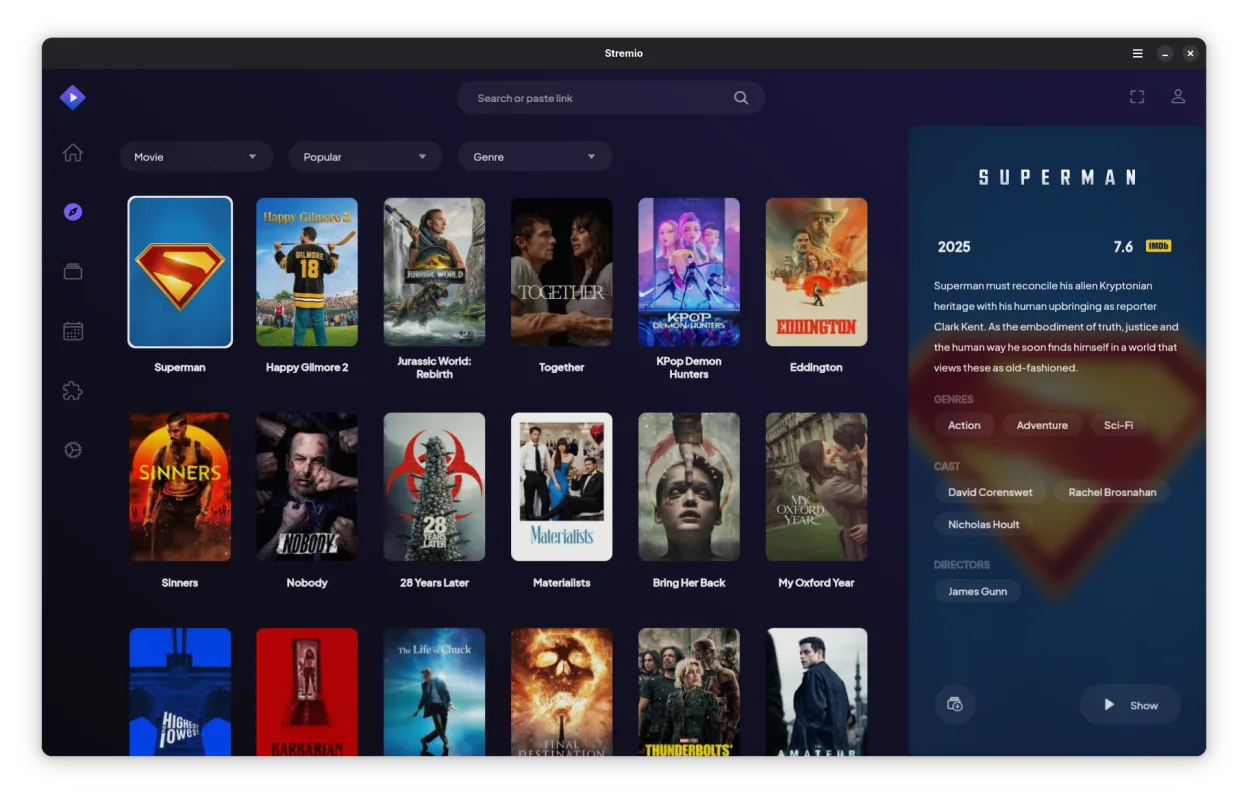
Stremio can replace Windows Media Player for users who mainly play local media and want a modern interface with automatic metadata. It handles MP3, AAC, WAV, MP4, WMV, AVI without extra codecs, and supports subtitles. However, it lacks some library features of WMP such as advanced playlist editing, CD ripping, and Windows‑specific DRM handling. It is best for casual listeners and movie watchers who prefer a clean UI and cross‑platform use.
Couverture fonctionnelle
- Licence
- GPL-3.0-only
- Prix
- Gratuit
- Dernière version
- 1.2.2 (7 octobre 2026)
- Note
- —
Ce qui fonctionne pareil
- Both play common audio and video formats (MP3, AAC, WAV, MP4, WMV, AVI)
- Both support subtitles for video
- Both offer a library view with metadata and album art
- Both allow creation and management of playlists
- Both have a simple, quick‑playback UI
Ce qui change
- Stremio has an addon system for online streaming, WMP does not
- Stremio supports 4K HDR content, WMP does not natively
- Stremio lacks CD ripping and burning features present in WMP
- Stremio does not integrate with Windows Media Center or the Windows ecosystem
- Stremio’s library organization is less granular (no separate audio/video tabs)
Ouvrir vos fichiers Windows Media Player (wmp)
Both can open standard media files. WMP stores playlists as .wpl files; Stremio does not import .wpl, so playlists must be recreated manually. Stremio does not export playlists to WMP format. Metadata files (.wmp) are not supported by Stremio.
Passer de Windows Media Player (wmp) à Stremio, étape par étape
- Export your WMP playlists to a text or CSV format if you need them later.
- Move your media files to a folder that Stremio can scan (e.g., ~/Videos).
- Launch Stremio and let it index the folder; it will fetch metadata automatically.
- Add any desired online addons via the Addons section.
- Recreate playlists manually in Stremio’s library.
- Verify subtitle files (e.g., .srt) are in the same folder as the video.”
- faq
Fonctionnalités clés de Stremio
- Bibliothèque multimédia locale avec récupération automatique des métadonnées
- Système d’addons pour accéder aux sources de streaming en ligne
- Prise en charge du contenu 4K HDR
- Disponibilité multiplateforme incluant Linux, Windows et mobile
- Interface propre et minimale axée sur la découverte
- Intégration avec les systèmes de fichiers locaux pour la lecture directe
Installer Stremio sous Linux
Flatpak (Flathub)
flatpak install flathub com.stremio.Stremio4 autres alternatives à Windows Media Player (wmp)
 MplayerMPlayer est un lecteur multimédia gratuit en ligne de commande qui prend en charge un large éventail de…Open sourceGratuitMplayer ou Windows Media Player (wmp)
 TotemTotem (GNOME Videos) est le lecteur vidéo par défaut de GNOME, construit sur GStreamer.Open sourceGratuitTotem ou Windows Media Player (wmp)
 VLC media playerVLC est un lecteur multimédia gratuit et open source qui fonctionne sur Linux et prend en charge pratiquement…Open sourceGratuitFlatpakVLC media player ou Windows Media Player (wmp)
 Gnome MPlayerGnome MPlayer est une interface légère pour MPlayer, conçue pour les bureaux GNOME.Open sourceGratuitAbandonnéGnome MPlayer ou Windows Media Player (wmp)
Notez Stremio
Soyez le premier à noter
Bon remplaçant de Windows Media Player (wmp) ?
3