
 ThunderbirdLinux
vs
CalendarWindows
ThunderbirdLinux
vs
CalendarWindows
Thunderbird, alternative Linux à Calendar
Mis à jour le
Notre avis
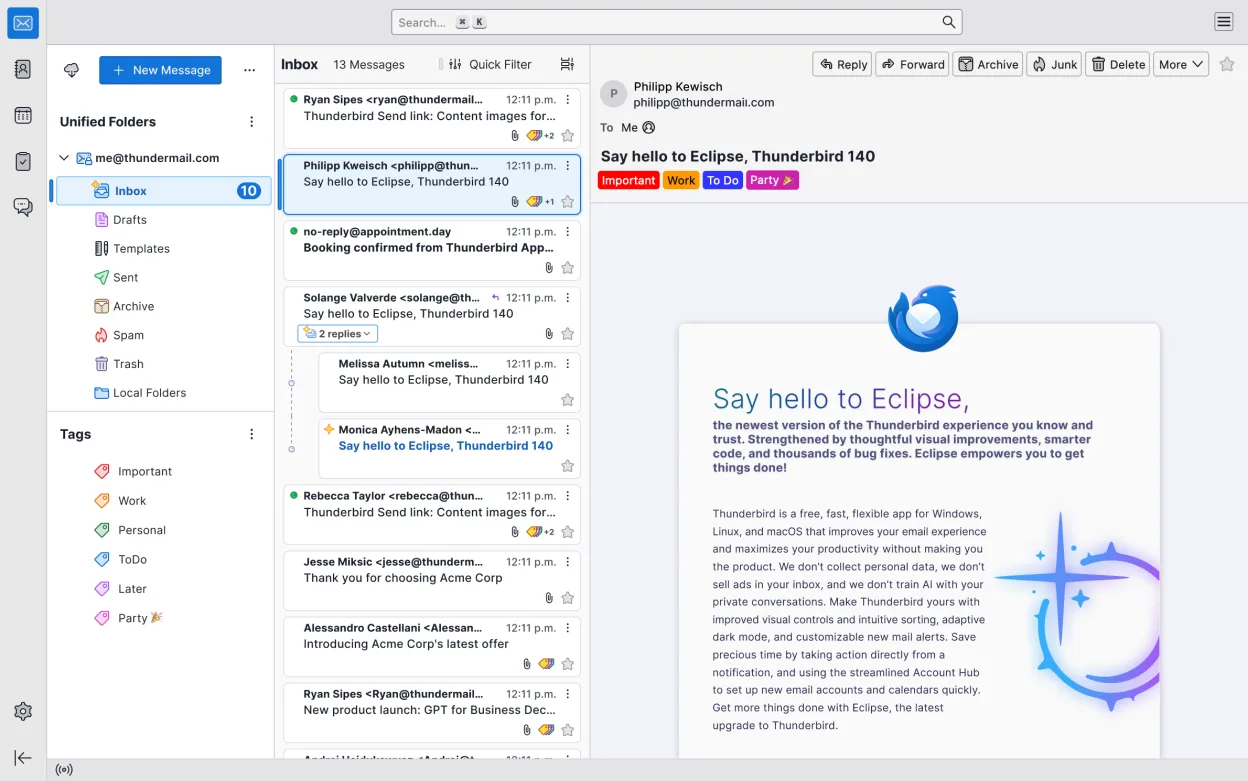
Thunderbird is a capable replacement for GNOME Calendar, particularly if you already use it for email. It handles core scheduling tasks like viewing events, setting reminders, and managing multiple calendars effectively. However, it is a heavier application with a steeper learning curve due to its email-centric design. For users who need a lightweight, distraction-free interface focused solely on scheduling, GNOME Calendar remains superior. Thunderbird is best suited for users who want to consolidate their email and calendar into one application and do not mind a more complex interface.
- Licence
- MPL-2.0
- Prix
- Gratuit
- Dernière version
- 159.0 (26 octobre 2026)
- Note
- —
Ce qui fonctionne pareil
- Supports month, week, and day views for event scheduling
- Allows creation, editing, and deletion of personal appointments
- Integrates with system notifications for reminders and alarms
- Supports subscribing to external iCal feeds
- Displays multiple calendars with distinct color coding
Ce qui change
- Thunderbird is a full email client, adding significant interface complexity compared to GNOME Calendar's lightweight design
- GNOME Calendar is optimized for speed and minimal resource usage, whereas Thunderbird is heavier
- Thunderbird requires configuring Lightning or similar add-ons for full calendar functionality in some contexts
- GNOME Calendar has a simpler, more direct interface for pure scheduling tasks
- Thunderbird includes email, news, and chat features that are irrelevant to pure calendar users
Ouvrir vos fichiers Calendar
GNOME Calendar typically stores data in local files or connects to online accounts. Thunderbird supports importing standard iCal (.ics) files, which can be exported from GNOME Calendar if it supports local file export. If you use online accounts like CalDAV, both applications can connect to the same server, allowing seamless synchronization without file conversion. Direct file compatibility between native local storage formats is not guaranteed, so using iCal export/import or CalDAV synchronization is the recommended approach.
Passer de Calendar à Thunderbird, étape par étape
- Export your existing events from GNOME Calendar as an .ics file if using local storage
- Install Thunderbird and ensure the calendar component is enabled
- Import the .ics file into Thunderbird via File > Import
- Configure any online calendar accounts (CalDAV) directly in Thunderbird settings
- Set up system notification integration for reminders
- Verify that all events, reminders, and colors display correctly in Thunderbird
Fonctionnalités clés de Thunderbird
- Prend en charge IMAP, POP3, SMTP et Exchange via des extensions
- Calendrier intégré avec planification et rappels
- Client de chat et IRC intégré
- Lecteur de flux RSS/Atom
- Filtrage et balisage avancés des messages
- Chiffrement complet avec OpenPGP
- Extensible via des extensions
- Flux de travail axé sur le clavier
Installer Thunderbird sous Linux
flatpak install flathub org.mozilla.thunderbirdsudo apt install thunderbirdsudo apt install thunderbirdsudo dnf install thunderbirdsudo pacman -S thunderbird-i18n-frsudo zypper install MozillaThunderbirdQuestions fréquentes
Is Thunderbird's calendar as fast as GNOME Calendar?
No, Thunderbird is a larger application and may feel slower to launch and navigate compared to the lightweight GNOME Calendar, especially on older hardware.
Can I use Thunderbird without setting up email?
Yes, you can use Thunderbird primarily for calendar functions, but you may need to disable or ignore email-related prompts and settings.
Does Thunderbird support CalDAV?
Yes, Thunderbird supports CalDAV, allowing you to sync with online calendar services like Nextcloud, Google, or iCloud, similar to GNOME Calendar.
4 autres alternatives à Calendar
 EvolutionEvolution est un gestionnaire d’informations personnelles complet qui combine courriel, agenda, contacts et…Open sourceGratuitFlatpakEvolution ou CalendarOrageUne application de calendrier légère basée sur KDE pour gérer les événements, les rappels et les listes de…Open sourceGratuitOrage ou CalendarCalcurseCalcurse est un gestionnaire de calendrier et de tâches léger, basé sur le texte et destiné au terminal…Open sourceGratuitCalcurse ou Calendar