
 ZimLinux
vs
Microsoft OneNote (UWP)Windows
Zim, alternative Linux à Microsoft OneNote (UWP)
Mis à jour le
Notre avis
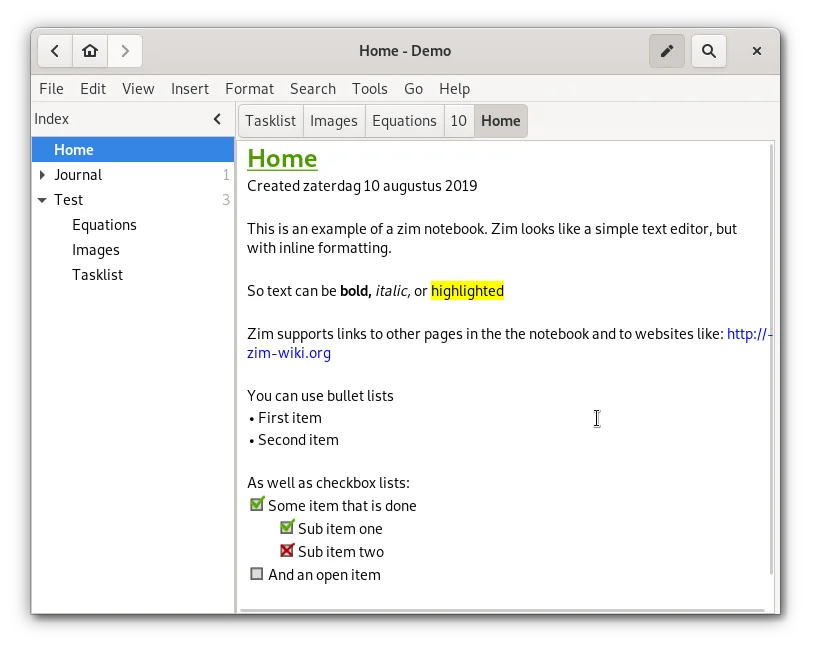
Zim is a solid replacement for OneNote if you prioritize local control and plain-text storage over cloud collaboration. It handles hierarchical organization, attachments, and basic media well. However, it lacks real-time multi-user editing and native cloud sync, which are core OneNote features. Choose Zim if you want a structured, offline-first wiki that exports cleanly to standard formats. Avoid it if you rely on heavy drawing, audio recording, or simultaneous editing with colleagues.
- Licence
- GPL-2.0+
- Prix
- Gratuit
- Dernière version
- 0.77.2 (26 juillet 2026)
- Note
- —
Ce qui fonctionne pareil
- Hierarchical organization of notes via sidebar trees
- Support for linking between pages and attaching files
- Ability to include images and rich text content
- Export capabilities to standard formats like HTML and PDF
Ce qui change
- No built-in cloud synchronization; requires manual setup or external tools
- Lacks real-time multi-user collaboration features
- Stores data as plain text files with wiki markup rather than a proprietary binary format
- No native support for audio recording or free-form canvas drawing
Ouvrir vos fichiers Microsoft OneNote (UWP)
Zim does not natively open Microsoft OneNote (.one) files. You must export your OneNote notebooks to HTML or PDF from Windows first, then import or manually copy the content into Zim pages. Direct file conversion is not supported, so expect some manual reformatting of complex layouts or embedded media.
Passer de Microsoft OneNote (UWP) à Zim, étape par étape
- Export your OneNote notebooks to HTML or PDF on Windows
- Install Zim via your distribution's package manager or Flathub
- Create a new notebook in Zim with a suitable directory structure
- Import HTML files or copy-paste content into new Zim pages
- Re-attach any necessary images or documents manually
- Configure a version control plugin if you need backup or history
Fonctionnalités clés de Zim
- Arborescence latérale hiérarchique pour organiser les pages
- Stockage automatique en fichiers texte brut avec balisage wiki
- Liens entre pages et pièces jointes
- Plugins pour les tâches, les équations, l'icône dans la barre système et le contrôle de version
- Raccourcis clavier multiplateformes
- Exportation en HTML, PDF et texte brut
Installer Zim sous Linux
flatpak install flathub org.zim_wiki.Zimsudo apt install zimsudo apt install zimsudo dnf install Zimsudo pacman -S zimsudo zypper install zimQuestions fréquentes
Can Zim sync my notes automatically?
No, Zim does not have built-in cloud sync. You can use a version control system like Git via the VCS plugin, or manually copy files to a sync folder like Syncthing or Nextcloud.
Is Zim free to use?
Yes, Zim is free and open-source software licensed under GPL-2.0+.
Does Zim support drawing or handwriting?
Zim is primarily a text-based wiki. It does not offer a free-form canvas for drawing or handwriting like OneNote. You can attach image files of drawings, but cannot create them directly in the note.
3 autres alternatives à Microsoft OneNote (UWP)
 JoplinJoplin est une application open source et multiplateforme de prise de notes et de gestion de tâches qui…Open sourceGratuitFlatpakJoplin ou Microsoft OneNote (UWP)
 Standard NotesStandard Notes est une application de prise de notes sécurisée, chiffrée de bout en bout, qui synchronise vos…Open sourceGratuitFlatpakStandard Notes ou Microsoft OneNote (UWP)
 SimplenoteSimplenote est une application de prise de notes gratuite, multiplateforme, qui synchronise les notes…Open sourceGratuitFlatpakSimplenote ou Microsoft OneNote (UWP)