
 digiKamLinux
vs
XnViewWindows
digiKamLinux
vs
XnViewWindows
digiKam como alternativa Linux ao XnView
Atualizado em
Nossa avaliação
digiKam is a strong replacement for XnView if your primary need is organizing and managing a large photo library with advanced tagging and RAW support. It handles viewing, basic editing, and metadata editing well. However, it is heavier and more complex than XnView. If you just need a quick, lightweight viewer for batch conversion of diverse file types without deep library management, XnView is simpler. For users who want to replace XnView’s organizational and editing features with a more robust, open-source tool that excels at RAW workflows and detailed metadata search, digiKam is an excellent choice.
- Licença
- GPL-2.0+
- Preço
- Grátis
- Versão mais recente
- 9.1.0 (7 de junho de 2026)
- Avaliação
- —
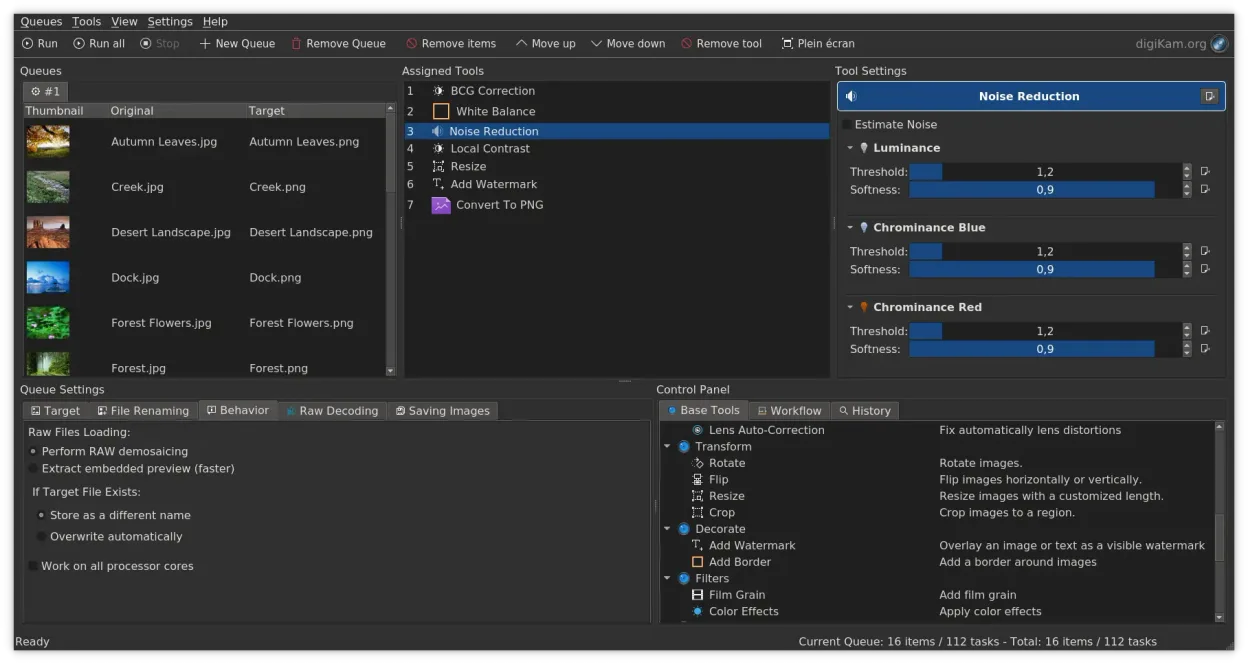
O que funciona igual
- Supports viewing and editing a wide range of image formats, including RAW files.
- Offers batch processing capabilities for renaming and converting images.
- Provides tools for editing EXIF, IPTC, and XMP metadata.
- Includes basic image editing features like cropping, rotating, and resizing.
- Cross-platform availability, though digiKam is primarily a Linux/KDE application.
O que muda
- digiKam is a full photo manager with a database, while XnView is primarily a viewer/converter.
- digiKam has a steeper learning curve due to its comprehensive feature set.
- XnView is lighter and faster for simple tasks like quick previews or batch conversions.
- digiKam focuses heavily on library organization with tags, ratings, and albums, which XnView lacks in depth.
- digiKam uses a non-destructive editing model, whereas XnView typically performs direct edits.
Abrindo seus arquivos do XnView
digiKam can open and export standard image formats (JPEG, PNG, TIFF, etc.) and RAW files, which are the same formats XnView handles. Since both tools work with standard file systems and formats, there is no proprietary file format lock-in. You can import your existing image folders directly into digiKam without conversion. Metadata is preserved and managed via standard EXIF/IPTC/XMP tags, ensuring compatibility with other tools.
Trocando o XnView pelo digiKam, passo a passo
- Install digiKam via your package manager or Flathub.
- Launch digiKam and create a new photo library.
- Point the library to your existing image folders on your disk.
- Let digiKam scan and index the files to build its database.
- Configure import rules if you plan to add new photos from cameras or SD cards.
- Familiarize yourself with the tagging and album organization features.
Principais recursos do digiKam
- Importação direta de câmeras, cartões SD e unidades USB com regras configuráveis
- Sistemas avançados de marcação, classificação e rótulos para organização complexa da biblioteca
- Motor de busca poderoso que suporta critérios de metadados EXIF, IPTC e XMP
- Edição não destrutiva com ajustes de cor, recorte e nitidez
- Suporte nativo a arquivos RAW via LibRaw para decodificação e pré‑visualização
- Catalogação de vídeos e extração de metadados usando back‑ends FFmpeg
- Organização de álbuns com interface de arrastar e soltar
- Disponibilidade multiplataforma para Linux, Windows e macOS
Como instalar o digiKam no Linux
flatpak install flathub org.kde.digikamsudo apt install digikamsudo apt install digikamsudo dnf install digikamsudo pacman -S digikamsudo zypper install digikamPerguntas frequentes
Is digiKam too heavy for just viewing images?
Yes, if you only need to quickly view a few files, digiKam is overkill. It is designed for managing large libraries. For simple viewing, a lighter tool like Eye of GNOME or Image Viewer might be better.
Can digiKam replace XnView for batch converting 500+ formats?
digiKam supports many formats, but it is not primarily a batch converter for obscure file types. For bulk conversion of diverse formats, you might still prefer a dedicated tool like ImageMagick or XnView itself if available.
Does digiKam support non-destructive editing?
Yes, digiKam uses a non-destructive editing model, meaning your original files remain unchanged, and edits are stored as adjustments. This is a significant advantage over XnView’s direct editing approach.
Outras 5 alternativas ao XnView
 darktabledarktable é um editor de fotos gratuito e de código aberto que gerencia arquivos RAW e oferece um fluxo de…Código abertoGrátisFlatpakdarktable vs XnView
 GIMPGIMP é um editor de gráficos raster gratuito e de código aberto para edição de fotos, pintura digital e…Código abertoGrátisFlatpakGIMP vs XnView
 KritaKrita é um programa de pintura digital e ilustração de código aberto com recursos completos.Código abertoGrátisFlatpakKrita vs XnView
 ShotwellShotwell é um gerenciador de fotos GNOME para importar, organizar e editar imagens de forma leve.Código abertoGrátisFlatpakShotwell vs XnView