
 geditLinux
vs
Windows NotepadWindows
geditLinux
vs
Windows NotepadWindows
gedit como alternativa Linux ao Windows Notepad
Atualizado em
Nossa avaliação
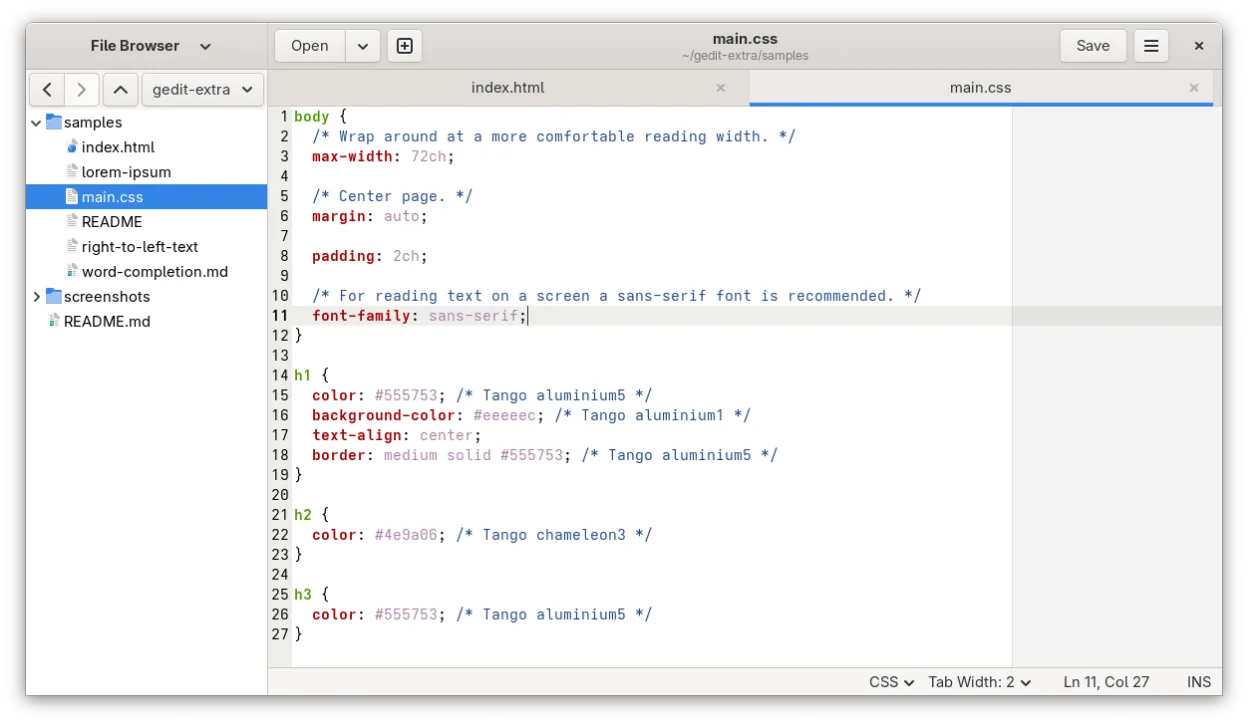
gedit is a solid replacement for Windows Notepad for most users, especially on GNOME desktops. It opens plain text files quickly, supports UTF-8, and handles basic editing reliably. Its clean interface and tabbed design make managing multiple files easy. While it includes optional features like syntax highlighting and plugins, these don't interfere with simple use. If you stick to default settings, gedit feels lightweight and familiar. It’s particularly good for users who occasionally need more than just Notepad but still want simplicity.
- Licença
- GPL-2.0+
- Preço
- Grátis
- Versão mais recente
- 51.0 (15 de outubro de 2026)
- Avaliação
- 5/5 (1)
O que funciona igual
- Both open and save plain text files quickly
- Support UTF-8 and common character encodings
- Launch fast and use minimal system resources when idle
- Feature a simple, clean interface with minimal toolbars
- Handle clipboard operations (copy, paste, cut) reliably
O que muda
- gedit supports tabs for multiple files; Notepad now does too, but gedit handles this more smoothly
- gedit includes optional syntax highlighting and line numbers, which Notepad lacks
- gedit has regex search and replace; Notepad only supports basic find/replace
- gedit may feel slightly heavier on non-GNOME desktops due to GTK dependencies
- Windows Notepad has no plugin system, while gedit supports extensions
Abrindo seus arquivos do Windows Notepad
gedit opens files created by Windows Notepad without issues, including those with DOS line endings (CRLF). It saves in UTF-8 by default and can read legacy encodings like Windows-1252 if needed. When saving, it correctly writes plain ASCII or UTF-8 text, which remains fully compatible with Notepad. Line endings can be configured, but default to Unix (LF) — however, this doesn't prevent Notepad from opening them, especially in recent Windows 10 and 11 versions that support LF.
Trocando o Windows Notepad pelo gedit, passo a passo
- Install gedit using your package manager:
sudo apt install gediton Debian/Ubuntu - Set gedit as default for .txt files in your file manager's properties dialog
- Open frequently used text files to test encoding and line ending handling
- Disable unnecessary plugins in Preferences > Plugins to keep it lightweight
- Use Ctrl+N, Ctrl+O, Ctrl+S — shortcuts are identical to Notepad
- Drag and drop text files onto gedit window for quick access
Principais recursos do gedit
- Realce de sintaxe para muitas linguagens de programação
- Sistema de plugins para estender funcionalidades
- Busca e substituição com suporte a regex
- Fonte configurável, largura de tabulação e quebra de linha
- Números de linha, correspondência de colchetes e auto-indentação
- Suporte a codificação UTF-8
- Edição de texto com arrastar e soltar
- Interface de múltiplos documentos com abas
Como instalar o gedit no Linux
flatpak install flathub org.gnome.geditsudo apt install geditsudo apt install geditsudo dnf install geditsudo pacman -S geditsudo zypper install geditPerguntas frequentes
Does gedit work well on non-GNOME desktops like XFCE or KDE?
Yes, gedit runs on any Linux desktop, though it uses more memory on non-GNOME systems due to GTK dependencies. Performance remains acceptable for typical use.
Can gedit open large text files like Notepad++?
gedit can handle moderately large files, but struggles with very large logs or dumps. For files over a few hundred MB, consider using less, vim, or mcedit instead.
Is gedit still maintained even though GNOME switched to GNOME Text Editor?
Yes, gedit is still actively maintained. Version 51.0 was released in 2026, and it remains available in all major distributions and Flathub.
Outras 5 alternativas ao Windows Notepad
 KateKate é um editor de texto rico em recursos, focado em programadores, da KDE, com suporte a mais de 300…Código abertoGrátisFlatpakKate vs Windows Notepad
 MousepadMousepad é um editor de texto leve, baseado em GTK, para o desktop Xfce.Código abertoGrátisFlatpakMousepad vs Windows NotepadPlumaPluma é um editor de texto leve, baseado em GTK, para o desktop GNOME, projetado como uma alternativa simples…Código abertoGrátisPluma vs Windows NotepadLeafpadLeafpad é um editor de texto leve, baseado em GTK, projetado para velocidade e simplicidade em desktops Linux.Código abertoGrátisLeafpad vs Windows Notepad
 KWriteKWrite é um editor de texto leve do KDE com destaque de sintaxe e recursos básicos de IDE.Código abertoGrátisFlatpakKWrite vs Windows Notepad