
 GeoGebraLinux
vs
Microsoft Math SolverWindows
GeoGebra como alternativa Linux ao Microsoft Math Solver
Atualizado em
Nossa avaliação
GeoGebra is a strong replacement for users who prioritize interactive exploration and rigorous step-by-step algebraic manipulation over quick camera-based scanning. It handles calculus, geometry, and equation solving with high precision, offering a CAS that Microsoft Math Solver lacks. However, it is not a direct drop-in if your primary workflow relies on photographing handwritten homework for instant, simplified steps. GeoGebra requires you to type or construct problems, making it better for students and educators who want to understand the mechanics behind the solution rather than just get an answer quickly. It is less of a 'scanner' and more of a 'laboratory'.
- Licença
- LicenseRef-proprietary=https://www.geoge…
- Preço
- Grátis
- Versão mais recente
- 6-0-804-0 (4 de outubro de 2023)
- Avaliação
- —
O que funciona igual
- Solves algebraic equations and handles calculus problems
- Provides step-by-step logical breakdowns of solutions
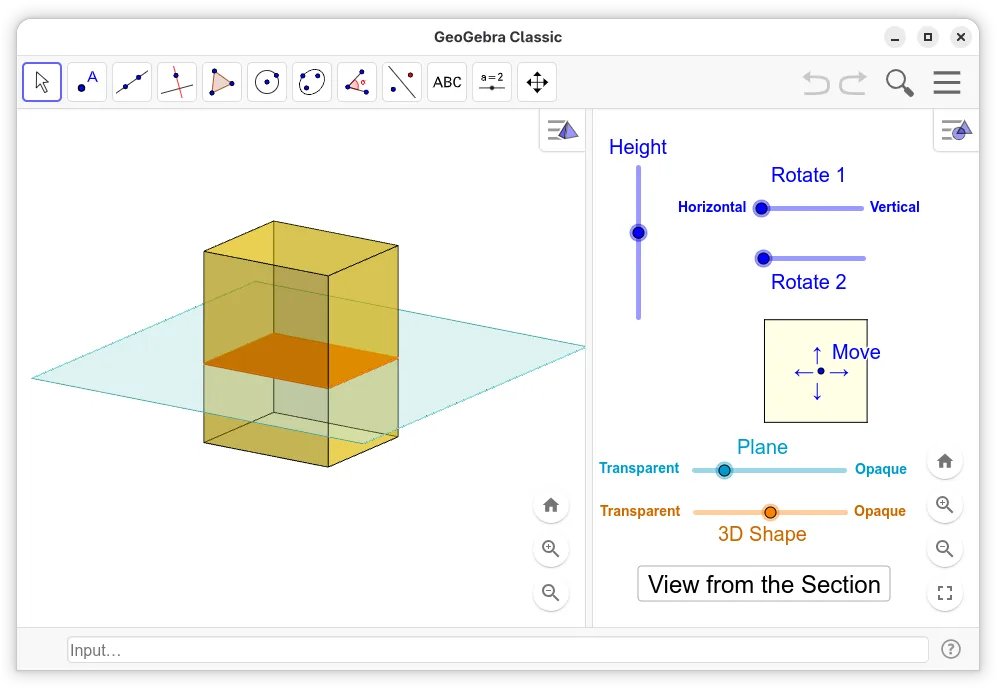
- Supports 2D and 3D geometry visualization
- Exports results to formats suitable for printing or sharing
O que muda
- Lacks built-in camera input for scanning handwritten problems
- Requires manual entry or construction of problems rather than OCR processing
- Focuses on dynamic manipulation and scripting rather than static, simplified explanations
- Interface is more complex and geared towards deep exploration than quick lookup
Abrindo seus arquivos do Microsoft Math Solver
Microsoft Math Solver does not have a widely documented, distinct proprietary file format for saving complex multi-step sessions that GeoGebra can directly import. You can generally copy and paste text equations from Math Solver into GeoGebra’s input bar. GeoGebra exports to PDF, PNG, and HTML, which covers the need for printable results, but you will not be able to open a saved 'Math Solver session' file directly in GeoGebra.
Trocando o Microsoft Math Solver pelo GeoGebra, passo a passo
- Install GeoGebra from your Linux distribution’s package manager or Flathub
- Open GeoGebra and select the Algebra view to enter equations
- Use the CAS commands to request step-by-step solutions for specific equations
- Construct geometric figures using the dynamic geometry tools if needed
- Export your final work to PDF for printing or sharing
Principais recursos do GeoGebra
- Gráfico interativo 2D e 3D de funções
- Ferramentas de construção dinâmica de geometria
- Resolução e manipulação de equações algébricas
- Visão de planilha para entrada e análise de dados
- Capacidades de script usando GeoGebraScript
- Exportação para PDF, PNG e HTML
- Suporte a comandos CAS (Computer Algebra System)
- Compatibilidade com GeoGebra Tube para compartilhamento
Como instalar o GeoGebra no Linux
flatpak install flathub org.geogebra.GeoGebrasudo apt install geogebrasudo apt install geogebrasudo pacman -S geogebraPerguntas frequentes
Can I scan a photo of a math problem in GeoGebra?
No, GeoGebra does not have a built-in camera or OCR feature to scan handwritten problems. You must type the equation or construct the geometry manually.
Is GeoGebra free to use?
Yes, the desktop application is free to download and use for personal and educational purposes. It is developed by the GeoGebra Institute.
Does GeoGebra handle calculus as well as Math Solver?
GeoGebra is often more powerful for calculus because it includes a full Computer Algebra System (CAS) that allows for symbolic integration and differentiation, whereas Math Solver focuses on providing a clear, simplified step-by-step guide for standard problems.
Outras 3 alternativas ao Microsoft Math Solver
 Qalculate! (GTK UI)Uma calculadora de desktop poderosa e versátil, com matemática simbólica, conversão de unidades e capacidades…Código abertoGrátisFlatpakQalculate! (GTK UI) vs Microsoft Math Solver
 GNU OctaveO GNU Octave é um ambiente de computação numérica gratuito e de código aberto que é amplamente compatível com…Código abertoGrátisFlatpakGNU Octave vs Microsoft Math Solver