
 Git ColaLinux
vs
GitWindows
Git ColaLinux
vs
GitWindows
Git Cola como alternativa Linux ao Git
Atualizado em
Nossa avaliação
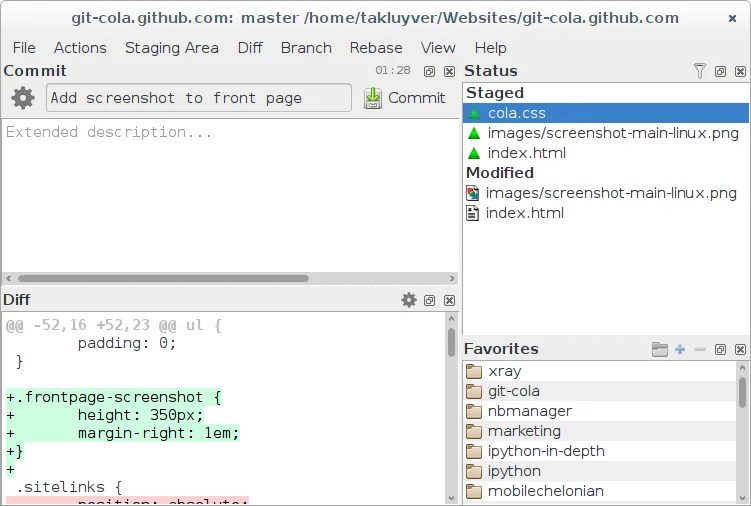
Git Cola is a solid graphical front‑end for Git that covers most day‑to‑day tasks a typical developer needs: cloning, pulling, pushing, branching, stashing, and reviewing history. It is a good replacement for users who prefer a visual workflow but still want full command‑line access for advanced operations. Advanced users who rely heavily on scripting or non‑GUI workflows may still prefer the native Git CLI, but for most desktop developers Git Cola provides an efficient, feature‑rich alternative.
- Licença
- GPL-2.0
- Preço
- Grátis
- Versão mais recente
- 4.19.0 (12 de julho de 2026)
- Avaliação
- —
O que funciona igual
- Both provide access to all core Git commands via a user interface
- Both support branching, tagging, and stashing
- Both allow viewing commit history and diffs
- Both can be used to manage large repositories and submodules
- Both can export patches
O que muda
- Git Cola is a GUI; Git is command‑line only
- Git Cola requires a graphical environment, Git works headless
- Git Cola does not expose every low‑level Git plumbing command by default
- Git Cola’s merge conflict editor is built‑in, while Git relies on external editors
- Git Cola’s configuration is GUI‑based, Git uses .gitconfig
Abrindo seus arquivos do Git
Git Cola can open any local Git repository, including those with submodules. It can export patches in standard format and import them back. It does not directly edit raw Git objects; for that you still need the Git CLI.
Trocando o Git pelo Git Cola, passo a passo
- 1. Install git-cola via your distro’s package manager or Flathub
Principais recursos do Git Cola
- Gráfico visual de commits e navegação de histórico
- Ferramenta integrada de diff e merge
- Gerenciamento de branch, tag e stash
- Suporte a comandos Git personalizados
- Árvore de arquivos e lista de mudanças pesquisáveis
- Desfazer/refazer para ações de staging
- Atalhos e temas configuráveis
- Exportar patches e aplicá‑los
Como instalar o Git Cola no Linux
flatpak install flathub com.github.git_cola.git-colasudo apt install git-colasudo apt install git-colasudo dnf install git-colasudo zypper install git-colaPerguntas frequentes
Can I use git-cola with an existing Git repository?
Yes, launch git-cola in the repository’s root directory or open the folder from the file manager. It will detect the .git folder and load the repo.
Does git-cola support submodules?
Yes, submodules are displayed in the file tree and can be updated, cloned, or committed from within the GUI.
How do I run custom Git commands from git-cola?
Use the "Custom Commands" dialog to define a command line that will be executed with the repository’s root as the working directory. The output appears in the console pane.
Outras 4 alternativas ao Git
 GitKrakenGitKraken é um cliente Git multiplataforma com rastreamento de issues integrado e edição de código.FlatpakGitKraken vs Git
 gitgGitg é uma interface gráfica leve para Git que visualiza o histórico de commits e gerencia repositórios.Código abertoGrátisFlatpakgitg vs Git
 Sublime MergeSublime Merge is a proprietary Git client with a fast, keyboard‑centric UI.FlatpakSublime Merge vs Git