
 GNOME System MonitorLinux
vs
GNOME System MonitorLinux
vs
 Net MeterWindows
GNOME System Monitor como alternativa Linux ao Net Meter
Atualizado em
Nossa avaliação
GNOME System Monitor is not a good replacement for Net Meter. It shows a network activity overview but lacks real‑time per‑interface upload/download counters, total data transferred, and detailed active connection lists. It is useful for users who only need a quick glance at overall network usage or want to keep everything inside the GNOME desktop, but it does not satisfy the core needs of Net Meter users.
Cobertura de recursos
- Licença
- GPL-2.0
- Preço
- Grátis
- Versão mais recente
- 51.1
- Avaliação
- 5/5 (1)
O que funciona igual
- Both run on Linux and Windows respectively
- Both provide a GUI that shows network activity
- Both can be launched from the system menu or panel
- Both are lightweight compared to full‑featured network managers
O que muda
- GNOME System Monitor shows only an aggregated network graph, not per‑interface stats
- It does not display total data transferred or per‑connection details
- No system tray icon or persistent panel widget
- GNOME System Monitor is part of the GNOME desktop, not a standalone utility
- It lacks the ability to export or import Net Meter configuration files
Abrindo seus arquivos do Net Meter
GNOME System Monitor cannot open or export Net Meter files; Net Meter uses a proprietary .nmt file format that is not supported by GNOME System Monitor. Users would need to manually note settings or use a third‑party conversion tool if available.
Trocando o Net Meter pelo GNOME System Monitor, passo a passo
- Close Net Meter on the Windows machine.
- Install GNOME System Monitor via your distribution’s package manager (e.g., sudo apt install gnome-system-monitor).
- Launch GNOME System Monitor from the Activities overview or application menu.
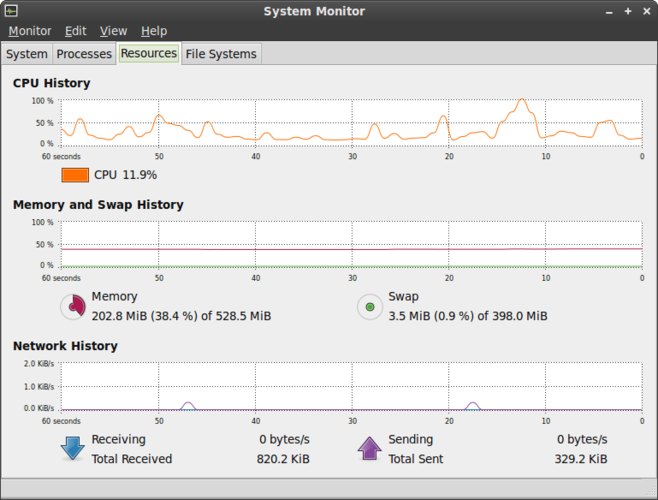
- Open the "Network" tab to view the overall traffic graph; note that per‑interface details are not available.
Principais recursos do GNOME System Monitor
- Listar todos os processos em execução com uso de CPU e memória
- Ordenar processos por nome, PID, usuário ou consumo de recursos
- Visualizar informações detalhadas sobre um processo específico
- Encerrar ou matar processos em execução
- Monitorar a carga total de CPU e memória do sistema
- Exibir o tempo de atividade do sistema e a média de carga
- Mostrar uma visão geral da atividade de rede
- Integrar com o ambiente de desktop GNOME
Como instalar o GNOME System Monitor no Linux
Ubuntu / Mint
sudo apt install gnome-system-monitorDebian
sudo apt install gnome-system-monitorFedora
sudo dnf install gnome-system-monitorArch / Manjaro
sudo pacman -S gnome-system-monitoropenSUSE
sudo zypper install gnome-system-monitorAvalie o GNOME System Monitor
5.0 · 1 votos
É um bom substituto do Net Meter?
6