
 JamiLinux
vs
Microsoft Teams (old version with full calling features)Windows
JamiLinux
vs
Microsoft Teams (old version with full calling features)Windows
Jami como alternativa Linux ao Microsoft Teams (old version with full calling features)
Atualizado em
Nossa avaliação
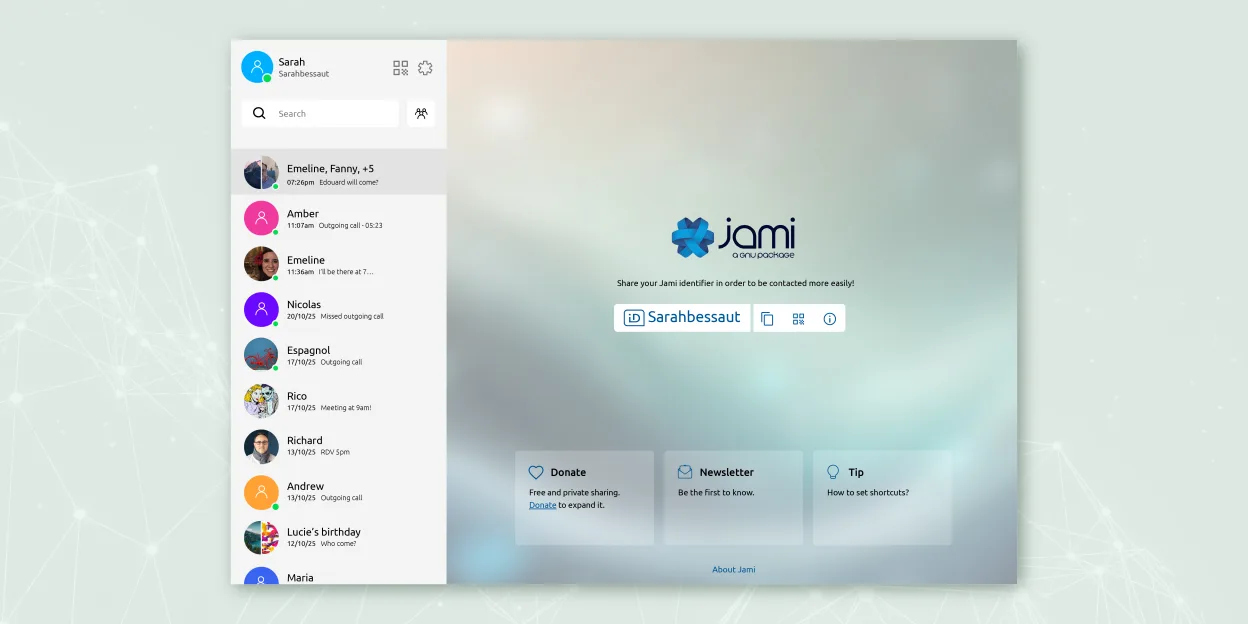
Jami is a solid replacement for Microsoft Teams (legacy) if your priority is privacy and decentralized communication, but it lacks key enterprise calling features. It supports chat, video conferencing with screen sharing, voice calls, and file sharing across platforms. However, it does not offer native PSTN dial pad integration or calendar syncing. SIP support allows some external calling, but it's not as seamless as Teams. Best for small teams or individuals who value freedom and encryption over deep business tool integration.
- Licença
- GPL-3.0+
- Preço
- Grátis
- Versão mais recente
- 20260917.0 (17 de setembro de 2026)
- Avaliação
- —
O que funciona igual
- End-to-end encrypted chat and video calls
- Cross-platform support including Linux, Windows, macOS, Android, iOS
- Group chats with screen sharing and file transfer
- Voice calling with microphone and headset support
- Available as a native Linux application
O que muda
- No built-in PSTN dial pad or direct phone number calling interface
- Lacks integration with calendars or business tools like Outlook
- No native support for Microsoft 365 or Teams meeting invites
- Calling is peer-to-peer only; SIP must be manually configured for external lines
- No centralized admin dashboard comparable to Teams admin center
Abrindo seus arquivos do Microsoft Teams (old version with full calling features)
Jami does not support opening Microsoft Teams-specific file formats or chat history exports. File sharing works via standard formats (PDF, DOCX, etc.), so shared documents can still be exchanged, but there’s no migration path for chat logs or call history. If you’re moving from Teams, you’ll need to manually save or export any important files or conversations beforehand. Jami stores data locally, so imported content must be handled outside the app.
Trocando o Microsoft Teams (old version with full calling features) pelo Jami, passo a passo
- Install Jami from Flathub or official repository on all devices
- Set up accounts and exchange contact information with team members
- Configure SIP accounts in Jami if PSTN calling is needed
- Enable screen sharing and test audio/video with headsets
- Use JAMS for centralized account management in enterprise environments
Principais recursos do Jami
- Mensagens e chamadas criptografadas ponta‑a‑ponta
- Áudio/vídeo peer‑to‑peer direto sem servidores centrais
- Chats em grupo, transferência de arquivos, compartilhamento de tela, compartilhamento de localização
- Suporte a cliente SIP e integração JAMS para empresas
- Disponibilidade cross‑plataforma (Linux, Windows, macOS, Android, iOS)
- Extensões como filtros de áudio, resposta automática, tela verde
- Gravação de chamadas e transcrição de voz para texto
Como instalar o Jami no Linux
flatpak install flathub net.jami.Jamisudo apt install jamiPerguntas frequentes
Can Jami join existing Microsoft Teams meetings?
No, Jami cannot join Microsoft Teams meetings. It’s a separate system with no interoperability with Teams.
Does Jami support calling landlines or mobile numbers?
Yes, but only through third-party SIP providers. You must configure a SIP account manually; there’s no built-in dial pad like in Teams.
Is Jami suitable for large organizations?
It can work with JAMS for account management, but lacks the administrative controls, reporting, and integrations expected in large enterprise environments.
Outras 3 alternativas ao Microsoft Teams (old version with full calling features)
 ElementO Element é um cliente de chat e videoconferência baseado em matriz, de código aberto, para Linux.Código abertoGrátisFlatpakElement vs Microsoft Teams (old version with full calling features)
 MattermostO Mattermost é uma plataforma de colaboração de código aberto e autohospedada, criada para equipes de…Código abertoGrátisFlatpakMattermost vs Microsoft Teams (old version with full calling features)
 Jitsi MeetO Jitsi Meet é um cliente de videoconferência de código aberto que se conecta a qualquer servidor Jitsi para…Código abertoGrátisFlatpakJitsi Meet vs Microsoft Teams (old version with full calling features)
Todas as alternativas ao Microsoft Teams (old version with full calling features)