
 KaffeineLinux
vs
KaffeineLinux
vs
 CyberLink PowerDVDWindows
Kaffeine como alternativa Linux ao CyberLink PowerDVD
Atualizado em
Nossa avaliação
Kaffeine is a solid, free replacement for basic DVD and VCD playback, offering full menu navigation and wide codec support via GStreamer. However, it is not a direct replacement for CyberLink PowerDVD if you rely on Blu-ray playback, 4K Ultra HD discs, or integrated streaming from online services. Kaffeine focuses on local media and digital TV, lacking the advanced disc decryption and streaming features of PowerDVD. It suits users who primarily watch DVDs and local video files and do not need commercial disc protection bypassing or cloud integration.
- Licença
- GPL-2.0+
- Preço
- Grátis
- Versão mais recente
- 2.0.18 (14 de maio de 2019)
- Avaliação
- —
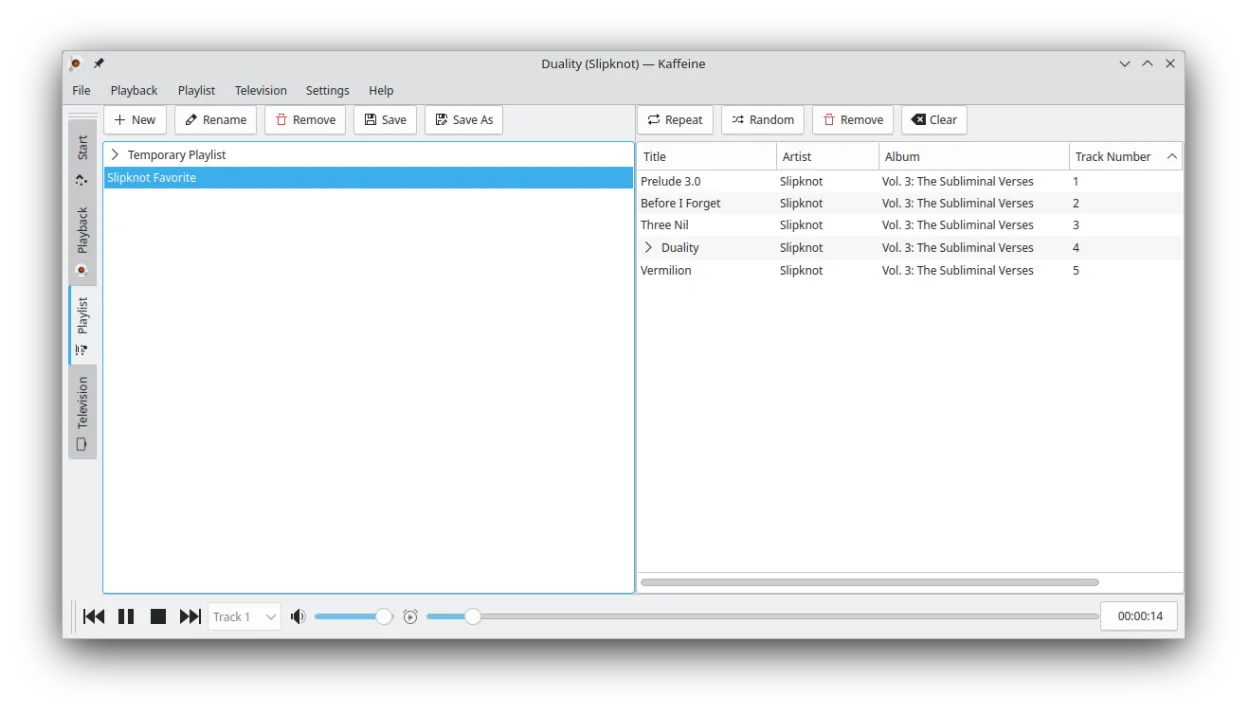
O que funciona igual
- Plays DVDs with full menu and chapter navigation
- Supports a wide range of audio and video codecs
- Handles subtitles in multiple formats
- Provides audio track selection
- Available as a native Linux application
O que muda
- Lacks native Blu-ray and 4K Ultra HD disc playback support
- No built-in streaming from online services like Netflix or YouTube
- Focused on DVB digital TV support rather than commercial disc decryption
- Does not handle copy-protected commercial Blu-rays out of the box
- Interface is simpler and less feature-rich for advanced media management
Abrindo seus arquivos do CyberLink PowerDVD
CyberLink PowerDVD does not create unique proprietary video files; it plays standard containers like MP4, MKV, or ISO images. Kaffeine can open these same standard video files directly. If you use PowerDVD to rip discs, the resulting files (e.g., MKV or MP4) will play in Kaffeine without conversion, provided the codecs are supported by GStreamer. There is no specific 'PowerDVD file format' to migrate.
Trocando o CyberLink PowerDVD pelo Kaffeine, passo a passo
- Install Kaffeine via your package manager or Flatpak
- Install necessary GStreamer plugins for broad codec support
- Test playback with a standard DVD or video file
- Configure subtitle paths if needed
- Verify audio track selection works with your media library
- Note that Blu-ray discs will not play without additional decryption tools
Principais recursos do Kaffeine
- Forte suporte a placas sintonizadoras DVB para TV digital
- Reproduz DVDs com menus completos e navegação por capítulos
- Suporta formatos VCD e SVCD
- Lida com uma ampla gama de codecs de áudio e vídeo por meio do GStreamer
- Varredura e gravação integradas de canais de TV
- Atalhos de teclado para navegação e controle de reprodução rápidos
- Suporta legendas em múltiplos formatos
- Disponível como Flatpak para instalação fácil
Como instalar o Kaffeine no Linux
flatpak install flathub org.kde.kaffeinesudo apt install kaffeinesudo apt install kaffeinesudo dnf install kaffeinesudo pacman -S kaffeinesudo zypper install kaffeinePerguntas frequentes
Can Kaffeine play Blu-ray discs?
No, Kaffeine does not have built-in support for playing commercial Blu-ray discs. You would need a different player like VLC or MPV with appropriate decryption libraries for that.
Does Kaffeine support streaming from Netflix or YouTube?
No, Kaffeine is a local media player and does not integrate with online streaming services. You would need a web browser or a dedicated streaming app for that.
Is Kaffeine better than VLC for digital TV?
Kaffeine has strong, integrated support for DVB digital TV tuner cards, including channel scanning and recording, which is a specific strength over general-purpose players like VLC.
Outras 5 alternativas ao CyberLink PowerDVD
 TotemTotem (GNOME Vídeos) é o player de vídeo padrão do GNOME baseado no GStreamer.Código abertoGrátisTotem vs CyberLink PowerDVD
 MplayerMPlayer é um reprodutor de mídia gratuito e de linha de comando que suporta uma ampla variedade de formatos e…Código abertoGrátisMplayer vs CyberLink PowerDVD
 VLC media playerVLC é um reprodutor multimídia gratuito e de código aberto que roda no Linux e suporta praticamente qualquer…Código abertoGrátisFlatpakVLC media player vs CyberLink PowerDVD
 XineXine is a free, open‑source multimedia player engine and frontend for Linux that supports a wide range of…Código abertoGrátisXine vs CyberLink PowerDVD
 Ogle DVD PlayerOgle DVD Player was an early open‑source DVD‑Video player for Linux, designed to replace commercial Windows…Código abertoGrátisDescontinuadoOgle DVD Player vs CyberLink PowerDVD